Windows 11 23H2 Security: Native Passkey Manager, Mandatory SMB Signing, and Firewall Hardening
Leveraging Windows 11 23H2 native TPM-backed Passkeys alongside mandatory SMB Signing and Intune Endpoint Security Firewall baselines to eliminate NTLM relay and lateral access risks.
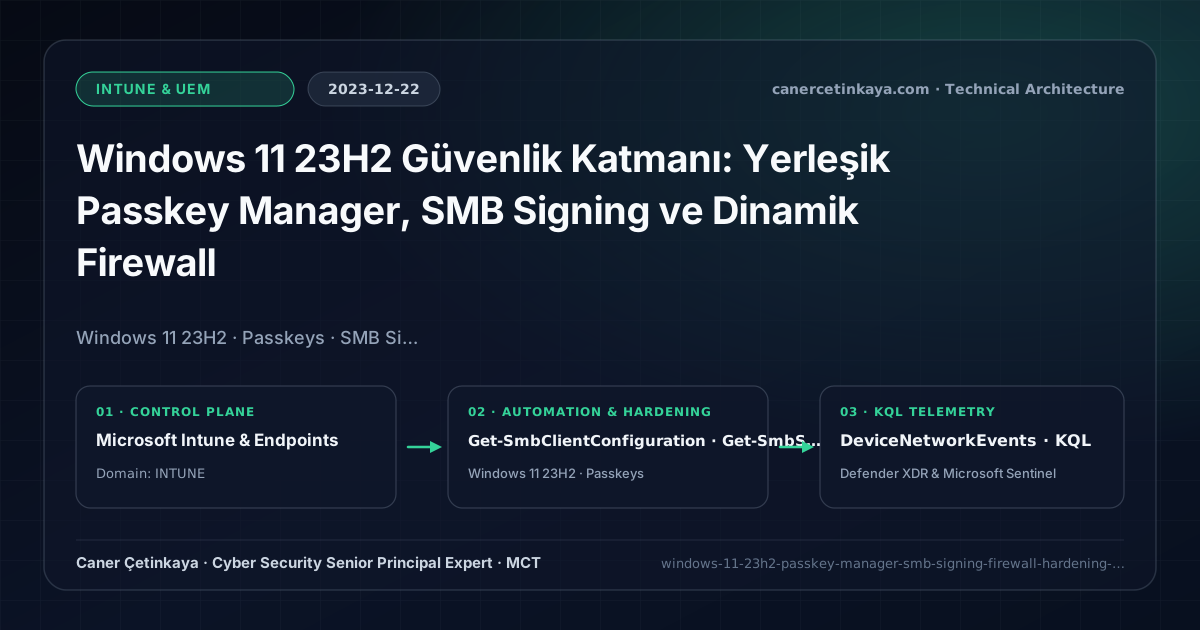
Executive Summary and Endpoint Hardening Context
Beyond phishing, unauthenticated NTLM Relay attacks (Responder, PetitPotam) continuously target unsigned SMB traffic across corporate LANs. Released in late 2023, Windows 11 23H2 matured native TPM-backed Passkey prompts while sharpening network defenses via default SMB Signing awareness and granular Intune Windows Defender Firewall policies.
From an architectural evolution standpoint, this foundational design connects directly to modern platform controls. Combining native WebAuthn Passkeys with network-layer SMB Signing and tightened Intune Firewall profiles in 2023 directly anchors modern passwordless device trust and lateral-movement resistance.
Hardware and Kernel Trust Boundaries and Design Principles
Windows 11 Native Passkey Managerbinds WebAuthn FIDO2 credentials directly inside TPM 2.0 hardware protected by Windows Hello biometrics, scaling phishing-resistant auth without extra hardware key cost.Mandatory SMB Signingcryptographically signs SMB frames end-to-end, neutralizing Man-in-the-Middle tampering and NTLM relay chains.Intune Endpoint Security Firewalllocks down inbound administrative ports (445,3389,5985) across Public and Private profiles while suppressing conflicting local rules.BitLocker,Credential Guard,HVCI/VBS,App Control(WDAC),Cloud PKI, andWindows LAPSmust align withTPM 2.0/UEFI Secure Bootreadiness and resolve legacyGPO/customOMA-URIprecedence conflicts across pilot rings.
Prerequisites, MDM Conflict Resolution, and RBAC Boundaries
- Licensing & OS: Windows 11 23H2 Enterprise/Pro (Microsoft 365 E3/E5 + Intune Plan 1) with TPM 2.0 active.
- RBAC Access: Intune
Endpoint Security Manageralongside cleaned-up legacy AD GPO firewall baselines. - Hardware Overhead: Modern AES-NI/SHA instructions keep SMB 3.1.1 signing overhead negligible (~1–3%), though SMBv1 compatibility remains intentionally blocked.
Technical Verification, Compliance, and Policy Controls
PowerShell Endpoint Posture and Configuration Check
Validating SMB signing settings, Windows Firewall default actions, and TPM readiness via PowerShell:
- Execution Environment and Prerequisites: Requires Local administrator / Windows endpoint host.
- Least Privilege and Operation Separation: Run with least-privilege inspection or scoped administrative permissions. All statements above are **read-only (
Get-*/Test-*/Search-*)** verification checks making no direct configuration edits; still validate module/network prerequisites in a test cohort first. - Security Control Mapped and Boundary Note: Verifies active policy state and guards against silent drift or mis-scoped rollouts without blind production changes.
# 1. Verify SMB Client and Server RequireSecuritySignature configuration
Get-SmbClientConfiguration | Select-Object RequireSecuritySignature, EnableSecuritySignature
Get-SmbServerConfiguration | Select-Object RequireSecuritySignature, EnableSecuritySignature, EnableSMB1Protocol

# 2. Check Windows Firewall profile defaults and local rule merge settings
Get-NetFirewallProfile | Select-Object Name, Enabled, DefaultInboundAction, DefaultOutboundAction, AllowLocalFirewallRules

# 3. Confirm TPM 2.0 readiness for hardware-backed Passkeys
Get-Tpm | Select-Object TpmPresent, TpmReady, TpmEnabled
Device Health Telemetry and KQL Verification Query
KQL query in Defender for Endpoint inspecting lateral SMB, RDP, and WinRM connection telemetry:
// Execution Scope: Read-only hunting/audit query (Log Analytics Reader / Security Reader)
// Data Source: Microsoft Defender XDR Advanced Hunting / Sentinel MDE Connector (DeviceNetworkEvents)
DeviceNetworkEvents
| where Timestamp > ago(14d)
| where RemotePort in (445, 3389, 5985) and ActionType in ("ConnectionAttempt", "ConnectionSuccess", "InboundConnectionAccepted")
| project Timestamp, DeviceName, ActionType, RemoteIP, RemotePort, InitiatingProcessFileName, InitiatingProcessAccountName
| summarize Attempts = count() by RemotePort, ActionType, InitiatingProcessFileName
| order by Attempts desc
Critical Architectural Assessment, Rollout Risks, and Rollback Strategy
- Enforcing SMB Signing Globally Without Auditing Embedded NAS Devices: Legacy appliance shares supporting only unsigned SMB fail silently once client signing turns mandatory.
- Allowing Local Firewall Rule Merges on Public Profiles: Leaving
AllowLocalFirewallRulesenabled lets malware or installers punch inbound openings past corporate policy. - Risks Mitigated vs. Residual Limitations:
BitLocker,Credential Guard,HVCI/VBS,App Control/WDAC,Cloud PKI, andWindows LAPSdefeat offline disk extraction,LSASScredential theft, unsigned kernel drivers (BYOVD), and shared-adminPass-the-Hashpivoting; however, they do not prevent post-login abuse using signed system binaries (LOLBins) when App Control/ASR isn't enforced, nor do they protect legacy hardware lackingTPM 2.0/Secure Boot. - New Dependencies and Production Failure Modes: Endpoint reliability depends on
TPM 2.0/UEFI readiness, deterministicMDMWinsOverGPprecedence, and verified key escrow (BitLockerEntra registration andLAPSEvent ID 10025). EnforcingWDAC/AppLockerwithout audit logs or togglingHVCIonto incompatible drivers triggers boot loops (BSOD) or immediate helpdesk lockouts. - Rollback and Pilot Validation Procedure: Roll out every Windows security baseline through
IT Canary -> Pilot -> BroadIntune rings, verify escrow recovery keys before retiring legacy tools, and revert breaking policies via Intune group exclusions orAuditmode fallback without stripping core disk encryption.
Verified Primary Sources & Open-Source Repositories
This architectural guide was cross-corroborated against the official advisories, Microsoft Learn docs, and open-source PowerShell / KQL repositories below.
Multi-Channel Distribution Summary (X & LinkedIn Draft)
Toggle X (Twitter) & LinkedIn sharing drafts
Multi-Channel Distribution Summary (X & LinkedIn Draft)
Toggle X (Twitter) & LinkedIn sharing draftsClosing LAN NTLM relay vectors with Windows 11 23H2 Passkeys, mandatory SMB Signing, and Intune Firewall hardening. #Windows11 #Passkeys #SMBSigning
Endpoint Network Defense in Windows 11 23H2: Adopting native TPM Passkeys, auditing SMB Signing compatibility, and preventing Intune firewall policy drift.