Azure AD Connect Staging Mode, ms-DS-ConsistencyGuid, and Hard/Soft Match Recovery
A 2019 hybrid identity resilience blueprint covering Azure AD Connect Staging Mode zero-downtime failover, migrating sourceAnchor to ms-DS-ConsistencyGuid, and Base64 ImmutableId Hard Match recovery.
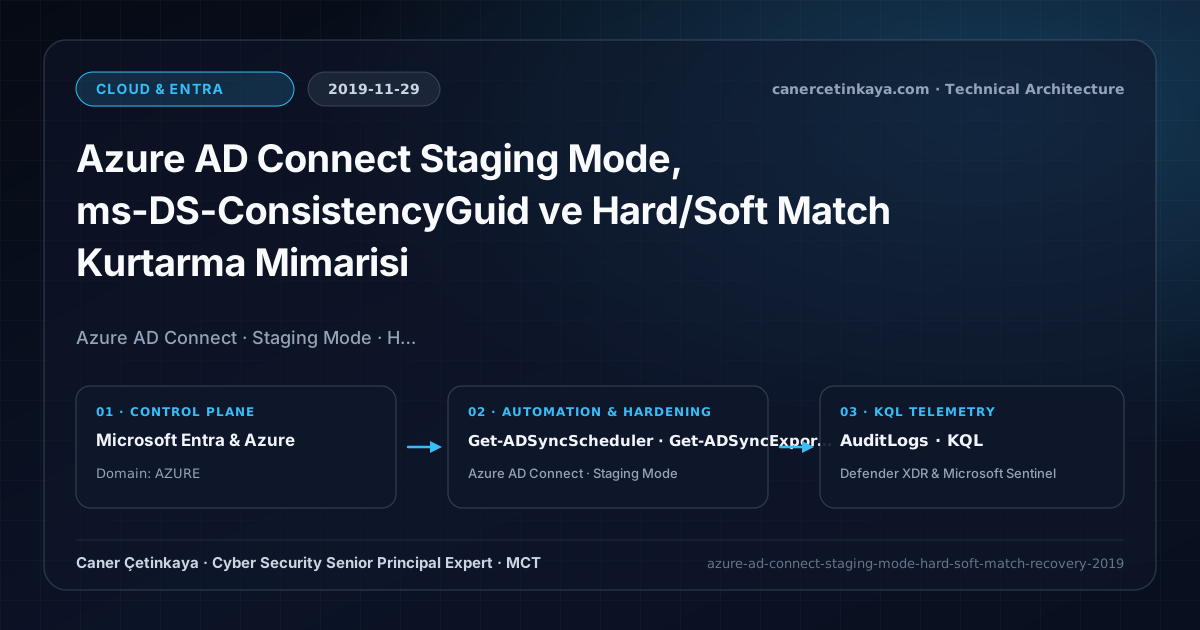
Executive Summary and Hybrid Identity Sync Context
Running a single unprotected Azure AD Connect server turns a corrupted Windows OS patch, rogue OU deletion, or broken AD Forest migration into an immediate Exchange Online and Teams authentication outage. Designing clean Staging Mode failover standby, adopting ms-DS-ConsistencyGuid as a portable sourceAnchor, and mastering deterministic Hard Match recovery protects hybrid organizations from accidental synchronization destruction.
From an architectural evolution standpoint, this foundational design connects directly to modern platform controls. The Staging Mode and ms-DS-ConsistencyGuid continuity pattern established in 2019 still underpins modern Microsoft Entra Connect Sync V2 upgrades, Entra Cloud Sync high availability, and PHS/PTA Seamless SSO resilience.
Trust Boundaries and Hybrid Identity Design Principles
- A Staging Mode standby node runs identical synchronization rules in memory without exporting changes to Azure AD, ready to assume active duty within minutes during upgrades or disasters.
- Adopting ms-DS-ConsistencyGuid over immutable objectGUID allows users to migrate seamlessly across Active Directory domains or forests without breaking cloud identities.
- When Soft Match via UPN or ProxyAddresses fails on orphaned cloud accounts, converting the local AD objectGUID into Base64 ImmutableId recovers synchronization cleanly via Hard Match.
- Hybrid sync hosts and Cloud Kerberos trust objects (
AzureADKerberosServerandMSOL_connector identities) sit squarely withinTier-0blast radius and require enforcedAccidental Deletionthresholds alongside TLS 1.2+ transport hardening.
Prerequisites, Privilege Matrix, and Infrastructure Dependencies
- Licensing: Azure AD Connect and Staging Mode standby nodes are included across all Microsoft 365 and Azure AD tiers.
- Infrastructure & RBAC: Deploy two dedicated Tier-0 member servers (never install directly on Domain Controllers), governed via least-privilege Hybrid Identity Administrator credentials.
- Backup Hygiene: Export ADSync configuration JSON snapshots via Export-ADSyncServerConfiguration before modifying sync rules or upgrading versions.
Technical Verification, Sync Health, and Security Controls
PowerShell Sync Inspection and Trust Validation
PowerShell script checking Staging Mode flags, converting AD objectGUID to Base64 ImmutableId, and backing up sync config:
- Execution Environment and Prerequisites: Requires ActiveDirectory / RSAT / AD Sync / AD FS management host.
- Least Privilege and Operation Separation: Run with least-privilege inspection or scoped administrative permissions. All statements above are **read-only (
Get-*/Test-*/Search-*)** verification checks making no direct configuration edits; still validate module/network prerequisites in a test cohort first. - Security Control Mapped and Boundary Note: Verifies active policy state and guards against silent drift or mis-scoped rollouts without blind production changes.
# 1. Inspect Azure AD Connect Staging Mode status and Accidental Deletion Protection threshold
Import-Module ADSync
Get-ADSyncScheduler | Select-Object SyncCycleEnabled, StagingModeEnabled, NextSyncCycleStartTimeInUTC
Get-ADSyncExportDeletionThreshold

# 2. Compute Base64 ImmutableId from on-premises AD objectGUID for Hard Match recovery
$User = Get-ADUser -Identity "caner.cetinkaya"
$ImmutableId = [System.Convert]::ToBase64String($User.ObjectGUID.ToByteArray())
Write-Output "Calculated Base64 ImmutableId: $ImmutableId"

# 3. Export complete ADSync JSON configuration backup before changes
Export-ADSyncServerConfiguration -Path "C:\SecOpsBackups\ADSyncConfig_$(Get-Date -Format yyyyMMdd).json"
Hybrid Identity Telemetry and KQL Query
KQL query auditing high-volume Directory Synchronization account modifications and deletions in AuditLogs:
// Execution Scope: Read-only hunting/audit query (Log Analytics Reader / Security Reader)
// Data Source: Microsoft Entra ID Diagnostic Settings -> Log Analytics / Microsoft Sentinel (AuditLogs)
AuditLogs
| where TimeGenerated > ago(14d)
| where InitiatedBy has "Sync_" or LoggedByService == "Core Directory"
| where OperationName in ("Delete user", "Update user", "Hard delete user", "Disable account")
| project TimeGenerated, OperationName, TargetResources[0].userPrincipalName, Result
| summarize SyncActions = count() by OperationName, Result
| order by SyncActions desc
Critical Architectural Assessment, Production Risks, and Rollback Strategy
- In-Place Upgrading the Active Node First: Always upgrade the Staging Mode node first and inspect pending exports before swinging primary production traffic.
- Forgetting to Re-Enable Deletion Thresholds: If legitimate cleanup temporarily requires bypassing the threshold, re-enable it immediately after export completes to block accidental mass deletions.
- Risks Mitigated vs. Residual Limitations: Hardened sync topologies, Cloud Kerberos Trust, and cloud-native endpoint cuts mitigate single-server sync outages, weak cipher fallback, and plaintext AD replication risks; yet they do not prevent pre-existing privilege escalation inside on-premises
Tier-0OUs, legacy apps unable to authenticate without local AD join, or permanent directory deletions once soft-delete windows expire. - New Dependencies and Production Failure Modes: Stability depends on unique
mS-DS-ConsistencyGuid(SourceAnchor) binding, outbound TLS 1.2 connectivity, and synchronized time/DNS resolution for Cloud Kerberos Trust. DisablingAccidental Deletion Thresholdsor misconfiguring scoping filters can mass-delete active cloud accounts and revoke licenses in a single sync cycle. - Rollback and Pilot Validation Procedure: Always validate sync changes on a cold-standby
Staging Modehost (Connector Space Preview) before exporting; pause runaway cycles immediately withSet-ADSyncScheduler -SyncCycleEnabled $falseand scope hybrid trust GPOs strictly to pilot OUs first.
Verified Primary Sources & Open-Source Repositories
This architectural guide was cross-corroborated against the official advisories, Microsoft Learn docs, and open-source PowerShell / KQL repositories below.
Multi-Channel Distribution Summary (X & LinkedIn Draft)
Toggle X (Twitter) & LinkedIn sharing drafts
Multi-Channel Distribution Summary (X & LinkedIn Draft)
Toggle X (Twitter) & LinkedIn sharing draftsPublished our 2019 Hybrid Identity continuity guide covering Azure AD Connect Staging Mode, ms-DS-ConsistencyGuid, and ImmutableId Hard Match recovery. #HybridIdentity #EntraConnect
Bulletproofing hybrid synchronization: operating Azure AD Connect Staging Mode failovers, protecting tenants with deletion thresholds, and resolving orphaned matches.