Defending Against QR Code Phishing (Quishing) with Defender for Office 365 and Intune
Stopping adversaries from bypassing desktop email gateways via QR code phishing (Quishing) by uniting Defender OCR URL inspection, Intune MAM forced Edge browsing, and WebAuthn Passkeys.
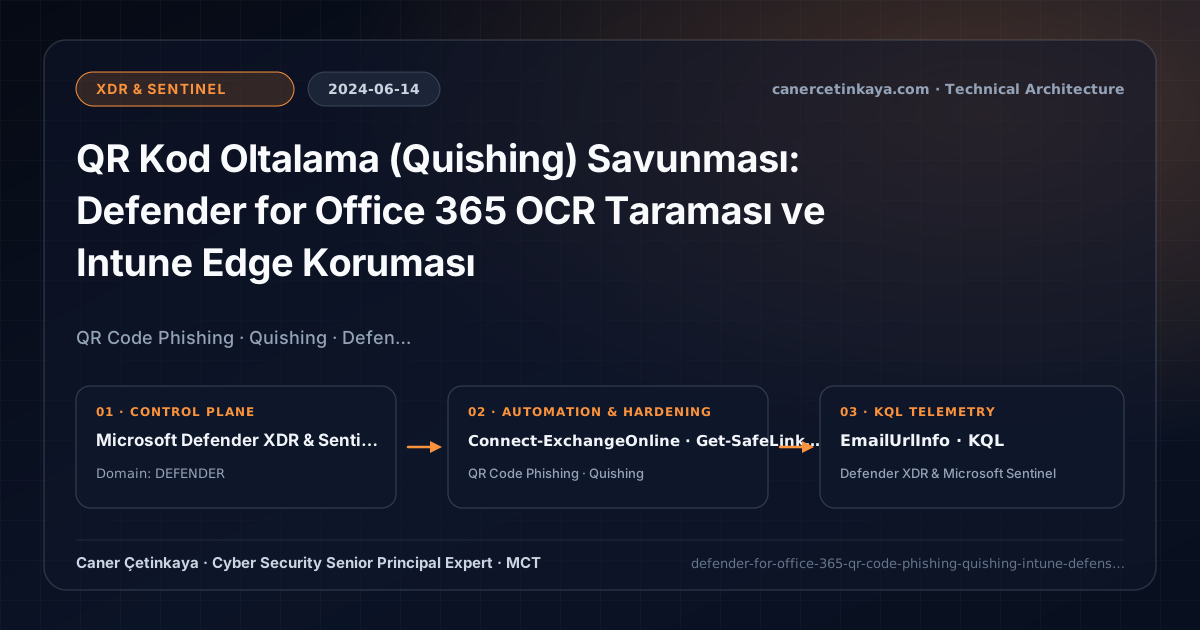
Executive Summary and Collaboration Threat Context
As Safe Links and ZAP became deadly effective at trapping text phishing hyperlinks, attackers pivoted in 2023–2024 to embedding malicious URLs inside image/SVG/PDF QR Codes (Quishing). Scanning the laptop screen with a personal smartphone camera bypassed corporate DNS proxies and desktop EDR completely, dropping victims straight onto AiTM reverse proxies.
From an architectural evolution standpoint, this foundational design connects directly to modern platform controls. Constructed to blunt the late-2023/2024 Quishing surge targeting unmanaged employee phones, Defender QR-URL extraction paired with Device-Bound Passkeys and Zero-Day Collaboration Response stops off-network credential harvesting cold.
Mail/Message Inspection Boundaries and Design Principles
Defender for Office 365 QR-URL Extractiondecodes embedded images and PDF QR payloads at mail ingress, checking extracted destinations against Safe Links reputation and quarantining bad emails automatically.- Intune App Protection Policies (MAM) compel Outlook Mobile users to open mail hyperlinks inside managed
Microsoft Edgeprotected by Defender SmartScreen. - Even if a victim opens a rogue AiTM link on a personal phone,
Device-Bound Passkeysand FIDO2 keys reject origin mismatch (evil-login.com) cryptographically. - Attack Simulation Training ships dedicated QR Code Phishing templates to benchmark employee vigilance.
Prerequisites, Policy Precedence, and RBAC Requirements
- Licensing: Microsoft Defender for Office 365 Plan 1/2 (M365 E5) for email QR scanning; Intune Plan 1 (M365 E3/E5) for MAM Edge browser redirection.
- RBAC Access: Security Administrator paired with Intune App Protection policy assignment permissions.
- Remote Image Note: Configure Outlook external image blocking alongside Safe Links click-through blocks to neutralize delayed remote-loaded QR banners.
Technical Verification, Phishing/Teams Protection Controls
PowerShell Policy Inspection and Pilot Validation
Auditing Safe Links policies via EXO PowerShell and Intune App Protection policies via Microsoft Graph:
- Execution Environment and Prerequisites: Requires Microsoft.Graph, ExchangeOnlineManagement.
- Least Privilege and Operation Separation: Run with scoped Exchange / Compliance / SharePoint Administrator (or View-Only / Security Reader for audit commands) privileges. All statements above are **read-only (
Get-*/Test-*/Search-*)** verification checks making no direct configuration edits; still validate module/network prerequisites in a test cohort first. - Security Control Mapped and Boundary Note: Verifies active policy state and guards against silent drift or mis-scoped rollouts without blind production changes.
# 1. Inspect Defender for Office 365 Safe Links click-through blocking status
Connect-ExchangeOnline -UserPrincipalName "[email protected]"
Get-SafeLinksPolicy | Select-Object Name, IsEnabled, ScanUrls, EnableForInternalSenders, DoNotAllowClickThrough

# 2. List Intune Mobile Application Management (MAM) App Protection policies
Connect-MgGraph -Scopes "DeviceManagementApps.Read.All"
Get-MgDeviceAppManagementManagedAppPolicy | Select-Object DisplayName, Id, CreatedDateTime
Threat Detection Telemetry and KQL Verification Query
KQL query hunting QR-code and image-embedded phishing URLs inside Defender XDR EmailUrlInfo:
// Execution Scope: Read-only hunting/audit query (Log Analytics Reader / Security Reader)
// Data Source: EmailUrlInfo table -> Defender XDR Advanced Hunting or Log Analytics / Sentinel workspace
EmailUrlInfo
| where Timestamp > ago(30d)
| where UrlLocation has_any ("QRCode", "Image", "Attachment") or UrlDomain !in ("contoso.com", "microsoft.com")
| join kind=inner (
    EmailEvents
    | where Timestamp > ago(30d)
    | where ThreatTypes has "Phish" or DeliveryAction == "Blocked"
) on NetworkMessageId
| project Timestamp, RecipientEmailAddress, SenderFromAddress, Subject, Url, UrlLocation, ThreatTypes
| summarize QuishingHits = count() by UrlDomain, UrlLocation, ThreatTypes
| order by QuishingHits desc
Critical Architectural Assessment, False-Positive Risks, and Rollback Strategy
- Measuring Phishing Resilience Exclusively with Standard Hyperlinks: Legacy text-only awareness campaigns leave employees defenseless against convincing "MFA Reset Required — Scan QR" lures.
- Failing to Bind Outlook Mobile to Managed Edge via Intune MAM: Allowing links inside Outlook Mobile to spawn consumer Safari or Chrome bypasses mobile SmartScreen.
- Risks Mitigated vs. Residual Limitations:
Safe Links,Safe Attachments, anti-impersonation rules, andZAPsubstantially reduce phishing URL clicks, malicious attachments, andQuishingredirections; yet they do not protect off-platform messaging channels (WhatsApp/SMS), payloadless social-engineeringBECfraud, or unrewritten URLs manually typed onto unmanaged personal phones. - New Dependencies and Production Failure Modes: Protection relies on leaving
ZAPactive, eliminating broadSCL = -1transport bypass rules, and maintaining properDynamic Deliveryattachment rules so critical finance/legal mail flow never stalls awaiting sandbox detonation. - Rollback and Pilot Validation Procedure: Pilot strict
Safe Links/Safe Attachmentsprofiles on targeted security groups before broad assignment; release legitimate false positives throughDefender Portal -> Quarantinerather than turningZAPor inspection off tenant-wide.
Verified Primary Sources & Open-Source Repositories
This architectural guide was cross-corroborated against the official advisories, Microsoft Learn docs, and open-source PowerShell / KQL repositories below.
Multi-Channel Distribution Summary (X & LinkedIn Draft)
Toggle X (Twitter) & LinkedIn sharing drafts
Multi-Channel Distribution Summary (X & LinkedIn Draft)
Toggle X (Twitter) & LinkedIn sharing draftsMulti-layer defense against QR Code Phishing (Quishing): Defender OCR decoding, Intune MAM Edge, and Passkeys. #Quishing #DefenderForOffice365 #ZeroTrust
Closing the Screen-to-Phone Phishing Gap: How Defender QR extraction, Intune MAM managed browsing, and WebAuthn neutralize Quishing.