Entra ID Identity Resilience: Hard Deletion Protection, PIM-Driven CA Exclusions, and AuditLogs KQL
Architecting Microsoft Entra ID resilience with Hard Deletion Protection boundaries (7-day lock, irreversibility, cloud-only scope), PIM-governed role-assignable Conditional Access exclusion groups, Graph PowerShell separation, AuditLogs KQL hunting, and rollback strategy.
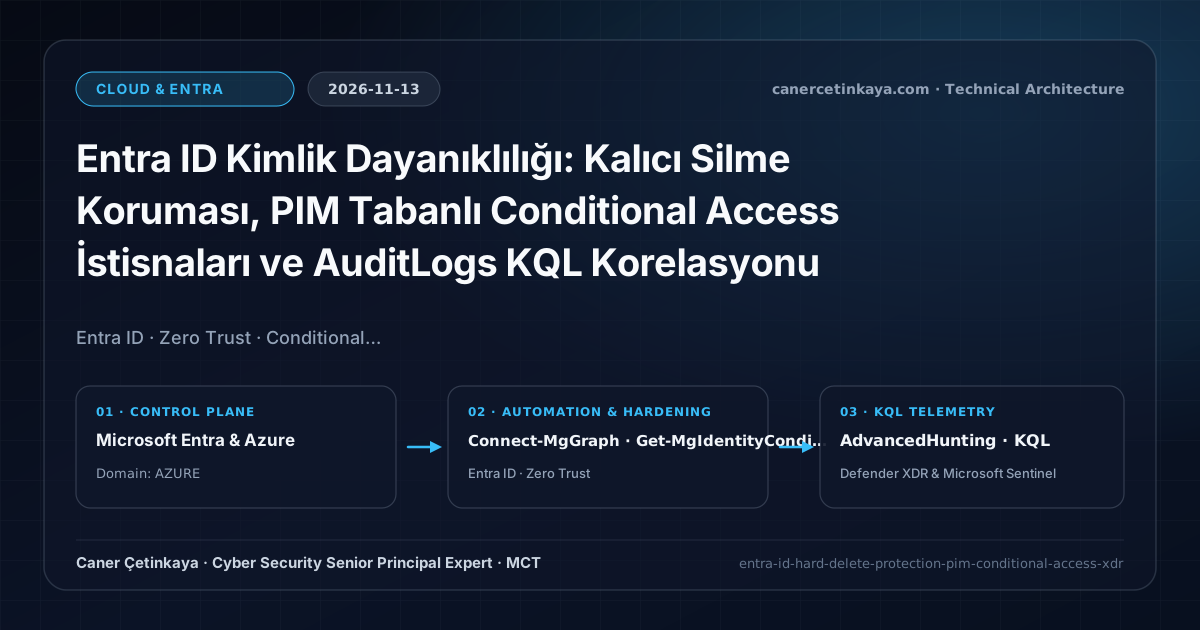
Executive Summary
During destructive identity compromise, relying solely on Microsoft Entra ID's 30-day soft-delete recycle bin is fragile: an adversary with sufficient directory privileges can immediately invoke a permanent hard delete, rendering critical service principals, break-glass dependencies, and security groups unrecoverable. Concurrently, forgotten static Conditional Access (CA) exclusion groups quietly undermine MFA coverage. This blueprint defines how to combine Hard Deletion Protection with PIM-governed role-assignable CA exclusion groups, clarifies strict irreversibility and hybrid scope constraints, and documents verifiable PowerShell and KQL controls.
Threat Model, Boundaries, and Scope Constraints
Security architects must treat Hard Deletion Protection with clear understanding of what it guarantees and where its boundary ends:
- Soft Delete Remains Possible: Enabling Hard Deletion Protection (
isHardDeleteProtectionEnabled = true) does not stop an object from being soft-deleted or immediately cut off from authentication; rather, it locks the object for 7 days so permanent deletion is blocked during emergency investigation and recovery. Once restored, protection persists; after 7 days in the recycle bin, permanent deletion becomes allowed. - Cloud-Only Scope: Protection supports cloud-native Users, cloud-only Groups, Applications, and Service Principals. On-premises synchronized hybrid accounts (from Entra Connect or Cloud Sync) are not protected by this mechanism.
- Irreversible Setting: Once enabled on an object, Hard Deletion Protection cannot be disabled or toggled back off. To purge an accidentally protected test object, administrators must soft-delete it and wait out the mandatory 7-day holding window.
Target Architecture and RBAC Controls
- Role-Assignable Group Isolation: Creating a CA exclusion group with
IsAssignableToRole = $truelocks management so onlyGlobal AdministratororPrivileged Role Administratorcan modify membership or eligibility—preventing standard Helpdesk operators or group owners from quietly adding users to bypass MFA. - Licensing and Administration Boundaries: PIM for Groups requires Microsoft Entra ID P2 (or Microsoft 365 E5). Configuring Hard Deletion Protection requires the Microsoft Entra Backup Administrator role under Backup and recovery -> Hard deletion protection in the Microsoft Entra admin center (handling up to 20 objects of one type per portal batch).
- Safe CA Policy Rollout: Configure phishing-resistant MFA rules inside the Entra portal (
Protection -> Conditional Access -> Policies) pointing exclusively to the role-assignable exclusion group, running in Report-only mode for at least 7 days before enforcement.
Technical Implementation: Least-Privilege Graph PowerShell
The script strictly separates read-only CA policy auditing (Policy.Read.All) from group creation (protected behind -CreateExclusionGroup and -WhatIf).
- Environment & Quota Boundary: PowerShell 7.4+ with
Microsoft.Graph.Identity.SignInsandMicrosoft.Graph.Groups. Remember thatIsAssignableToRolecannot be retrofitted onto an existing standard security group and Entra ID limits tenants to 500 role-assignable groups total.
#Requires -Modules Microsoft.Graph.Authentication, Microsoft.Graph.Identity.SignIns, Microsoft.Graph.Groups
# Environment: PowerShell 7.4+ | Read-only uses Policy.Read.All; creation requires PIM elevation.
[CmdletBinding()]
param(
    [switch]$CreateExclusionGroup
)

$ErrorActionPreference = 'Stop'

$Scopes = if ($CreateExclusionGroup) {
    @('Policy.Read.All', 'RoleManagement.ReadWrite.Directory', 'Group.ReadWrite.All')
} else {
    @('Policy.Read.All')
}

Connect-MgGraph -Scopes $Scopes -NoWelcome

Write-Host "[1/2] Auditing existing Conditional Access static exclusions (read-only)..." -ForegroundColor Cyan
Get-MgIdentityConditionalAccessPolicy | ForEach-Object {
    [PSCustomObject]@{
        PolicyName       = $_.DisplayName
        State            = $_.State
        ExcludeUserCount = ($_.Conditions.Users.ExcludeUsers | Measure-Object).Count
        ExcludeGroups    = ($_.Conditions.Users.ExcludeGroups -join ', ')
    }
} | Format-Table -AutoSize

if ($CreateExclusionGroup) {
    Write-Host "[2/2] Previewing PIM role-assignable CA exclusion group creation..." -ForegroundColor Yellow
    $GroupParams = @{
        DisplayName        = 'SG-PIM-CA-Exclusion-MFA-Temp'
        Description        = 'Time-bound PIM-controlled Conditional Access exclusion group'
        MailEnabled        = $false
        SecurityEnabled    = $true
        MailNickname       = 'sgpimcaexcl'
        IsAssignableToRole = $true
    }
    # Validate naming standards before removing -WhatIf.
    New-MgGroup @GroupParams -WhatIf
}
KQL Hunting Across AuditLogs and IdentityInfo
- Data Source & Permissions: Microsoft Entra ID
AuditLogs(via Diagnostic Settings) and optionalIdentityInfo(Log Analytics Reader). - Limitations: If
IdentityInfois not ingested,AssignedRolesevaluates empty; bulk Graph operations may also log GUIDs rather than display names inTargetResources.
// Data Source: Microsoft Entra ID Diagnostic Settings -> Log Analytics (AuditLogs + IdentityInfo)
// Purpose: Detect hard deletions, service principal removals, CA policy edits, and PIM exclusion tampering.
let PrivActors = IdentityInfo
| where TimeGenerated > ago(14d)
| summarize arg_max(TimeGenerated, AssignedRoles) by AccountUPN;
AuditLogs
| where TimeGenerated > ago(14d)
| where OperationName in (
    "Hard Delete user",
    "Hard Delete group",
    "Delete service principal",
    "Add member to group",
    "Update conditional access policy"
)
| extend ActorUPN = tostring(InitiatedBy.user.userPrincipalName),
         ActorApp = tostring(InitiatedBy.app.displayName),
         TargetName = tostring(TargetResources[0].displayName)
| where OperationName startswith "Hard Delete"
     or TargetName has "SG-PIM-CA-Exclusion"
     or OperationName == "Update conditional access policy"
     or OperationName == "Delete service principal"
| join kind=leftouter PrivActors on $left.ActorUPN == $right.AccountUPN
| project TimeGenerated, OperationName, Result, ActorUPN, ActorApp, AssignedRoles, TargetName, CorrelationId
| order by TimeGenerated desc
Correlate directory tampering alerts with token replay hunting in Defender XDR and Entra ID AiTM Threat Hunting.
Critical Architectural Assessment
- What Risk It Mitigates: Prevents irreversible destruction of critical cloud identities during admin compromise and eliminates unmonitored static CA exclusion sprawl.
- What Risks It Does NOT Mitigate: Does not prevent initial soft deletion or service outage, does not cover hybrid AD-synced identities, and does not rescue organizations from break-glass self-lockout if emergency accounts are misconfigured.
- New Dependencies Introduced: Relies on clean governance of the 500 role-assignable group quota, strict assignment of the
Microsoft Entra Backup Administratorrole, and continuousAuditLogsdiagnostic ingestion. - Production Failure Conditions: Removing legacy exclusion groups before legacy workloads complete migration causes immediate outages; mis-enabling Hard Deletion Protection on ephemeral automation objects complicates test cleanup for 7 days.
- Rollback Plan: Stage all CA policy transitions in
Report-onlymode so unexpected service lockouts revert immediately without changing group structure; restrict initial Hard Deletion Protection strictly to validated break-glass dependencies and production service principals.
Implementation Roadmap
- Phase 1: Inventory static CA exclusions with
Get-MgIdentityConditionalAccessPolicy. - Phase 2: Create
SG-PIM-CA-Exclusionwith time-bound PIM approval and 7-day Report-only CA validation. - Phase 3: Enable Hard Deletion Protection on production cloud break-glass accounts and critical service principals, then schedule the
AuditLogsSentinel rule.
Verified Primary Sources & Open-Source Repositories
This architectural guide was cross-corroborated against the official advisories, Microsoft Learn docs, and open-source PowerShell / KQL repositories below.
Multi-Channel Distribution Summary (X & LinkedIn Draft)
Toggle X (Twitter) & LinkedIn sharing drafts
Multi-Channel Distribution Summary (X & LinkedIn Draft)
Toggle X (Twitter) & LinkedIn sharing draftsResilient Entra ID architecture goes beyond MFA: why Hard Deletion Protection is irreversible and excludes hybrid users, how role-assignable PIM groups eliminate static CA exclusion drift, and how to detect tampering in AuditLogs. #EntraID #ZeroTrust
Rebuilt our Entra ID Identity Resilience blueprint with senior architect depth: Hard Deletion Protection 7-day mechanics and irreversibility risks, Microsoft Entra Backup Administrator RBAC, least-privilege Graph PowerShell separation, AuditLogs + IdentityInfo KQL detection, and safe rollback.