Enterprise Email Authentication with Exchange Online Protection (EOP), SPF, DKIM, and DMARC
A production-grade 2017 Exchange Online Protection (EOP) guide covering SPF 10-lookup limits, 2048-bit DKIM signing keys, and phased DMARC p=reject deployment to stop domain spoofing and BEC.
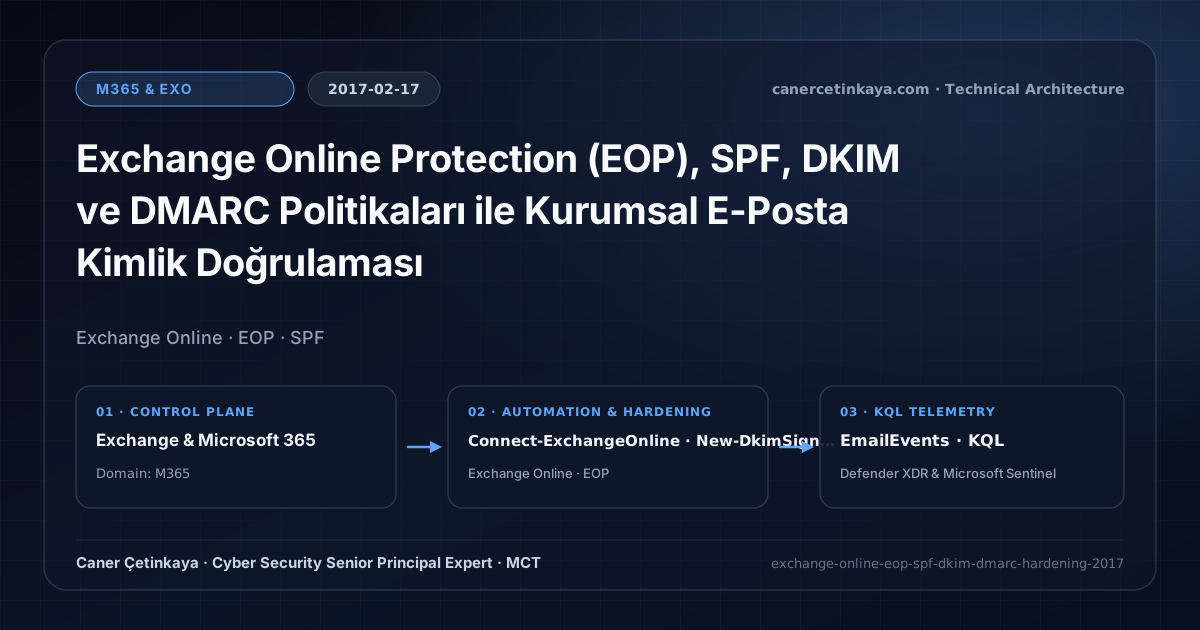
Executive Summary and Messaging Infrastructure Context
Business Email Compromise (BEC) and exact-domain spoofing remain the primary initial access vectors targeting finance, HR, and executive teams. Relying solely on default Exchange Online Protection (EOP) spam filtering does not prevent attackers from forging your domain name toward external partners or internal recipients. This architectural guide details how to engineer a complete SPF, DKIM, and DMARC control chain in Exchange Online without triggering DNS lookup failures or breaking legitimate SaaS senders.
From an architectural evolution standpoint, this foundational design connects directly to modern platform controls. The SPF, DKIM, and DMARC foundation built in Exchange Online Protection (EOP) in 2017 directly underpins today’s ARC (Authenticated Received Chain), MTA-STS, Microsoft Purview AI Governance, and Exchange Zero-Day Hardening defenses.
Protocol Trust Boundaries, Authentication, and Design Principles
- SPF validates the SMTP envelope MAIL FROM IP address and enforces a strict 10-DNS-lookup ceiling across included SaaS providers.
- DKIM attaches a cryptographic RSA signature to outbound Exchange Online mail verified via selector1 and selector2 DNS CNAME records.
- DMARC enforces domain alignment between MAIL FROM/DKIM and the visible Header From address while streaming aggregate RUA telemetry to SecOps.
- Messaging authentication (
SPF,DKIM,DMARC,ARC,MTA-STS,DANE) and scoped application access (RBAC for Applications) must eliminate legacyBasic Authdependencies and confine service principals to named mailbox scopes.
Prerequisites, DNS/Certificate Dependencies, and RBAC
- Licensing: Exchange Online Plan 1/2, Microsoft 365 E3, or Office 365 E3/E5 includes EOP email authentication enforcement.
- Least Privilege (RBAC): Use Exchange Administrator or Security Administrator roles via time-bound elevation rather than permanent Global Admin.
- External DNS Control: Write access to publish TXT and dual selector CNAME records cleanly before enabling signing.
Technical Verification, Mail-Flow Auditing, and Controls
PowerShell Protocol and Mail-Flow Validation
Configure Exchange Online DKIM signing and audit EOP hard-fail enforcement via PowerShell:
- Execution Environment and Prerequisites: Requires ExchangeOnlineManagement.
- Least Privilege and Operation Separation: Run with scoped Exchange / Compliance / SharePoint Administrator (or View-Only / Security Reader for audit commands) privileges. This block pairs **read-only (
Get-*/Search-*) posture queries with state-changing (New-*/Set-*/Enable-*)** examples; execute mutating steps strictly under change control in a pilot ring (using-WhatIfwhere supported) before broad rollout. - Security Control Mapped and Boundary Note: Verifies active policy state and guards against silent drift or mis-scoped rollouts without blind production changes.
Connect-ExchangeOnline -UserPrincipalName "[email protected]"

# 1. Generate DKIM selector records and inspect CNAME targets
New-DkimSigningConfig -DomainName "contoso.com" -Enabled $false
Get-DkimSigningConfig -Identity "contoso.com" | Select-Object Domain, Selector1CNAME, Selector2CNAME, Enabled

# 2. Enable DKIM signing after verifying DNS CNAME propagation
Set-DkimSigningConfig -Identity "contoso.com" -Enabled $true

# 3. Verify EOP anti-spam SPF hard-fail handling
Get-HostedContentFilterPolicy | Select-Object Name, MarkAsSpamSpfRecordHardFail, BulkThreshold | Format-Table -AutoSize
Messaging Telemetry and KQL Verification Query
KQL detection query tracking spoof attempts and SPF/DKIM/DMARC alignment failures:
// Execution Scope: Read-only hunting/audit query (Log Analytics Reader / Security Reader)
// Data Source: Microsoft Defender XDR Advanced Hunting / Defender for Office 365 (EmailEvents)
EmailEvents
| where Timestamp > ago(14d)
| where DeliveryAction in ("Blocked", "Junked") or ThreatTypes has "Phish"
| extend Auth = parse_json(AuthenticationDetails)
| extend SPF = tostring(Auth.SPF), DKIM = tostring(Auth.DKIM), DMARC = tostring(Auth.DMARC)
| where DMARC == "fail" or SPF == "fail"
| project Timestamp, SenderFromAddress, SenderMailFromAddress, RecipientEmailAddress, SPF, DKIM, DMARC, ThreatTypes
| summarize SpoofAttempts = count() by SenderFromAddress, DMARC, SPF
| order by SpoofAttempts desc
Critical Architectural Assessment, Mail-Flow Risks, and Rollback Strategy
- Exceeding 10 SPF Lookups: Including unflattened marketing platforms triggers SPF PermError and drops valid invoices into junk folders.
- Jumping Directly to p=reject: Enforcing reject before 21 days of p=none RUA monitoring disrupts legacy ERP and multifunction printer SMTP traffic.
- Enabling DKIM Before CNAME Propagation: Exchange Online rejects activation until both selector1 and selector2 resolve globally.
- Risks Mitigated vs. Residual Limitations:
Basic Authremoval,SPF/DKIM/DMARC/ARC/MTA-STS/DANE, andRBAC for Applicationsstop legacy password spray, direct-domain spoofing, SMTP downgrade attacks, and over-privileged Graph apps; they do not prevent fraud sent from legitimately compromised MFA accounts, lookalike cousin domains passing their own authentication, or misrouted external relays bypassing Exchange connectors. - New Dependencies and Production Failure Modes: Operations rely on accurate DNS hygiene (
DNSSEC,TLSA, the10-lookup SPF limit,Selector1/Selector2CNAMEs), valid SAN certificates on hybrid servers, and timelyApp-Onlycertificate rotation. EnforcingDMARC p=rejector decommissioning hybrid management hosts before inventoryingSigninLogsbreaks invoicing and recipient workflows. - Rollback and Pilot Validation Procedure: Drop DNS record TTLs (
300s) before authentication cutovers, holdDMARCatp=nonemonitoringRUAreports for at least21days, validateTest-ServicePrincipalAuthorizationprior to retiring legacy app policies, and keep hybrid config backups before server removal.
Verified Primary Sources & Open-Source Repositories
This architectural guide was cross-corroborated against the official advisories, Microsoft Learn docs, and open-source PowerShell / KQL repositories below.
Multi-Channel Distribution Summary (X & LinkedIn Draft)
Toggle X (Twitter) & LinkedIn sharing drafts
Multi-Channel Distribution Summary (X & LinkedIn Draft)
Toggle X (Twitter) & LinkedIn sharing draftsPublished the 2017 enterprise blueprint for Exchange Online Protection (EOP) SPF, DKIM, and phased DMARC p=reject hardening. #ExchangeOnline #EOP #DMARC
Engineering trustworthy outbound email requires strict SPF 10-lookup discipline, 2048-bit DKIM signing, and DMARC alignment. Explore the PowerShell and KQL verification blueprint.