MFA-Compliant Unattended Automation with Exchange Online PowerShell V2 App-Only Certificate Auth
A 2020 Exchange Online automation engineering guide eliminating Basic Auth scripts and MFA-excluded service accounts via ExchangeOnlineManagement V2, X.509 certificate App-Only authentication, and Azure AD RBAC.
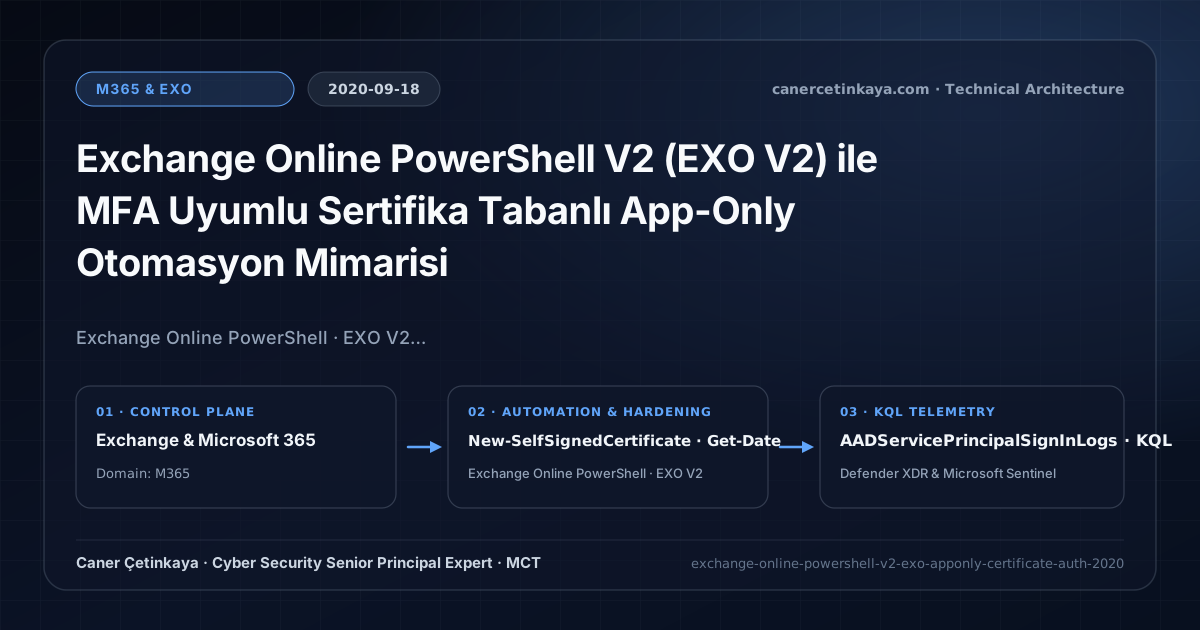
Executive Summary and Messaging Infrastructure Context
Rolling out Conditional Access MFA routinely breaks unattended Exchange reporting and provisioning scripts built on legacy Basic Authentication—tempting operators into exempting interactive service accounts from MFA with hardcoded passwords. Exchange Online PowerShell V2 (EXO V2) replaces cleartext credentials entirely using App-Only X.509 certificate authentication paired with high-throughput REST cmdlets (Get-EXOMailbox).
From an architectural evolution standpoint, this foundational design connects directly to modern platform controls. Pioneered in 2020 with EXO V2 REST cmdlets and App-Only certificates to erase legacy Basic Auth script gaps, this foundation now drives REST-only EXO V3, Managed Identity automation, and Zero-Day Exchange Hardening.
Protocol Trust Boundaries, Authentication, and Design Principles
- Connect-ExchangeOnline -CertificateThumbprint -AppId -Organization enables unattended runbooks inside Azure Automation and scheduled servers with zero password exposure.
- EXO V2 REST cmdlets (
Get-EXOMailbox,Get-EXOMailboxStatistics) eliminate legacy Remote PowerShell timeout bottlenecks across large enterprise mailbox populations. - Storing private keys non-exportably in local certificate stores or Azure Key Vault guarantees credentials cannot be lifted via simple script file inspection.
- Messaging authentication (
SPF,DKIM,DMARC,ARC,MTA-STS,DANE) and scoped application access (RBAC for Applications) must eliminate legacyBasic Authdependencies and confine service principals to named mailbox scopes.
Prerequisites, DNS/Certificate Dependencies, and RBAC
- Licensing: Exchange Online Plan 1/2, Microsoft 365 E3/E5, or Office 365 E3/E5; optional Azure subscription for Azure Automation Runbooks.
- RBAC Matrix: Azure AD App Registration holding Exchange.ManageAsApp Application consent combined with least-privilege Exchange role assignment.
- Runtime Baseline: ExchangeOnlineManagement module 2.0.3+ running over TLS 1.2.
Technical Verification, Mail-Flow Auditing, and Controls
PowerShell Protocol and Mail-Flow Validation
PowerShell commands generating an automation X.509 certificate and opening an App-Only EXO V2 REST session:
- Execution Environment and Prerequisites: Requires ExchangeOnlineManagement.
- Least Privilege and Operation Separation: Run with scoped Exchange / Compliance / SharePoint Administrator (or View-Only / Security Reader for audit commands) privileges. This block pairs **read-only (
Get-*/Search-*) posture queries with state-changing (New-*/Set-*/Enable-*)** examples; execute mutating steps strictly under change control in a pilot ring (using-WhatIfwhere supported) before broad rollout. - Security Control Mapped and Boundary Note: Verifies active policy state and guards against silent drift or mis-scoped rollouts without blind production changes.
# 1. Provision X.509 certificate and export public .cer for Azure AD App Registration upload
$Cert = New-SelfSignedCertificate -Subject "CN=EXO-Automation-App" -CertStoreLocation "Cert:\CurrentUser\My" `
  -KeyExportPolicy Exportable -KeySpec Signature -KeyLength 2048 -NotAfter (Get-Date).AddYears(2)
Export-Certificate -Cert $Cert -FilePath "C:\SecOpsCerts\EXO-Automation-App.cer" | Out-Null

# 2. Authenticate unattended EXO V2 REST session via certificate thumbprint
$ExoParams = @{
  CertificateThumbprint = $Cert.Thumbprint
  AppId                 = "<APP_REGISTRATION_CLIENT_ID>"
  Organization          = "canercetinkaya.onmicrosoft.com"
  ShowBanner            = $false
}
Connect-ExchangeOnline @ExoParams

# 3. Query mailboxes efficiently via REST-backed EXO V2 cmdlet
Get-EXOMailbox -ResultSize 100 -PropertySets Minimum | Select-Object DisplayName, UserPrincipalName, RecipientTypeDetails
Messaging Telemetry and KQL Verification Query
KQL query auditing Service Principal certificate sign-ins against Exchange Online APIs:
// Execution Scope: Read-only hunting/audit query (Log Analytics Reader / Security Reader)
// Data Source: Microsoft Entra ID Diagnostic Settings -> Log Analytics / Microsoft Sentinel (AADServicePrincipalSignInLogs)
AADServicePrincipalSignInLogs
| where TimeGenerated > ago(14d)
| where ResourceDisplayName has "Exchange"
| project TimeGenerated, AppId, ServicePrincipalName, IPAddress, ResultType, ResultDescription
| summarize SignInCount = count(), Failed = countif(ResultType != 0) by ServicePrincipalName, AppId, IPAddress
| order by SignInCount desc
Critical Architectural Assessment, Mail-Flow Risks, and Rollback Strategy
- Over-Privileging the App with Global Administrator: Reporting scripts never require Global Admin; bind strictly to minimum required directory/Exchange roles.
- Failing to Monitor Certificate Expiry Dates: Unmonitored self-signed certs silently halt nightly automation jobs upon expiration—alert at 30 days prior.
- Risks Mitigated vs. Residual Limitations:
Basic Authremoval,SPF/DKIM/DMARC/ARC/MTA-STS/DANE, andRBAC for Applicationsstop legacy password spray, direct-domain spoofing, SMTP downgrade attacks, and over-privileged Graph apps; they do not prevent fraud sent from legitimately compromised MFA accounts, lookalike cousin domains passing their own authentication, or misrouted external relays bypassing Exchange connectors. - New Dependencies and Production Failure Modes: Operations rely on accurate DNS hygiene (
DNSSEC,TLSA, the10-lookup SPF limit,Selector1/Selector2CNAMEs), valid SAN certificates on hybrid servers, and timelyApp-Onlycertificate rotation. EnforcingDMARC p=rejector decommissioning hybrid management hosts before inventoryingSigninLogsbreaks invoicing and recipient workflows. - Rollback and Pilot Validation Procedure: Drop DNS record TTLs (
300s) before authentication cutovers, holdDMARCatp=nonemonitoringRUAreports for at least21days, validateTest-ServicePrincipalAuthorizationprior to retiring legacy app policies, and keep hybrid config backups before server removal.
Verified Primary Sources & Open-Source Repositories
This architectural guide was cross-corroborated against the official advisories, Microsoft Learn docs, and open-source PowerShell / KQL repositories below.
Multi-Channel Distribution Summary (X & LinkedIn Draft)
Toggle X (Twitter) & LinkedIn sharing drafts
Multi-Channel Distribution Summary (X & LinkedIn Draft)
Toggle X (Twitter) & LinkedIn sharing draftsRetire MFA-exempt service accounts in Exchange automation scripts with EXO V2 certificate-based App-Only authentication. #ExchangeOnline #PowerShell
Secure M365 automation in 2020: replacing Basic Auth Remote PowerShell scripts with EXO V2 App-Only X.509 certificates and least-privilege Exchange RBAC.