Transitioning to Modern Management: Windows AutoPilot and Azure AD Automatic MDM Enrollment
Eliminating golden image maintenance overhead using 2017 Windows AutoPilot hardware hash onboarding and Azure AD Auto-MDM Enrollment.
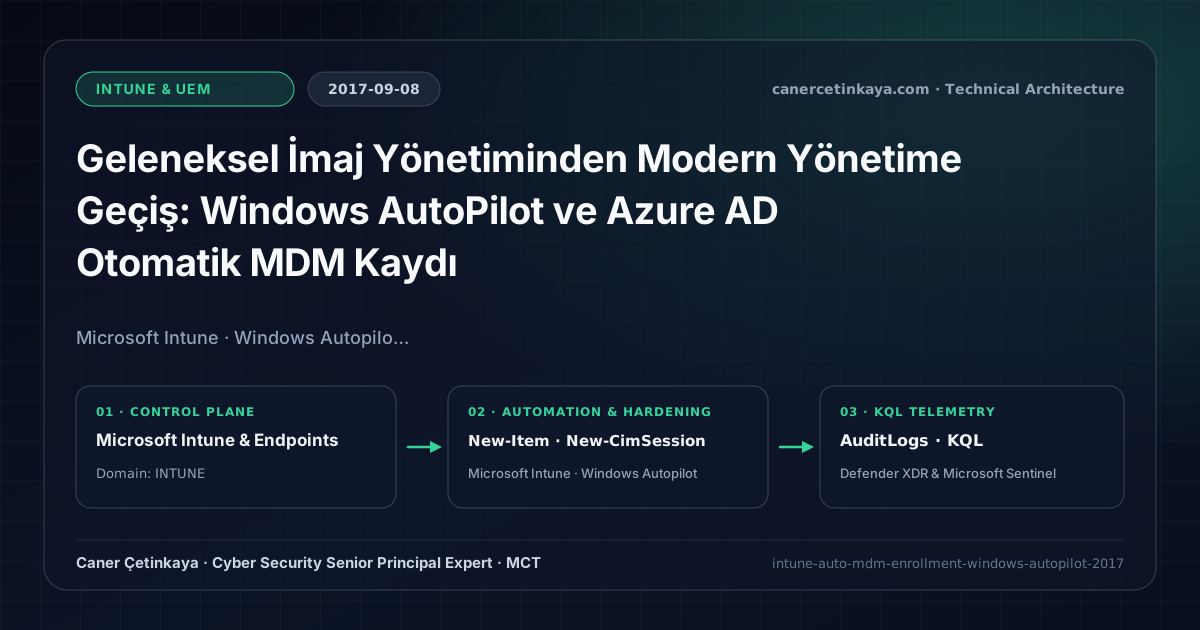
Executive Summary and Endpoint Hardening Context
Maintaining custom golden WIM images across rapid Windows 10 releases consumes hundreds of IT engineering hours alongside manual staging at regional offices. Introduced in 2017, Windows AutoPilot transforms factory-clean OEM hardware directly into corporate-managed workstations the moment a user enters their Azure AD credentials. This guide breaks down Auto-MDM scoping, hardware hash extraction, and cloud OOBE enforcement.
From an architectural evolution standpoint, this foundational design connects directly to modern platform controls. Modern provisioning introduced in 2017 with Windows AutoPilot evolved into Windows Autopilot Device Preparation, Intune Suite EPM, and Zero Trust Endpoint DLP.
Hardware and Kernel Trust Boundaries and Design Principles
- Replaces Sysprep WIM imaging with 4096-byte Hardware Hash registration and cloud OOBE profile assignment.
- Simultaneous Azure AD Join and Auto-MDM Enrollment provisions conditional compliance and BitLocker automatically.
- Disables local administrator permissions during OOBE to enforce Least Privilege from first sign-in.
BitLocker,Credential Guard,HVCI/VBS,App Control(WDAC),Cloud PKI, andWindows LAPSmust align withTPM 2.0/UEFI Secure Bootreadiness and resolve legacyGPO/customOMA-URIprecedence conflicts across pilot rings.
Prerequisites, MDM Conflict Resolution, and RBAC Boundaries
- Licensing: EMS E3 / Microsoft 365 E3 or higher (Azure AD Premium P1 + Microsoft Intune).
- Network Reachability: Outbound TLS access to AutoPilot DDS (
ztd.dds.microsoft.com) and Intune endpoints. - RBAC: Intune Administrator for hardware CSV imports and OOBE deployment profiles.
Technical Verification, Compliance, and Policy Controls
PowerShell Endpoint Posture and Configuration Check
Extract Windows 10 AutoPilot Hardware Hash via CIM PowerShell and verify enrollment state:
- Execution Environment and Prerequisites: Requires Local administrator / Windows endpoint host.
- Least Privilege and Operation Separation: Run with least-privilege inspection or scoped administrative permissions. This block pairs **read-only (
Get-*/Search-*) posture queries with state-changing (New-*/Set-*/Enable-*)** examples; execute mutating steps strictly under change control in a pilot ring (using-WhatIfwhere supported) before broad rollout. - Security Control Mapped and Boundary Note: Verifies active policy state and guards against silent drift or mis-scoped rollouts without blind production changes.
# Extract AutoPilot Hardware Hash from local device
New-Item -Type Directory -Path "C:\HWID" -Force | Out-Null
$session = New-CimSession
$devDetail = (Get-CimInstance -CimSession $session -Namespace root/cimv2/mdm/dmmap -Class MDM_DevDetail_Ext01 -Filter "InstanceID='Ext' AND ParentID='./DevDetail'")
[PSCustomObject]@{
    "Device Serial Number" = (Get-CimInstance -CimSession $session -Class Win32_BIOS).SerialNumber
    "Windows Product ID"   = (Get-CimInstance -CimSession $session -Class SoftwareLicensingService).OA3xOriginalProductKey
    "Hardware Hash"        = $devDetail.DeviceHardwareData
} | Export-Csv -Path "C:\HWID\AutopilotHWID.csv" -NoTypeInformation

# Validate Azure AD and MDM registration
dsregcmd /status
Device Health Telemetry and KQL Verification Query
KQL query monitoring Azure AD device onboarding and MDM registrations:
// Execution Scope: Read-only hunting/audit query (Log Analytics Reader / Security Reader)
// Data Source: Microsoft Entra ID Diagnostic Settings -> Log Analytics / Microsoft Sentinel (AuditLogs)
AuditLogs
| where TimeGenerated > ago(14d)
| where Category == "Device" or OperationName has_any ("Add device", "Register device", "Update device")
| extend DeviceName = tostring(TargetResources[0].displayName)
| project TimeGenerated, OperationName, Result, DeviceName, CorrelationId
| summarize DeviceRegistrations = count() by OperationName, Result
| order by DeviceRegistrations desc
Critical Architectural Assessment, Rollout Risks, and Rollback Strategy
- Missing EnterpriseEnrollment CNAME: Ensure custom domain DNS points
EnterpriseEnrollmentto Microsoft Intune MDM discovery. - Unauthenticated Proxy Traps: OOBE profile downloads operate under machine context prior to user authentication.
- Missing OEM Hash Ingestion: Pilot devices procured outside OEM sync require explicit CIM hash extraction.
- Risks Mitigated vs. Residual Limitations:
BitLocker,Credential Guard,HVCI/VBS,App Control/WDAC,Cloud PKI, andWindows LAPSdefeat offline disk extraction,LSASScredential theft, unsigned kernel drivers (BYOVD), and shared-adminPass-the-Hashpivoting; however, they do not prevent post-login abuse using signed system binaries (LOLBins) when App Control/ASR isn't enforced, nor do they protect legacy hardware lackingTPM 2.0/Secure Boot. - New Dependencies and Production Failure Modes: Endpoint reliability depends on
TPM 2.0/UEFI readiness, deterministicMDMWinsOverGPprecedence, and verified key escrow (BitLockerEntra registration andLAPSEvent ID 10025). EnforcingWDAC/AppLockerwithout audit logs or togglingHVCIonto incompatible drivers triggers boot loops (BSOD) or immediate helpdesk lockouts. - Rollback and Pilot Validation Procedure: Roll out every Windows security baseline through
IT Canary -> Pilot -> BroadIntune rings, verify escrow recovery keys before retiring legacy tools, and revert breaking policies via Intune group exclusions orAuditmode fallback without stripping core disk encryption.
Verified Primary Sources & Open-Source Repositories
This architectural guide was cross-corroborated against the official advisories, Microsoft Learn docs, and open-source PowerShell / KQL repositories below.
Multi-Channel Distribution Summary (X & LinkedIn Draft)
Toggle X (Twitter) & LinkedIn sharing drafts
Multi-Channel Distribution Summary (X & LinkedIn Draft)
Toggle X (Twitter) & LinkedIn sharing draftsPublished the Windows AutoPilot and Azure AD Auto-MDM Enrollment guide eliminating legacy golden-image overhead. #WindowsAutopilot #Intune
Modern device provisioning starts with Azure AD Auto-MDM and AutoPilot hardware hashes. Review the OOBE JSON baseline and CIM extraction workflow.