Enterprise GenAI Data Protection with Microsoft Purview Browser DLP, Intune, and BYOD Controls
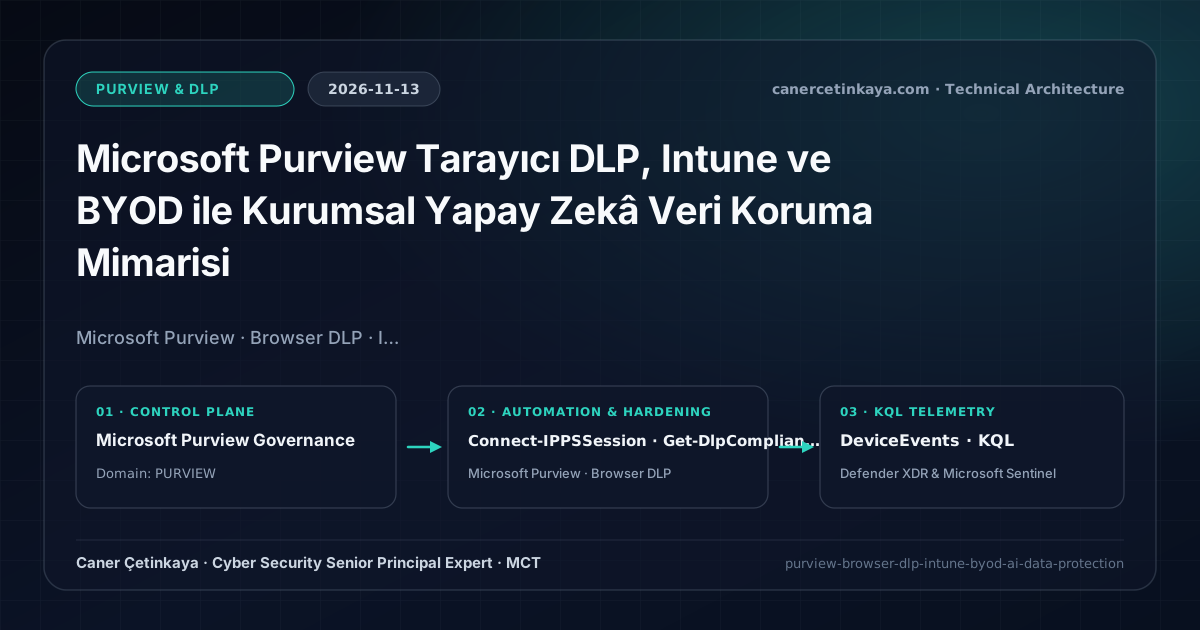
Architecting multi-layer browser and AI data protection across managed endpoints (Intune Settings Catalog + Edge for Business) and unmanaged BYOD sessions (Conditional Access Session Control), verified via Compliance PowerShell, DeviceEvents KQL, and critical gap analysis.
Executive Summary
Enterprise data exfiltration has shifted from USB sticks to browser-based Generative AI portals, unsanctioned SaaS drives, and unmanaged BYOD sessions. Perimeter firewalls only observe TLS-encrypted HTTPS sessions and cannot reliably understand contextual sensitive text pasted into LLM prompts. This architecture delineates exact trust boundaries across managed endpoints versus BYOD devices, establishes non-bypassable Intune Settings Catalog browser governance, provides read-only PowerShell and Defender XDR KQL verification, and clarifies what Browser DLP alone cannot stop.
Three-Tier Control Plane and Trust Boundaries
- Tier A — Managed Endpoints (Edge for Business & Intune Chrome Policy): Microsoft Edge for Business evaluates Purview Endpoint DLP policies natively without external extension dependencies. Where Google Chrome remains supported, create an Intune policy under Devices -> Configuration -> Settings catalog -> Google Chrome combining
ExtensionInstallForcelist(echcggldkblhodogklpincgchnpgcdco;https://clients2.google.com/service/update2/crx),DeveloperToolsAvailabilityrestriction, andIncognitoModeAvailabilitydenial. - Tier B — Unmanaged BYOD Sessions (Conditional Access App Control): Since corporate MDM extensions cannot be forced onto personal PCs, enforce Defender for Cloud Apps reverse-proxy Session Control to restrict downloads, cut, and copy actions inside Exchange, SharePoint, and Teams when
device.isCompliant -ne True, paired with Intune App Protection Policies (MAM) on mobile iOS/Android BYOD devices. - Tier C — Non-Browser Escape Paths: Browser controls miss direct API calls (
curl), standalone CLI tools, and desktop AI utilities; pair this blueprint with Network DLP and Full Browser DLP Series Controls.
Technical Verification: Security & Compliance PowerShell Audit
This script inspects active Purview Endpoint/Application DLP policies strictly in read-only mode before altering user workflows.
- Environment & Least Privilege: PowerShell 7.4+ with
ExchangeOnlineManagementusingSecurity ReaderorGlobal Reader. - Scope Note: Ensure
EndpointDevicesappears in policyWorkloadassignments; otherwise browser events remain outside policy evaluation.
#Requires -Modules ExchangeOnlineManagement
# Environment: PowerShell 7.4+ | Least Privilege: Security Reader / Global Reader (read-only audit)
$ErrorActionPreference = 'Stop'

Write-Host "[1/2] Connecting to Security & Compliance PowerShell..." -ForegroundColor Cyan
Connect-IPPSSession -ShowBanner:$false

Write-Host "[2/2] Auditing Endpoint/Browser DLP policy coverage and rule modes..." -ForegroundColor Cyan
try {
    Get-DlpCompliancePolicy |
        Where-Object { $_.Workload -match 'EndpointDevices|Applications' -or $_.Enabled -eq $true } |
        Select-Object Name, Mode, Workload, Enabled, WhenChangedUTC |
        Format-Table -AutoSize

    Get-DlpComplianceRule |
        Select-Object Name, Policy, Disabled, BlockAccess, NotifyUser |
        Format-Table -AutoSize
} finally {
    Disconnect-ExchangeOnline -Confirm:$false -ErrorAction SilentlyContinue
}
Pair browser egress governance with Copilot oversharing controls in Microsoft Purview DSPM for AI and Copilot Governance.
Defender for Endpoint DeviceEvents KQL Validation
- Data Source & Limitations: Defender XDR Advanced Hunting (
DeviceEvents,Security Reader). SpecificActionTypestrings vary slightly across MDE/Purview releases; always corroborate query findings with your tenant Schema Reference and Purview Activity Explorer.
// Data Source: Microsoft Defender XDR Advanced Hunting (DeviceEvents)
// Purpose: Audit browser file upload, clipboard read, and Endpoint DLP evaluation telemetry.
DeviceEvents
| where Timestamp > ago(7d)
| where ActionType has_any ("Dlp", "BrowserFileUpload", "ClipboardRead")
| extend RawDetails = parse_json(AdditionalFields)
| extend
    PolicyName = tostring(RawDetails.PolicyName),
    TargetUrl = tostring(coalesce(RawDetails.TargetUrl, RawDetails.DestinationUrl, RemoteUrl)),
    SensitiveTypes = tostring(RawDetails.SensitiveInfoTypeData),
    BrowserProcess = tostring(InitiatingProcessFileName)
| where isnotempty(TargetUrl) or isnotempty(PolicyName)
| summarize
    EventCount = count(),
    ActionTypes = make_set(ActionType, 5),
    SampleTargets = make_set(TargetUrl, 5)
    by DeviceName, AccountName, BrowserProcess, PolicyName
| order by EventCount desc
Critical Architectural Assessment
- What Risk It Mitigates: Reduces accidental or unauthorized uploads and clipboard pasting of regulated files into unapproved GenAI portals from corporate workstations.
- What Risks It Does NOT Mitigate: Browser DLP cannot stop physical smartphone screen photography, non-browser CLI/API exfiltration, local file exfiltration from unmonitored personal workstations unrelated to corporate M365 sessions, or non-Microsoft third-party SaaS authentication channels.
- New Dependencies Introduced: Reliance on Intune policy sync intervals, Chrome extension store firewall reachability (
clients2.google.com), and SaaS compatibility with reverse-proxy Session Control. - Production Failure Conditions: Jumping directly to
Blockmode without at least 14 days ofAudittelemetry breaks software engineering and legal portal workflows; blocking Chrome store endpoints prevents extension deployment entirely. - Rollback Plan: Stage all new DLP rules in Audit/Test mode on pilot security groups; revert disruptive blocks instantly by shifting the rule back to Audit or disabling it in Purview, and unassign the Intune Settings Catalog browser profile from the pilot group if client instability arises.
Implementation Roadmap
- Phase 1: Standardize on Edge for Business; lock Chrome with forced extension + disabled Incognito/DevTools via Intune Settings Catalog on pilot users.
- Phase 2: Run DLP in Audit mode for 14 days and review
DeviceEventsKQL + Activity Explorer telemetry for false positives. - Phase 3: Graduate sensitive rules from Audit to Block-with-override and enforce Conditional Access Session Control on BYOD web sessions.
Verified Primary Sources & Open-Source Repositories
This architectural guide was cross-corroborated against the official advisories, Microsoft Learn docs, and open-source PowerShell / KQL repositories below.
Multi-Channel Distribution Summary (X & LinkedIn Draft)
Toggle X (Twitter) & LinkedIn sharing drafts
Multi-Channel Distribution Summary (X & LinkedIn Draft)
Toggle X (Twitter) & LinkedIn sharing draftsInstalling a Purview Chrome extension alone is not enterprise DLP—Incognito mode and DevTools let users bypass it immediately. Rebuilt architecture spanning Intune Settings Catalog paths, Compliance PowerShell audit, DeviceEvents KQL, and critical limits. #MicrosoftPurview
Refined our Enterprise Browser DLP & GenAI Data Protection architecture guide covering Intune Settings Catalog hardening for Chrome, Edge for Business native Endpoint DLP, BYOD Conditional Access Session Control limits, read-only PowerShell verification, and safe rollback.