Migrating from Fragile Custom OMA-URI Policies to Intune Settings Catalog and GPO Analytics
A 2021 Intune engineering guide detailing how to analyze on-premises GPO XML exports via Group Policy Analytics and replace error-prone Custom OMA-URI strings with Intune Settings Catalog ADMX controls.
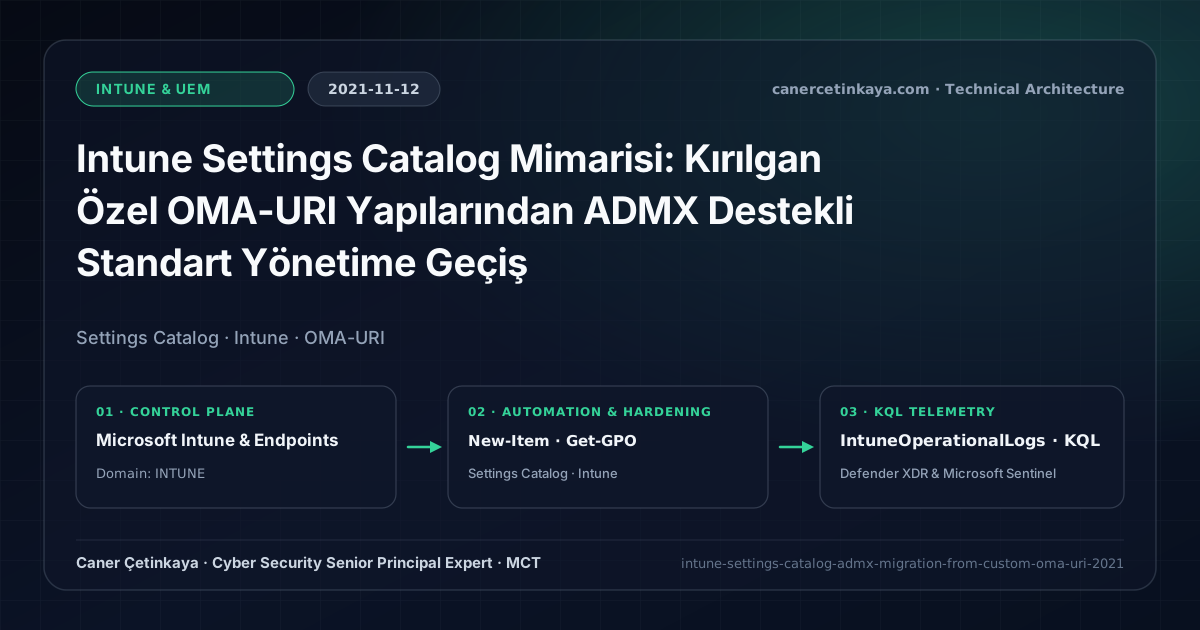
Executive Summary and Endpoint Hardening Context
Engineers migrating Active Directory Group Policy (GPO) estates to Microsoft Intune previously spent hours authoring brittle Custom OMA-URI CSP paths and ingesting raw ADMX XML blocks just to manage Edge, Chrome, or Office settings missing from default MDM templates. Intune Settings Catalog and Group Policy Analytics solve both problems—auto-analyzing GPO XML exports for MDM parity and exposing every native ADMX setting directly in one searchable policy builder.
From an architectural evolution standpoint, this foundational design connects directly to modern platform controls. Introduced in 2021 to eliminate brittle XML Custom OMA-URI payloads, Intune Settings Catalog evolved into the unified policy control plane powering modern Windows 11, macOS, and Edge governance alongside Intune Proactive Remediations.
Hardware and Kernel Trust Boundaries and Design Principles
- Settings Catalog reflects live Windows 10/11 CSP and ADMX definitions directly, covering Edge, Chrome, Office, OneDrive, and OS hardening in one builder.
- Group Policy Analytics scores uploaded GPMC XML exports to quantify exact MDM compatibility and highlight obsolete Windows 7/IE11 rules worth retiring.
- Atomic setting selection prevents accidental
Not ConfiguredvsDisabledoverrides common in monolithic Device Restrictions templates. BitLocker,Credential Guard,HVCI/VBS,App Control(WDAC),Cloud PKI, andWindows LAPSmust align withTPM 2.0/UEFI Secure Bootreadiness and resolve legacyGPO/customOMA-URIprecedence conflicts across pilot rings.
Prerequisites, MDM Conflict Resolution, and RBAC Boundaries
- Licensing: Microsoft Intune Plan 1 (bundled in Microsoft 365 E3/E5, EMS E3/E5, and Business Premium).
- RBAC Matrix: Separate read-only AD GPMC export rights from least-privilege Intune Policy and Profile Manager creation roles.
- Inventory Readiness: Catalog existing Custom OMA-URI profiles and build Intune Assignment Filters prior to cutover.
Technical Verification, Compliance, and Policy Controls
PowerShell Endpoint Posture and Configuration Check
PowerShell script exporting all domain GPOs into XML packages ready for Intune Group Policy Analytics:
- Execution Environment and Prerequisites: Requires ActiveDirectory / RSAT / AD Sync / AD FS management host.
- Least Privilege and Operation Separation: Run with least-privilege inspection or scoped administrative permissions. This block pairs **read-only (
Get-*/Search-*) posture queries with state-changing (New-*/Set-*/Enable-*)** examples; execute mutating steps strictly under change control in a pilot ring (using-WhatIfwhere supported) before broad rollout. - Security Control Mapped and Boundary Note: Verifies active policy state and guards against silent drift or mis-scoped rollouts without blind production changes.
# Export all domain GPOs into clean XML reports for Intune Group Policy Analytics import
Import-Module GroupPolicy
$ExportDir = "C:\SecOpsExports\GPO_XML"
New-Item -Path $ExportDir -ItemType Directory -Force | Out-Null

Get-GPO -All | ForEach-Object {
  $SafeName = ($_.DisplayName -replace '[^a-zA-Z0-9_-]', '_')
  Get-GPOReport -Guid $_.Id -ReportType Xml -Path "$ExportDir\$SafeName.xml"
}
Write-Output "Exported $((Get-ChildItem $ExportDir -Filter *.xml).Count) GPO XML files for Intune Analytics."
Device Health Telemetry and KQL Verification Query
KQL monitoring query summarizing Intune configuration deployment outcomes in IntuneOperationalLogs:
// Execution Scope: Read-only hunting/audit query (Log Analytics Reader / Security Reader)
// Data Source: IntuneOperationalLogs table -> Defender XDR Advanced Hunting or Log Analytics / Sentinel workspace
IntuneOperationalLogs
| where TimeGenerated > ago(14d)
| where OperationName has_any ("Compliance", "DeviceConfiguration", "SettingsCatalog")
| project TimeGenerated, OperationName, ResultType, Properties
| summarize PolicyEvents = count(), Failures = countif(ResultType != "Success") by OperationName, ResultType
| order by PolicyEvents desc
Critical Architectural Assessment, Rollout Risks, and Rollback Strategy
- Blindly Lifting Decades-Old GPOs 1-to-1 Into the Cloud: Filter out stale IE11/legacy logon scripts and migrate strictly relevant security and user-productivity controls.
- Leaving Overlapping GPO Links Active on Hybrid Joined Endpoints: Unlink superseded domain GPOs cleanly alongside MDM transitions to prevent dual-authority drift.
- Risks Mitigated vs. Residual Limitations:
BitLocker,Credential Guard,HVCI/VBS,App Control/WDAC,Cloud PKI, andWindows LAPSdefeat offline disk extraction,LSASScredential theft, unsigned kernel drivers (BYOVD), and shared-adminPass-the-Hashpivoting; however, they do not prevent post-login abuse using signed system binaries (LOLBins) when App Control/ASR isn't enforced, nor do they protect legacy hardware lackingTPM 2.0/Secure Boot. - New Dependencies and Production Failure Modes: Endpoint reliability depends on
TPM 2.0/UEFI readiness, deterministicMDMWinsOverGPprecedence, and verified key escrow (BitLockerEntra registration andLAPSEvent ID 10025). EnforcingWDAC/AppLockerwithout audit logs or togglingHVCIonto incompatible drivers triggers boot loops (BSOD) or immediate helpdesk lockouts. - Rollback and Pilot Validation Procedure: Roll out every Windows security baseline through
IT Canary -> Pilot -> BroadIntune rings, verify escrow recovery keys before retiring legacy tools, and revert breaking policies via Intune group exclusions orAuditmode fallback without stripping core disk encryption.
Verified Primary Sources & Open-Source Repositories
This architectural guide was cross-corroborated against the official advisories, Microsoft Learn docs, and open-source PowerShell / KQL repositories below.
Multi-Channel Distribution Summary (X & LinkedIn Draft)
Toggle X (Twitter) & LinkedIn sharing drafts
Multi-Channel Distribution Summary (X & LinkedIn Draft)
Toggle X (Twitter) & LinkedIn sharing draftsEliminate brittle Custom OMA-URI profiles and migrate domain GPOs cleanly using Intune Settings Catalog and Group Policy Analytics. #Intune #GPO
2021 Modern Management guide: exporting GPOs via PowerShell for Group Policy Analytics, retiring Custom OMA-URI debt, and adopting atomic Settings Catalog profiles.