Self-Healing Endpoints with Microsoft Endpoint Manager Proactive Remediations and Endpoint Analytics
A 2020 Modern Workplace automation blueprint using Microsoft Endpoint Manager (MEM) Proactive Remediations paired Detection/Remediation PowerShell scripts and Endpoint Analytics telemetry to fix configuration drift automatically.
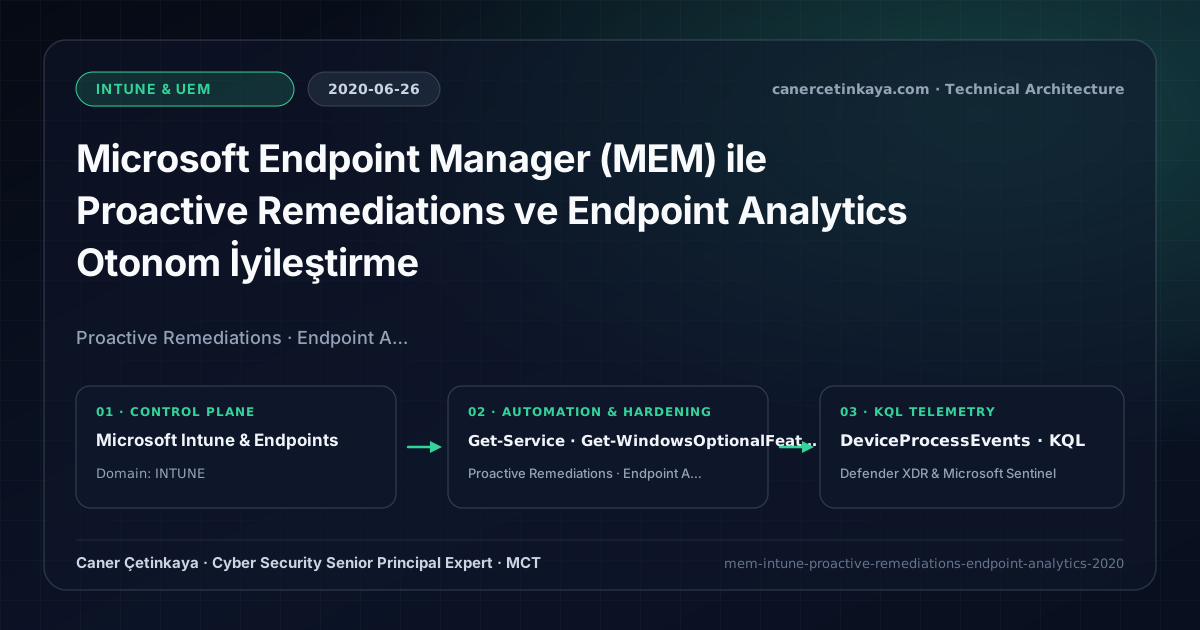
Executive Summary and Endpoint Hardening Context
Standard MDM CSP profiles (Intune Win32 Packaging and Scripts) run once on assignment and rarely notice when third-party software disables a security service, re-enables legacy protocols, or breaks a certificate store weeks later. Microsoft Endpoint Manager (MEM) Proactive Remediations turns the fleet into a self-healing platform by running lightweight recurring Detection scripts that trigger targeted Remediation scripts strictly when configuration drift occurs.
From an architectural evolution standpoint, this foundational design connects directly to modern platform controls. Launched under Endpoint Analytics in 2020, Proactive Remediations evolved directly into Intune Remediations—forming the automated compliance self-healing layer alongside Intune BYOD and Purview Endpoint Governance.
Hardware and Kernel Trust Boundaries and Design Principles
- Each remediation package pairs a read-only Detection check with a conditional Remediation script triggered exclusively on Exit 1.
- Endpoint Analytics translates startup performance, BSOD instability, and remote readiness metrics into actionable fleet health scores.
- Ideal for continuously enforcing security hygiene—restarting stopped Defender services, removing unauthorized local admins, or purging SMBv1.
BitLocker,Credential Guard,HVCI/VBS,App Control(WDAC),Cloud PKI, andWindows LAPSmust align withTPM 2.0/UEFI Secure Bootreadiness and resolve legacyGPO/customOMA-URIprecedence conflicts across pilot rings.
Prerequisites, MDM Conflict Resolution, and RBAC Boundaries
- Licensing: Windows 10/11 Enterprise E3 or E5 (Microsoft 365 E3/E5 or F3) licenses covering Endpoint Analytics and Proactive Remediations.
- Platform & RBAC: Azure AD Joined or Hybrid Azure AD Joined Co-Managed Windows endpoints running Intune Management Extension under least-privilege Intune Service Administrator governance.
- Code Hygiene: Output concise single-line telemetry via Write-Output so Intune reporting captures pre- and post-remediation status cleanly.
Technical Verification, Compliance, and Policy Controls
PowerShell Endpoint Posture and Configuration Check
Detection (Exit 0/1) and Remediation PowerShell pair checking Defender service health and SMBv1 removal:
- Execution Environment and Prerequisites: Requires Applicable Microsoft administrative PowerShell session.
- Least Privilege and Operation Separation: Run with least-privilege inspection or scoped administrative permissions. Uncommented statements perform read-only assessment; commented configuration-changing examples should only execute after change approval and pilot validation.
- Security Control Mapped and Boundary Note: Verifies active policy state and guards against silent drift or mis-scoped rollouts without blind production changes.
# DETECTION SCRIPT: Check WinDefend service health and SMBv1 optional feature state
try {
  $wd = Get-Service -Name "WinDefend" -ErrorAction Stop
  $smb1 = (Get-WindowsOptionalFeature -Online -FeatureName "SMB1Protocol" -ErrorAction SilentlyContinue).State
  if ($wd.Status -eq "Running" -and $smb1 -ne "Enabled") {
    Write-Output "Healthy: WinDefend Running and SMBv1 Disabled"
    exit 0
  } else {
    Write-Output "DriftDetected: WinDefend=$($wd.Status); SMBv1=$smb1"
    exit 1
  }
} catch {
  Write-Output "CheckError: $($_.Exception.Message)"
  exit 1
}

# REMEDIATION SCRIPT (Invoked by Intune only when Detection returns Exit 1):
# Start-Service -Name "WinDefend"
# Disable-WindowsOptionalFeature -Online -FeatureName "SMB1Protocol" -NoRestart | Out-Null
Device Health Telemetry and KQL Verification Query
KQL telemetry hunt monitoring Intune Management Extension HealthScripts execution cadence:
// Execution Scope: Read-only hunting/audit query (Log Analytics Reader / Security Reader)
// Data Source: Microsoft Defender XDR Advanced Hunting / Sentinel MDE Connector (DeviceProcessEvents)
DeviceProcessEvents
| where Timestamp > ago(7d)
| where InitiatingProcessFileName =~ "IntuneManagementExtension.exe"
| where ProcessCommandLine has_any ("HealthScripts", "Detect", "Remediate")
| project Timestamp, DeviceName, FileName, ProcessCommandLine, InitiatingProcessAccountName
| summarize Runs = count() by DeviceName, bin(Timestamp, 1d)
| order by Runs desc
Critical Architectural Assessment, Rollout Risks, and Rollback Strategy
- Making Changes Inside the Detection Script: Modifying registry keys or services during Detection erases telemetry distinction between compliant devices and fixed drift.
- Leaving Run in 64-bit PowerShell Set to No: Unchecked 32-bit WOW64 execution redirects HKLM checks to wrong registry hives.
- Risks Mitigated vs. Residual Limitations:
BitLocker,Credential Guard,HVCI/VBS,App Control/WDAC,Cloud PKI, andWindows LAPSdefeat offline disk extraction,LSASScredential theft, unsigned kernel drivers (BYOVD), and shared-adminPass-the-Hashpivoting; however, they do not prevent post-login abuse using signed system binaries (LOLBins) when App Control/ASR isn't enforced, nor do they protect legacy hardware lackingTPM 2.0/Secure Boot. - New Dependencies and Production Failure Modes: Endpoint reliability depends on
TPM 2.0/UEFI readiness, deterministicMDMWinsOverGPprecedence, and verified key escrow (BitLockerEntra registration andLAPSEvent ID 10025). EnforcingWDAC/AppLockerwithout audit logs or togglingHVCIonto incompatible drivers triggers boot loops (BSOD) or immediate helpdesk lockouts. - Rollback and Pilot Validation Procedure: Roll out every Windows security baseline through
IT Canary -> Pilot -> BroadIntune rings, verify escrow recovery keys before retiring legacy tools, and revert breaking policies via Intune group exclusions orAuditmode fallback without stripping core disk encryption.
Verified Primary Sources & Open-Source Repositories
This architectural guide was cross-corroborated against the official advisories, Microsoft Learn docs, and open-source PowerShell / KQL repositories below.
Multi-Channel Distribution Summary (X & LinkedIn Draft)
Toggle X (Twitter) & LinkedIn sharing drafts
Multi-Channel Distribution Summary (X & LinkedIn Draft)
Toggle X (Twitter) & LinkedIn sharing draftsBuild self-healing Windows fleets that catch and fix security drift automatically using Intune Proactive Remediations and Endpoint Analytics. #Intune #PowerShell
2020 Intune automation architecture: strict Exit 0/1 Detection-Remediation pairs, 64-bit System context pitfalls, and Endpoint Analytics fleet scoring.