Zero Trust Execution Defense with Windows 10 Security Baselines, AppLocker, and WDAC
A 2020 endpoint hardening blueprint combining Intune MDM Security Baselines with Windows Defender Application Control (WDAC) and AppLocker binary allowlisting to block untrusted ransomware and LOLBin payloads.
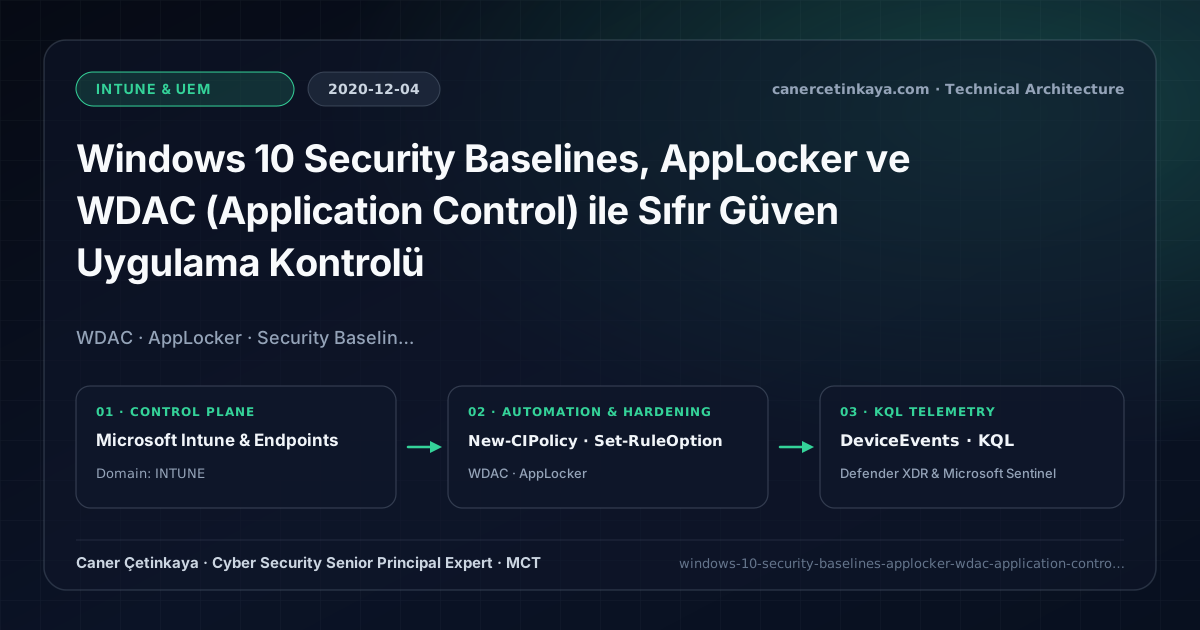
Executive Summary and Endpoint Hardening Context
Removing local administrator rights stops system-wide driver tampering, yet standard users can still launch unsigned ransomware executables or abuse Living-off-the-Land binaries (LOLBins) directly inside %AppData% or Downloads. Reactive antivirus signatures cannot stop newly compiled malware reliably. Uniting Intune Windows 10 Security Baselines with Windows Defender Application Control (WDAC) and AppLocker replaces default-allow execution with cryptographic allowlisting.
From an architectural evolution standpoint, this foundational design connects directly to modern platform controls. The WDAC Audit-to-Enforce and Managed Installer discipline pioneered in 2020 underpins modern Windows 11 App Control for Business, Smart App Control, and Intune Endpoint Compliance Governance.
Hardware and Kernel Trust Boundaries and Design Principles
- Intune Security Baselines apply 200+ Microsoft-recommended Defender, BitLocker, Firewall, and LSA hardening settings through version-managed MDM templates.
- WDAC partners with VBS Credential Guard and HVCI to verify kernel and user-mode code integrity (UMCI/KMCI) by publisher certificate or hash.
- AppLocker pairs cleanly for user/group exceptions and enforces PowerShell Constrained Language Mode for non-admin sessions.
BitLocker,Credential Guard,HVCI/VBS,App Control(WDAC),Cloud PKI, andWindows LAPSmust align withTPM 2.0/UEFI Secure Bootreadiness and resolve legacyGPO/customOMA-URIprecedence conflicts across pilot rings.
Prerequisites, MDM Conflict Resolution, and RBAC Boundaries
- Licensing: Intune MDM Security Baselines come with Microsoft 365 E3/E5; WDAC runs across Windows 10 Pro/Enterprise and CSP AppLocker targets Windows 10 Enterprise/Education (M365 E3/E5).
- Platform & RBAC: Windows 10 1903+ supporting multi-policy
.cipbinary deployments governed under least-privilege Endpoint Security Manager permissions. - Telemetry Prerequisite: Forward CodeIntegrity Operational events (IDs 3076/3077) and AppLocker logs to Log Analytics or Defender for Endpoint.
Technical Verification, Compliance, and Policy Controls
PowerShell Endpoint Posture and Configuration Check
PowerShell ConfigCI script generating an Audit-mode WDAC binary policy and inspecting local CodeIntegrity Event ID 3076:
- Execution Environment and Prerequisites: Requires Local administrator / Windows endpoint host.
- Least Privilege and Operation Separation: Run with least-privilege inspection or scoped administrative permissions. This block pairs **read-only (
Get-*/Search-*) posture queries with state-changing (New-*/Set-*/Enable-*)** examples; execute mutating steps strictly under change control in a pilot ring (using-WhatIfwhere supported) before broad rollout. - Security Control Mapped and Boundary Note: Verifies active policy state and guards against silent drift or mis-scoped rollouts without blind production changes.
# 1. Build an Audit-mode WDAC policy scanning Program Files using Microsoft ConfigCI cmdlets
$BaseXml = "C:\SecOpsPolicies\CanerCetinkaya_WDAC_Audit.xml"
New-CIPolicy -Level Publisher -Fallback Hash -FilePath $BaseXml -UserPEs -ScanPath "C:\Program Files"
Set-RuleOption -FilePath $BaseXml -Option 3   # Option 3 = Enabled:Audit Mode
Set-RuleOption -FilePath $BaseXml -Option 0   # Option 0 = Enabled:UMCI
ConvertFrom-CIPolicy -XmlFilePath $BaseXml -BinaryFilePath "C:\SecOpsPolicies\CanerCetinkaya_WDAC_Audit.cip"

# 2. Query local CodeIntegrity Audit events (Event ID 3076) from last 7 days
Get-WinEvent -FilterHashtable @{LogName="Microsoft-Windows-CodeIntegrity/Operational"; Id=3076; StartTime=(Get-Date).AddDays(-7)} -ErrorAction SilentlyContinue |
  Select-Object -First 20 TimeCreated, Message
Device Health Telemetry and KQL Verification Query
KQL threat hunt summarizing WDAC Audit and Block binary events across the endpoint fleet:
// Execution Scope: Read-only hunting/audit query (Log Analytics Reader / Security Reader)
// Data Source: Microsoft Defender XDR Advanced Hunting / Sentinel MDE Connector (DeviceEvents)
DeviceEvents
| where Timestamp > ago(14d)
| where ActionType in ("AppControlCodeIntegrityPolicyAudited", "AppControlCodeIntegrityPolicyBlocked", "AppControlExecutableAudited")
| project Timestamp, DeviceName, FileName, FolderPath, InitiatingProcessFileName, SHA256, ActionType
| summarize AttemptCount = count(), Devices = dcount(DeviceName) by FileName, FolderPath, ActionType
| order by AttemptCount desc
Critical Architectural Assessment, Rollout Risks, and Rollback Strategy
- Overlapping Security Baselines and Custom Policies: Configuring identical ASR or BitLocker settings across both profiles causes Intune conflict reporting; enforce a single authoritative policy.
- Enforcing WDAC Without Managed Installer Authorization: Newly pushed Intune Win32 apps fail to execute unless authorized via Managed Installer or code-signing rules.
- Risks Mitigated vs. Residual Limitations:
BitLocker,Credential Guard,HVCI/VBS,App Control/WDAC,Cloud PKI, andWindows LAPSdefeat offline disk extraction,LSASScredential theft, unsigned kernel drivers (BYOVD), and shared-adminPass-the-Hashpivoting; however, they do not prevent post-login abuse using signed system binaries (LOLBins) when App Control/ASR isn't enforced, nor do they protect legacy hardware lackingTPM 2.0/Secure Boot. - New Dependencies and Production Failure Modes: Endpoint reliability depends on
TPM 2.0/UEFI readiness, deterministicMDMWinsOverGPprecedence, and verified key escrow (BitLockerEntra registration andLAPSEvent ID 10025). EnforcingWDAC/AppLockerwithout audit logs or togglingHVCIonto incompatible drivers triggers boot loops (BSOD) or immediate helpdesk lockouts. - Rollback and Pilot Validation Procedure: Roll out every Windows security baseline through
IT Canary -> Pilot -> BroadIntune rings, verify escrow recovery keys before retiring legacy tools, and revert breaking policies via Intune group exclusions orAuditmode fallback without stripping core disk encryption.
Verified Primary Sources & Open-Source Repositories
This architectural guide was cross-corroborated against the official advisories, Microsoft Learn docs, and open-source PowerShell / KQL repositories below.
Multi-Channel Distribution Summary (X & LinkedIn Draft)
Toggle X (Twitter) & LinkedIn sharing drafts
Multi-Channel Distribution Summary (X & LinkedIn Draft)
Toggle X (Twitter) & LinkedIn sharing draftsReplace default-allow execution with cryptographic allowlisting using Windows 10 Security Baselines, WDAC, and AppLocker. #WDAC #Intune #ZeroTrust
2020 Windows 10 Application Control guide: resolving Intune baseline conflicts, collecting 30-day Event 3076 WDAC audit telemetry, and Managed Installer configuration.