Windows 11 (21H2) Enterprise Security Baseline: TPM 2.0, HVCI, VBS, and Secured-Core Readiness
An October 2021 enterprise Windows 11 21H2 security migration guide enforcing hardware-rooted TPM 2.0, UEFI Secure Boot, HVCI Memory Integrity, VBS, and Intune Endpoint Analytics readiness auditing.
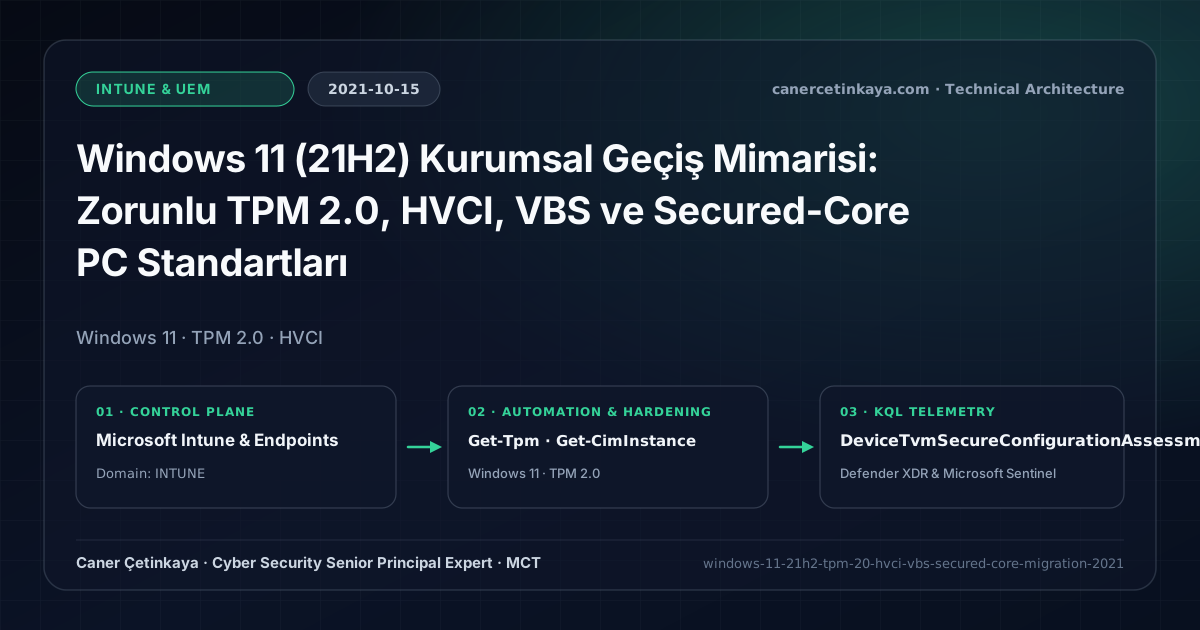
Executive Summary and Endpoint Hardening Context
Throughout the Windows 10 lifecycle, Virtualization-Based Security (VBS) and Credential Guard remained optional features often disabled across diverse hardware fleets—leaving kernel drivers and LSASS memory exposed to rootkits. Launched in October 2021, Windows 11 (21H2) establishes TPM 2.0, Secure Boot, and modern 64-bit CPUs as hard baselines, making Hypervisor-Protected Code Integrity (HVCI) default across clean enterprise deployments.
From an architectural evolution standpoint, this foundational design connects directly to modern platform controls. Standardizing TPM 2.0, UEFI Secure Boot, VBS, and HVCI in Windows 11 21H2 (Oct 2021) created the hardware security root now underpinning Secured-Core fleets and Intune Compliant Device Data Protection.
Hardware and Kernel Trust Boundaries and Design Principles
- TPM 2.0 anchors BitLocker recovery keys, Windows Hello for Business keys, and Device Health Attestation measurements inside dedicated hardware silicon.
- HVCI (Memory Integrity) blocks unsigned or compromised kernel drivers (BYOVD) from writing executable kernel pages.
- Secured-Core PCs layer System Guard Secure Launch, SMM firmware protection, and DMA defenses against pre-OS rootkits.
BitLocker,Credential Guard,HVCI/VBS,App Control(WDAC),Cloud PKI, andWindows LAPSmust align withTPM 2.0/UEFI Secure Bootreadiness and resolve legacyGPO/customOMA-URIprecedence conflicts across pilot rings.
Prerequisites, MDM Conflict Resolution, and RBAC Boundaries
- Licensing: Windows 11 Enterprise E3/E5 upgrade rights come with Microsoft 365 E3/E5 alongside Endpoint Analytics.
- Hardware & UEFI Readiness: Verified 64-bit CPUs, active TPM 2.0, UEFI Secure Boot, and GPT partitioning (
mbr2gptconverted from legacy MBR before Feature Updates). - Driver Hygiene & RBAC: Test legacy smartcard/printer drivers against HVCI in pilot rings before broad Intune policy rollout.
Technical Verification, Compliance, and Policy Controls
PowerShell Endpoint Posture and Configuration Check
PowerShell script verifying TPM 2.0 readiness, Secure Boot UEFI state, and active VBS/HVCI services:
- Execution Environment and Prerequisites: Requires Local administrator / Windows endpoint host.
- Least Privilege and Operation Separation: Run with least-privilege inspection or scoped administrative permissions. All statements above are **read-only (
Get-*/Test-*/Search-*)** verification checks making no direct configuration edits; still validate module/network prerequisites in a test cohort first. - Security Control Mapped and Boundary Note: Verifies active policy state and guards against silent drift or mis-scoped rollouts without blind production changes.
# Check local TPM 2.0, UEFI Secure Boot, and active VBS/HVCI Win32_DeviceGuard state
$Tpm = Get-Tpm
$SecureBoot = Confirm-SecureBootUEFI
$DeviceGuard = Get-CimInstance -ClassName Win32_DeviceGuard -Namespace root\Microsoft\Windows\DeviceGuard

[PSCustomObject]@{
  TpmReady                    = $Tpm.TpmReady
  SecureBootEnabled           = $SecureBoot
  VbsStatus                   = $DeviceGuard.VirtualizationBasedSecurityStatus
  RunningServices_1Cred_2HVCI = ($DeviceGuard.SecurityServicesRunning -join ",")
}
Device Health Telemetry and KQL Verification Query
KQL compliance check summarizing HVCI and hardware configuration compliance across OS platforms:
// Execution Scope: Read-only hunting/audit query (Log Analytics Reader / Security Reader)
// Data Source: Microsoft Defender XDR Advanced Hunting / Sentinel MDE Connector (DeviceTvmSecureConfigurationAssessment)
DeviceTvmSecureConfigurationAssessment
| where Timestamp > ago(7d)
| where ConfigurationId in ("scid-91", "scid-2070", "scid-2071")
| summarize arg_max(Timestamp, *) by DeviceId, ConfigurationId
| join kind=inner (DeviceInfo | summarize arg_max(Timestamp, *) by DeviceId) on DeviceId
| project DeviceName, OSPlatform, OSVersion, ConfigurationId, IsCompliant
| summarize CompliantCount = countif(IsCompliant == 1), NonCompliant = countif(IsCompliant == 0) by OSPlatform, ConfigurationId
Critical Architectural Assessment, Rollout Risks, and Rollback Strategy
- Bypassing TPM Checks in Production Using Registry Hacks: Using
AllowUpgradesWithUnsupportedTPMOrCPUbreaks future cumulative update eligibility and invalidates Device Health Attestation. - Enabling HVCI Before Checking Aging Kernel Drivers: Incompatible third-party drivers fail Memory Integrity validation on reboot; test pilot rings first.
- Risks Mitigated vs. Residual Limitations:
BitLocker,Credential Guard,HVCI/VBS,App Control/WDAC,Cloud PKI, andWindows LAPSdefeat offline disk extraction,LSASScredential theft, unsigned kernel drivers (BYOVD), and shared-adminPass-the-Hashpivoting; however, they do not prevent post-login abuse using signed system binaries (LOLBins) when App Control/ASR isn't enforced, nor do they protect legacy hardware lackingTPM 2.0/Secure Boot. - New Dependencies and Production Failure Modes: Endpoint reliability depends on
TPM 2.0/UEFI readiness, deterministicMDMWinsOverGPprecedence, and verified key escrow (BitLockerEntra registration andLAPSEvent ID 10025). EnforcingWDAC/AppLockerwithout audit logs or togglingHVCIonto incompatible drivers triggers boot loops (BSOD) or immediate helpdesk lockouts. - Rollback and Pilot Validation Procedure: Roll out every Windows security baseline through
IT Canary -> Pilot -> BroadIntune rings, verify escrow recovery keys before retiring legacy tools, and revert breaking policies via Intune group exclusions orAuditmode fallback without stripping core disk encryption.
Verified Primary Sources & Open-Source Repositories
This architectural guide was cross-corroborated against the official advisories, Microsoft Learn docs, and open-source PowerShell / KQL repositories below.
Multi-Channel Distribution Summary (X & LinkedIn Draft)
Toggle X (Twitter) & LinkedIn sharing drafts
Multi-Channel Distribution Summary (X & LinkedIn Draft)
Toggle X (Twitter) & LinkedIn sharing draftsMake TPM 2.0, HVCI Memory Integrity, and VBS mandatory enterprise defaults with our Windows 11 21H2 readiness guide. #Windows11 #HVCI #Intune
2021 Windows 11 Enterprise Launch: handling in-place upgrade HVCI gaps, auditing Endpoint Analytics readiness, and avoiding unsupported TPM bypass traps.