Windows 11 Administrator Protection (JIT Admin Token) vs. Microsoft Intune EPM Architecture
Positioning Windows 11 Administrator Protection—eliminating standing local admin tokens via Windows Hello-gated isolated shadow admin tokens—alongside Intune Endpoint Privilege Management (EPM).
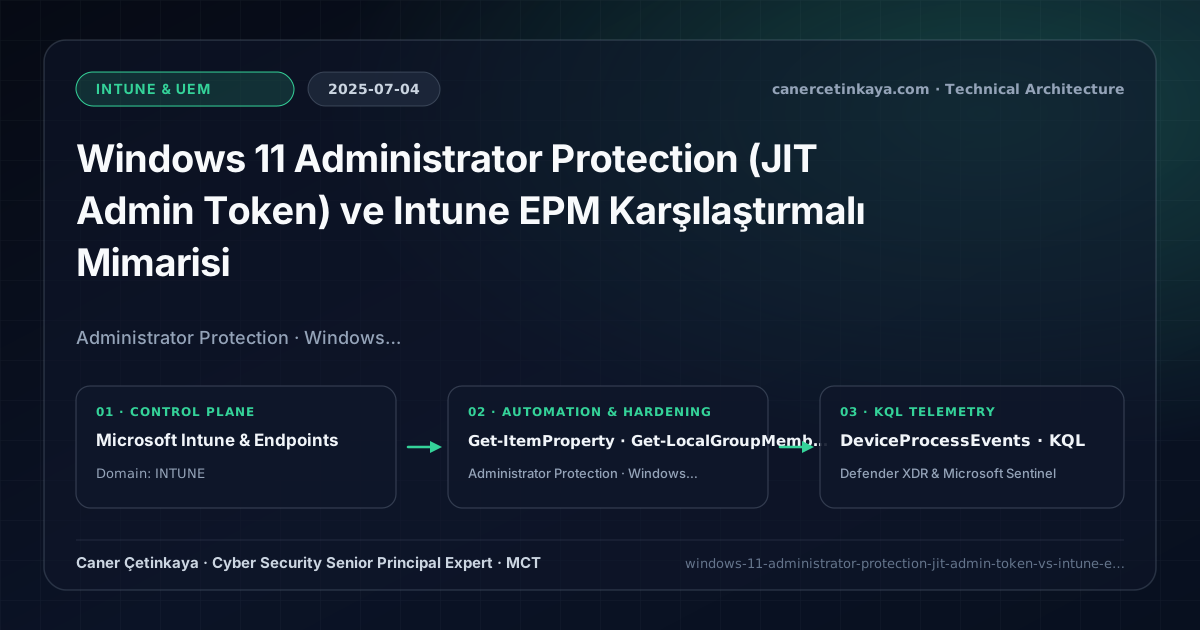
Executive Summary and Endpoint Hardening Context
Legacy Windows User Account Control (UAC) protected administrators with a split token sharing the exact same user profile (%USERPROFILE%), leaving Medium-integrity malware inside the session capable of abusing auto-elevated Windows binaries or token quirks to silently seize High integrity. Administrator Protection in Windows 11 fundamentally redesigns elevation: users with admin privileges sign in with zero admin token attached, spawning ephemeral tokens inside a system-isolated profile strictly upon Windows Hello authorization.
From an architectural evolution standpoint, this foundational design connects directly to modern platform controls. Introducing isolated, non-standing admin tokens inside Windows 11 during 2025 paired with Intune Endpoint Privilege Management (EPM) effectively ends the era of persistent interactive local administrator sessions.
Hardware and Kernel Trust Boundaries and Design Principles
Ephemeral JIT Admin Tokensstrip administrative privileges from the interactive login token entirely until a verified Windows Hello prompt spins up a hidden, isolated admin context that vanishes as soon as the task ends.- Blocks silent User Account Control (UAC) bypass techniques (
fodhelper, COM hijacking) because no auto-elevatable privileged session exists until biometric/PIN confirmation completes. - Separates the isolated admin profile cleanly from the standard user’s writable AppData/Registry keys, preventing low-privilege malware from poisoning elevated sessions.
- Completes zero-standing-privilege endpoint posture in alignment with CIS Controls v8 Safeguard 5.4 and NIST Zero Trust principles.
Prerequisites, MDM Conflict Resolution, and RBAC Boundaries
- Licensing & OS: Windows 11 24H2/25H2+ security feature rolls with TPM 2.0 + Windows Hello for Business; centralized enterprise policy requires Microsoft Intune Plan 1 (M365 E3/E5), plus Intune Suite for EPM.
- RBAC & Policy: Intune
Endpoint Security Managerseparating Standard Employee groups (EPM rules) from Engineering/Dev groups (Administrator Protection CSP). - App Compatibility: Legacy installers expecting the admin context to read mapped drives or
HKCUkeys from the standard session require adaptation for isolated shadow profile execution.
Technical Verification, Compliance, and Policy Controls
PowerShell Endpoint Posture and Configuration Check
Inspecting local Windows Admin Approval Mode flags and auditing local Administrators group membership:
- Execution Environment and Prerequisites: Requires Applicable Microsoft administrative PowerShell session.
- Least Privilege and Operation Separation: Run with least-privilege inspection or scoped administrative permissions. All statements above are **read-only (
Get-*/Test-*/Search-*)** verification checks making no direct configuration edits; still validate module/network prerequisites in a test cohort first. - Security Control Mapped and Boundary Note: Verifies active policy state and guards against silent drift or mis-scoped rollouts without blind production changes.
# 1. Check UAC / TypeOfAdminApprovalMode policy flags in Windows Registry
Get-ItemProperty -Path "HKLM:\SOFTWARE\Microsoft\Windows\CurrentVersion\Policies\System" |
  Select-Object EnableLUA, ConsentPromptBehaviorAdmin, TypeOfAdminApprovalMode, FilterAdministratorToken

# 2. Verify local Administrators group holds strictly approved accounts
Get-LocalGroupMember -Group "Administrators" | Select-Object Name, ObjectClass, PrincipalSource
Device Health Telemetry and KQL Verification Query
KQL query in Defender for Endpoint hunting unexpected Medium-to-High/System process elevation chains:
// Execution Scope: Read-only hunting/audit query (Log Analytics Reader / Security Reader)
// Data Source: Microsoft Defender XDR Advanced Hunting / Sentinel MDE Connector (DeviceProcessEvents)
DeviceProcessEvents
| where Timestamp > ago(14d)
| where ProcessIntegrityLevel in ("High", "System")
| where InitiatingProcessIntegrityLevel == "Medium" and FileName !in ("consent.exe", "EpmClient.exe", "svchost.exe")
| project Timestamp, DeviceName, AccountName, InitiatingProcessFileName, FileName, ProcessCommandLine
| summarize CrossBoundaryElevations = count() by FileName, InitiatingProcessFileName
| order by CrossBoundaryElevations desc
Critical Architectural Assessment, Rollout Risks, and Rollback Strategy
- Leaving Standard Business Employees Inside
Administrators: Use Intune EPM exclusively for non-admin business users needing isolated approved utility installs. - Forgetting Legacy Script Expectations Across Isolated Profiles: Test internal developer installers early because user-session environment variables do not leak into the elevated shadow profile.
- Risks Mitigated vs. Residual Limitations:
BitLocker,Credential Guard,HVCI/VBS,App Control/WDAC,Cloud PKI, andWindows LAPSdefeat offline disk extraction,LSASScredential theft, unsigned kernel drivers (BYOVD), and shared-adminPass-the-Hashpivoting; however, they do not prevent post-login abuse using signed system binaries (LOLBins) when App Control/ASR isn't enforced, nor do they protect legacy hardware lackingTPM 2.0/Secure Boot. - New Dependencies and Production Failure Modes: Endpoint reliability depends on
TPM 2.0/UEFI readiness, deterministicMDMWinsOverGPprecedence, and verified key escrow (BitLockerEntra registration andLAPSEvent ID 10025). EnforcingWDAC/AppLockerwithout audit logs or togglingHVCIonto incompatible drivers triggers boot loops (BSOD) or immediate helpdesk lockouts. - Rollback and Pilot Validation Procedure: Roll out every Windows security baseline through
IT Canary -> Pilot -> BroadIntune rings, verify escrow recovery keys before retiring legacy tools, and revert breaking policies via Intune group exclusions orAuditmode fallback without stripping core disk encryption.
Verified Primary Sources & Open-Source Repositories
This architectural guide was cross-corroborated against the official advisories, Microsoft Learn docs, and open-source PowerShell / KQL repositories below.
Multi-Channel Distribution Summary (X & LinkedIn Draft)
Toggle X (Twitter) & LinkedIn sharing drafts
Multi-Channel Distribution Summary (X & LinkedIn Draft)
Toggle X (Twitter) & LinkedIn sharing draftsZero standing privileges on Windows 11: positioning Administrator Protection JIT tokens alongside Intune EPM. #Windows11 #IntuneEPM #ZeroTrust
Modern Endpoint Privilege Architecture: How Windows 11 Administrator Protection ends UAC bypasses for developers while Intune EPM covers standard users.