Passwordless Authentication with Azure AD FIDO2 Security Keys and Windows Hello for Business
A 2019 passwordless identity engineering guide replacing phishable passwords and SMS OTPs with phishing-resistant FIDO2 hardware keys, Microsoft Authenticator Phone Sign-In, and Windows Hello for Business Key Trust.
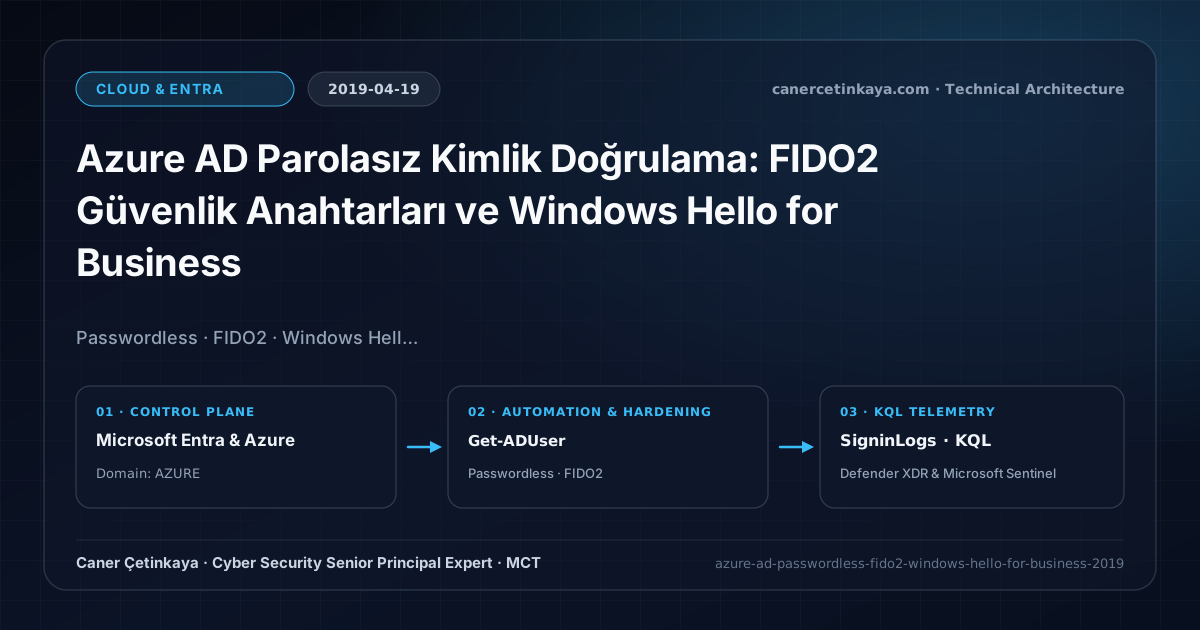
Executive Summary and Authentication Threat Context
Once organizations roll out baseline Conditional Access MFA, attackers rapidly pivot toward SIM-swapping telecom intercepts and Adversary-in-the-Middle (AiTM) phishing proxies that harvest both passwords and session cookies. Transitioning to cryptographic, asymmetric credentials via FIDO2 WebAuthn security keys, Authenticator Phone Sign-In, and TPM-backed Windows Hello for Business removes replayable shared secrets entirely from the authentication path.
From an architectural evolution standpoint, this foundational design connects directly to modern platform controls. The 2019 FIDO2 WebAuthn and Windows Hello for Business Key Trust blueprint directly underpins modern Microsoft Entra Phishing-Resistant MFA strengths and Zero Standing Access PIM workflows.
Trust Boundaries, Policy Evaluation, and Design Principles
- FIDO2 security keys bind authentication assertions cryptographically to the verified Microsoft login origin, rendering AiTM proxy phishing useless.
- Windows Hello for Business unlocks TPM 2.0 hardware-bound private keys via PIN or biometrics to obtain both cloud Azure AD PRTs and on-premises AD Kerberos TGT tickets.
- Enabling Combined Security Information Registration unifies MFA, SSPR, and FIDO2 enrollment inside a single employee onboarding experience.
- Every Conditional Access and authentication-strength policy must stage in
Report-Onlymode while excluding two dedicated cloud-onlyBreak-Glassaccounts to prevent tenant-wide administrative lockouts.
Prerequisites, Licensing Scope, and RBAC Separation
- Licensing: FIDO2 and Authenticator Phone Sign-In work across Azure AD Free+, while targeted group scoping and Authentication Strength policies leverage Azure AD P1/P2 (M365 E3/E5).
- Infrastructure & RBAC: Windows Server 2016/2019 Domain Controllers with Kerberos authentication certificates plus Azure AD Connect syncing msDS-KeyCredentialLink; Authentication Policy Administrator role.
- Client Baseline: Windows 10 1809/1903+ with active TPM 2.0 hardware security modules.
Technical Verification, Session Controls, and Enforcement
PowerShell Policy Audit and Report-Only Validation
PowerShell check verifying WHfB Ngc enrollment, PRT issuance, and on-premises msDS-KeyCredentialLink sync:
- Execution Environment and Prerequisites: Requires ActiveDirectory / RSAT / AD Sync / AD FS management host.
- Least Privilege and Operation Separation: Run with least-privilege inspection or scoped administrative permissions. All statements above are **read-only (
Get-*/Test-*/Search-*)** verification checks making no direct configuration edits; still validate module/network prerequisites in a test cohort first. - Security Control Mapped and Boundary Note: Verifies active policy state and guards against silent drift or mis-scoped rollouts without blind production changes.
# 1. Inspect Windows 10 WHfB Ngc status and Azure AD Primary Refresh Token (PRT)
dsregcmd /status | Select-String -Pattern "NgcSet|AzureAdPrt|DomainJoined|AzureAdJoined"

# 2. Verify msDS-KeyCredentialLink object sync on Active Directory user
Get-ADUser -Identity "caner.cetinkaya" -Properties msDS-KeyCredentialLink |
  Select-Object SamAccountName, @{Name="KeyLinkCount";Expression={($_.msDS-KeyCredentialLink).Count}}
Sign-In Telemetry and KQL Verification Query
KQL telemetry report comparing FIDO2 and WHfB passwordless adoption against legacy password/SMS sign-ins:
// Execution Scope: Read-only hunting/audit query (Log Analytics Reader / Security Reader)
// Data Source: Microsoft Entra ID Diagnostic Settings -> Log Analytics / Microsoft Sentinel (SigninLogs / AuditLogs)
SigninLogs
| where TimeGenerated > ago(14d)
| where ResultType == 0
| extend AuthMethod = tostring(AuthenticationDetails[0].authenticationMethod)
| where AuthMethod in ("FIDO2", "Passwordless phone sign-in", "Windows Hello for Business", "SMS", "Password")
| summarize SignInCount = count(), UniqueUsers = dcount(UserPrincipalName) by AuthMethod
| order by SignInCount desc
Critical Architectural Assessment, Lockout Risks, and Rollback Strategy
- Leaving SMS/Voice Methods Enabled: Allowing fallback SMS alongside FIDO2 lets attackers coerce authentication downgrade attacks.
- Single-Key Hardware Lockouts: Provisioning only one FIDO2 key to privileged operators creates outage risk on hardware loss; issue two registered keys plus verified Break-Glass coverage.
- Risks Mitigated vs. Residual Limitations: Conditional Access baselines,
Authentication Strengths,CAE, and token protection substantially curtail password spray, MFA fatigue, and stolen-cookie replay; however, they do not stop shadow SaaS apps lacking Entra SSO, legacy clients lacking token-binding support, or post-authentication data abuse inside legitimately accessed applications. - New Dependencies and Production Failure Modes: Enforcement relies on
Entra ID P1/P2licensing accuracy, compliant-device telemetry latency, and low-latency external REST availability when invokingCustom Authentication Extensions. Deploying strict grant controls without exclusions locks out emergency IT operations across the entire tenant. - Rollback and Pilot Validation Procedure: Stage every new Conditional Access control in
Report-Only(enabledForReportingButNotEnforced) mode while excluding two cloud-onlyBreak-Glassaccounts; recover from unintended blocks by signing in with a Break-Glass account and switching the offending policy back toReport-Only.
Verified Primary Sources & Open-Source Repositories
This architectural guide was cross-corroborated against the official advisories, Microsoft Learn docs, and open-source PowerShell / KQL repositories below.
Multi-Channel Distribution Summary (X & LinkedIn Draft)
Toggle X (Twitter) & LinkedIn sharing drafts
Multi-Channel Distribution Summary (X & LinkedIn Draft)
Toggle X (Twitter) & LinkedIn sharing draftsPublished our 2019 passwordless blueprint covering FIDO2 WebAuthn AAGUID enforcement and Windows Hello for Business Hybrid Key Trust. #Passwordless #FIDO2 #EntraID
Defeating AiTM phishing and SIM swaps: practical deployment of FIDO2 hardware keys, WHfB Key Trust Kerberos SSO, and SigninLogs adoption tracking.