Decommissioning the Last Exchange Server with Exchange 2019 Management Tools Only
Architecture guide to safely shutting down the final on-premises Exchange server after cloud migration using Exchange Server 2019 CU12+ Management Tools for supported Active Directory recipient updates.
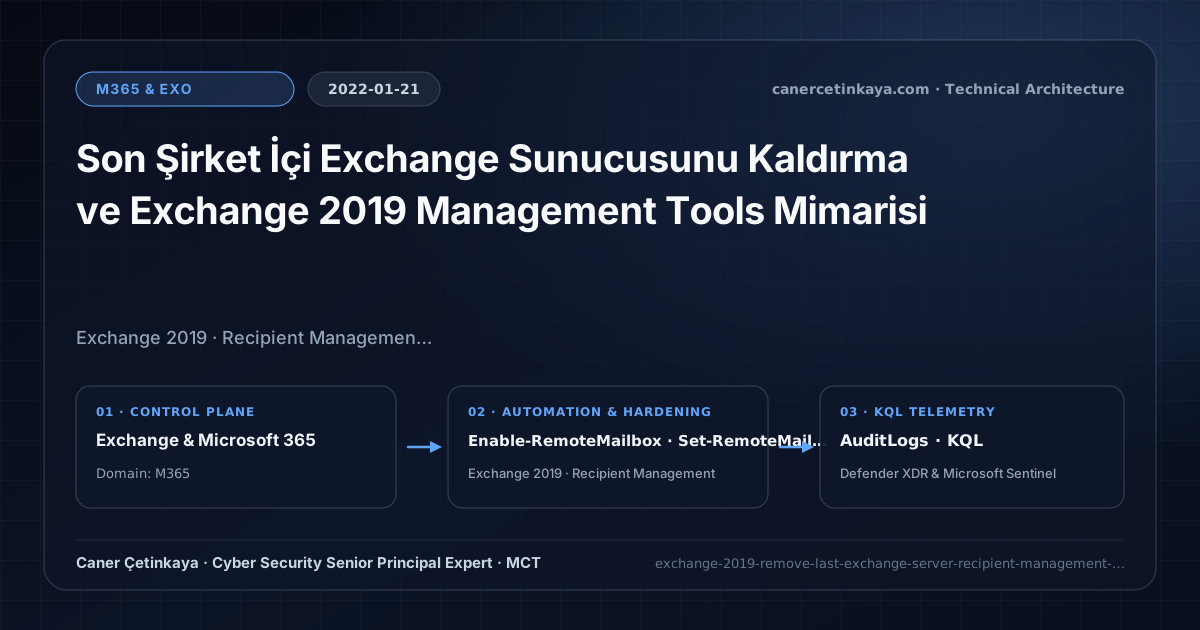
Executive Summary and Messaging Infrastructure Context
Even after migrating every mailbox to Exchange Online, organizations running directory synchronization had to keep a single Exchange server running solely to edit attributes like proxyAddresses and msExchHideFromAddressLists in a Microsoft-supported way. In 2022, Exchange Server 2019 CU12 introduced an updated Management Tools role enabling administrators to remove the last Exchange server while preserving clean recipient PowerShell management.
From an architectural evolution standpoint, this foundational design connects directly to modern platform controls. Introduced in Exchange 2019 CU12 during 2022 to eliminate the permanent "management server" footprint, the Management Tools-only pattern remains core to Entra ID Hard-Delete & Hybrid Resilience simplification.
Protocol Trust Boundaries, Authentication, and Design Principles
- After updating Active Directory via Exchange 2019 CU12+
/PrepareAD, the lightweightRecipientManagementPowerShell snap-in executesEnable-RemoteMailboxandSet-RemoteMailboxdirectly against AD without a running Mailbox server. - Replaces unsupported manual edits in ADSI Edit or ADUC attribute editors with validated Exchange cmdlets and built-in RBAC formatting enforcement.
- Integrates alongside Exchange Modern Hybrid Agent cleanup workflows once all user, shared, and arbitration mailboxes reside in Exchange Online.
- Messaging authentication (
SPF,DKIM,DMARC,ARC,MTA-STS,DANE) and scoped application access (RBAC for Applications) must eliminate legacyBasic Authdependencies and confine service principals to named mailbox scopes.
Prerequisites, DNS/Certificate Dependencies, and RBAC
- Licensing & Media: Exchange Server 2019 CU12 or later ISO (covered by free hybrid management rights) within a Microsoft 365 E3/E5 tenant.
- Workstation & RBAC: Domain-joined Windows management host or member server with Exchange Organization Management privileges and Split Permissions verified.
- Operational Scope: Management Tools-only mode does not provide an Exchange Admin Center (EAC) web UI or local SMTP relay capabilities.
Technical Verification, Mail-Flow Auditing, and Controls
PowerShell Protocol and Mail-Flow Validation
Managing cloud recipients from a dedicated workstation using the RecipientManagement PowerShell snap-in:
- Execution Environment and Prerequisites: Requires ActiveDirectory / RSAT / AD Sync / AD FS management host.
- Least Privilege and Operation Separation: Run with least-privilege inspection or scoped administrative permissions. This block pairs **read-only (
Get-*/Search-*) posture queries with state-changing (New-*/Set-*/Enable-*)** examples; execute mutating steps strictly under change control in a pilot ring (using-WhatIfwhere supported) before broad rollout. - Security Control Mapped and Boundary Note: Verifies active policy state and guards against silent drift or mis-scoped rollouts without blind production changes.
# 1. Load the standalone Exchange RecipientManagement snap-in on management host
Add-PSSnapin Microsoft.Exchange.Management.PowerShell.RecipientManagement

# 2. Preview cloud recipient provisioning and inspect existing RemoteMailbox objects
Enable-RemoteMailbox -Identity "jane.doe" -RemoteRoutingAddress "[email protected]" -WhatIf
Set-RemoteMailbox -Identity "jane.doe" -EmailAddresses @{add="smtp:[email protected]"} -WhatIf
Get-RemoteMailbox -ResultSize 25 | Select-Object DisplayName, RemoteRoutingAddress

# 3. Verify Autodiscover SCP objects are cleared from Active Directory Configuration partition
Get-ADObject -SearchBase (Get-ADRootDSE).configurationNamingContext -Filter "objectClass -eq 'serviceConnectionPoint' -and Name -like '*Autodiscover*'" -Properties serviceBindingInformation |
  Select-Object Name, serviceBindingInformation
Messaging Telemetry and KQL Verification Query
KQL query monitoring Azure AD Connect recipient attribute synchronization events after cutover:
// Execution Scope: Read-only hunting/audit query (Log Analytics Reader / Security Reader)
// Data Source: Microsoft Entra ID Diagnostic Settings -> Log Analytics / Microsoft Sentinel (AuditLogs)
AuditLogs
| where TimeGenerated > ago(14d)
| where InitiatedBy has "Sync_" or OperationName has "Update user"
| where TargetResources has "proxyAddresses" or AdditionalDetails has "Mail"
| project TimeGenerated, OperationName, TargetResources, Result
| summarize SyncUpdates = count() by OperationName, Result
| order by SyncUpdates desc
Critical Architectural Assessment, Mail-Flow Risks, and Rollback Strategy
- Deleting the Final Server Instead of Following Shutdown/Cleanup Guidance: Running unguided uninstallation removes Exchange AD configuration containers still referenced during cloud sync unless the specific cleanup/shutdown procedure is followed.
- Forgetting Legacy Application SMTP Relays: Printers, scanners, or LOB servers relaying through the final Exchange server must first be migrated to an isolated relay or modern Exchange Online App RBAC workflow.
- Risks Mitigated vs. Residual Limitations:
Basic Authremoval,SPF/DKIM/DMARC/ARC/MTA-STS/DANE, andRBAC for Applicationsstop legacy password spray, direct-domain spoofing, SMTP downgrade attacks, and over-privileged Graph apps; they do not prevent fraud sent from legitimately compromised MFA accounts, lookalike cousin domains passing their own authentication, or misrouted external relays bypassing Exchange connectors. - New Dependencies and Production Failure Modes: Operations rely on accurate DNS hygiene (
DNSSEC,TLSA, the10-lookup SPF limit,Selector1/Selector2CNAMEs), valid SAN certificates on hybrid servers, and timelyApp-Onlycertificate rotation. EnforcingDMARC p=rejector decommissioning hybrid management hosts before inventoryingSigninLogsbreaks invoicing and recipient workflows. - Rollback and Pilot Validation Procedure: Drop DNS record TTLs (
300s) before authentication cutovers, holdDMARCatp=nonemonitoringRUAreports for at least21days, validateTest-ServicePrincipalAuthorizationprior to retiring legacy app policies, and keep hybrid config backups before server removal.
Verified Primary Sources & Open-Source Repositories
This architectural guide was cross-corroborated against the official advisories, Microsoft Learn docs, and open-source PowerShell / KQL repositories below.
Multi-Channel Distribution Summary (X & LinkedIn Draft)
Toggle X (Twitter) & LinkedIn sharing drafts
Multi-Channel Distribution Summary (X & LinkedIn Draft)
Toggle X (Twitter) & LinkedIn sharing draftsRetiring the last on-premises Exchange server safely with Exchange 2019 CU12+ Management Tools-only architecture. #ExchangeHybrid #M365
Exchange Hybrid Simplification: How to shut down your final on-premises Exchange VM cleanly while maintaining supported Active Directory recipient attribute management.