Gradual Cloud Management Transition with Hybrid Azure AD Join and SCCM Co-Management
A 2018 enterprise endpoint transition architecture enabling System Center Configuration Manager (SCCM) environments to adopt Hybrid Azure AD Join and Microsoft Intune Co-Management without disruptive wipe-and-reload migrations.
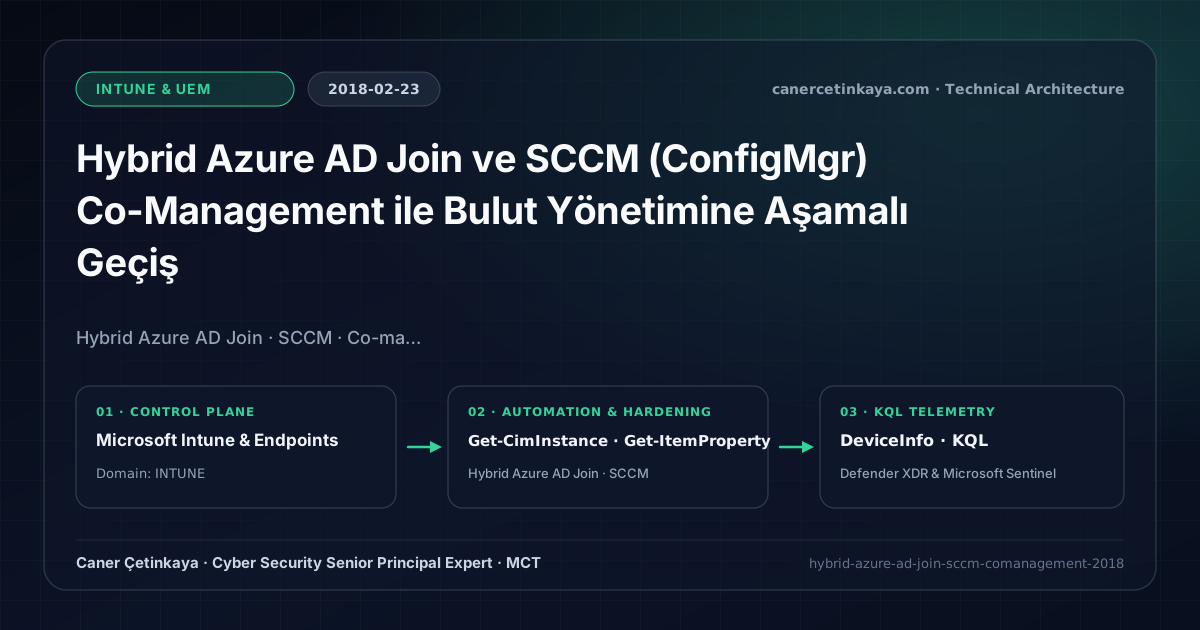
Executive Summary and Endpoint Hardening Context
Ripping thousands of Active Directory domain-joined Windows 10 workstations out of System Center Configuration Manager (SCCM) overnight carries prohibitive operational outage risk. The 2018 Hybrid Azure AD Join and ConfigMgr Co-Management framework preserves your investment in OS deployment task sequences and Win32 app distribution while selectively shifting Compliance, Defender, and Windows Update workloads to Microsoft Intune.
From an architectural evolution standpoint, this foundational design connects directly to modern platform controls. While Hybrid Azure AD Join and SCCM Co-Management bridged legacy AD estates to the cloud in 2018, modern Zero Trust architectures favor cloud-native Entra Joined Windows Autopilot deployments and Defender XDR and Intune Endpoint Response Baselines.
Hardware and Kernel Trust Boundaries and Design Principles
- Hybrid Azure AD Join registers AD-joined devices in Azure AD via Azure AD Connect SCP synchronization (Managed) or AD FS claims to unlock cloud Conditional Access signals.
- Co-Management establishes dual management authority between the SCCM agent and the built-in Windows 10 MDM CSP stack across granular pilot collections.
- Shifting Compliance Policies to Intune allows Azure AD Conditional Access to enforce Zero Trust device health gates before granting M365 token access.
BitLocker,Credential Guard,HVCI/VBS,App Control(WDAC),Cloud PKI, andWindows LAPSmust align withTPM 2.0/UEFI Secure Bootreadiness and resolve legacyGPO/customOMA-URIprecedence conflicts across pilot rings.
Prerequisites, MDM Conflict Resolution, and RBAC Boundaries
- Licensing: Microsoft 365 E3/E5 or EMS E3/E5 (including Microsoft Intune and Azure AD P1) plus active ConfigMgr/Software Assurance client coverage.
- Infrastructure & RBAC: Azure AD Connect configured for Hybrid Azure AD Join, SCCM 1802+, and least privilege separation between ConfigMgr Full Administrators and Intune Service Administrators.
- Network Prerequisite: Endpoints must reach enterpriseregistration.windows.net and login.microsoftonline.com using System context without interactive proxy authentication prompts.
Technical Verification, Compliance, and Policy Controls
PowerShell Endpoint Posture and Configuration Check
Verifying Hybrid Azure AD Join PRT state and MDM enrollment status via PowerShell:
- Execution Environment and Prerequisites: Requires Microsoft.Graph, Local administrator / Windows endpoint host.
- Least Privilege and Operation Separation: Run with scoped Least-privilege Graph `.Read.All` scopes (delegated admin role only for writes) privileges. All statements above are **read-only (
Get-*/Test-*/Search-*)** verification checks making no direct configuration edits; still validate module/network prerequisites in a test cohort first. - Security Control Mapped and Boundary Note: Verifies active policy state and guards against silent drift or mis-scoped rollouts without blind production changes.
# 1. Check Hybrid Join and Primary Refresh Token (PRT) health locally
dsregcmd /status

# 2. Verify MDM CSP enrollment registration keys on the co-managed client via CIM
Get-CimInstance -Namespace "root\ccm" -ClassName "CCM_ClientUtilities" -ErrorAction SilentlyContinue
Get-ItemProperty -Path "HKLM:\SOFTWARE\Microsoft\DeviceManageabilityCSP\Provider\MS DM Server" -ErrorAction SilentlyContinue |
  Select-Object ConfigInfo, EntDMID

# 3. Audit stale Hybrid Join objects in Entra ID older than 30 days
Connect-MgGraph -Scopes "Device.Read.All"
$cutoff = (Get-Date).AddDays(-30)
Get-MgDevice -All |
  Where-Object { $_.TrustType -eq "ServerAd" -and $_.ApproximateLastSignInDateTime -lt $cutoff } |
  Select-Object DisplayName, Id, OperatingSystem, ApproximateLastSignInDateTime
Device Health Telemetry and KQL Verification Query
KQL query summarizing Hybrid Join device onboarding status across OS builds:
// Execution Scope: Read-only hunting/audit query (Log Analytics Reader / Security Reader)
// Data Source: Microsoft Defender XDR Advanced Hunting / Sentinel MDE Connector (DeviceInfo)
DeviceInfo
| where Timestamp > ago(7d)
| summarize arg_max(Timestamp, *) by DeviceId
| where JoinType == "Hybrid"
| project Timestamp, DeviceName, OSPlatform, OSVersion, JoinType, AadDeviceId, OnboardingStatus
| summarize DeviceCount = count() by OSPlatform, OnboardingStatus
| order by DeviceCount desc
Critical Architectural Assessment, Rollout Risks, and Rollback Strategy
- Outdated ConfigMgr Clients: Endpoints running legacy SCCM agents cannot evaluate Co-Management MDM enrollment flags until client auto-upgrade completes.
- GPO vs MDM Policy Conflict: Pushing overlapping Defender or BitLocker rules simultaneously from AD Group Policy and Intune CSPs produces reporting drift; configure MDMWinsOverGP thoughtfully.
- Risks Mitigated vs. Residual Limitations:
BitLocker,Credential Guard,HVCI/VBS,App Control/WDAC,Cloud PKI, andWindows LAPSdefeat offline disk extraction,LSASScredential theft, unsigned kernel drivers (BYOVD), and shared-adminPass-the-Hashpivoting; however, they do not prevent post-login abuse using signed system binaries (LOLBins) when App Control/ASR isn't enforced, nor do they protect legacy hardware lackingTPM 2.0/Secure Boot. - New Dependencies and Production Failure Modes: Endpoint reliability depends on
TPM 2.0/UEFI readiness, deterministicMDMWinsOverGPprecedence, and verified key escrow (BitLockerEntra registration andLAPSEvent ID 10025). EnforcingWDAC/AppLockerwithout audit logs or togglingHVCIonto incompatible drivers triggers boot loops (BSOD) or immediate helpdesk lockouts. - Rollback and Pilot Validation Procedure: Roll out every Windows security baseline through
IT Canary -> Pilot -> BroadIntune rings, verify escrow recovery keys before retiring legacy tools, and revert breaking policies via Intune group exclusions orAuditmode fallback without stripping core disk encryption.
Verified Primary Sources & Open-Source Repositories
This architectural guide was cross-corroborated against the official advisories, Microsoft Learn docs, and open-source PowerShell / KQL repositories below.
Multi-Channel Distribution Summary (X & LinkedIn Draft)
Toggle X (Twitter) & LinkedIn sharing drafts
Multi-Channel Distribution Summary (X & LinkedIn Draft)
Toggle X (Twitter) & LinkedIn sharing draftsPublished our 2018 endpoint architecture guide on Hybrid Azure AD Join and SCCM Co-Management for seamless Intune workload transitions. #Intune #SCCM #ZeroTrust
How enterprises migrate from legacy SCCM to cloud-first Zero Trust management using Hybrid Azure AD Join, Co-Management workload sliders, and dsregcmd diagnostics.