Retiring Legacy AIP Add-ins: Office Built-In Sensitivity Labeling and Service-Side Auto-Labeling
A 2021 Microsoft Information Protection (MIP) transition guide replacing legacy COM-based AIP desktop clients with native Office Built-In Labeling alongside Simulation-first service-side Auto-Labeling.
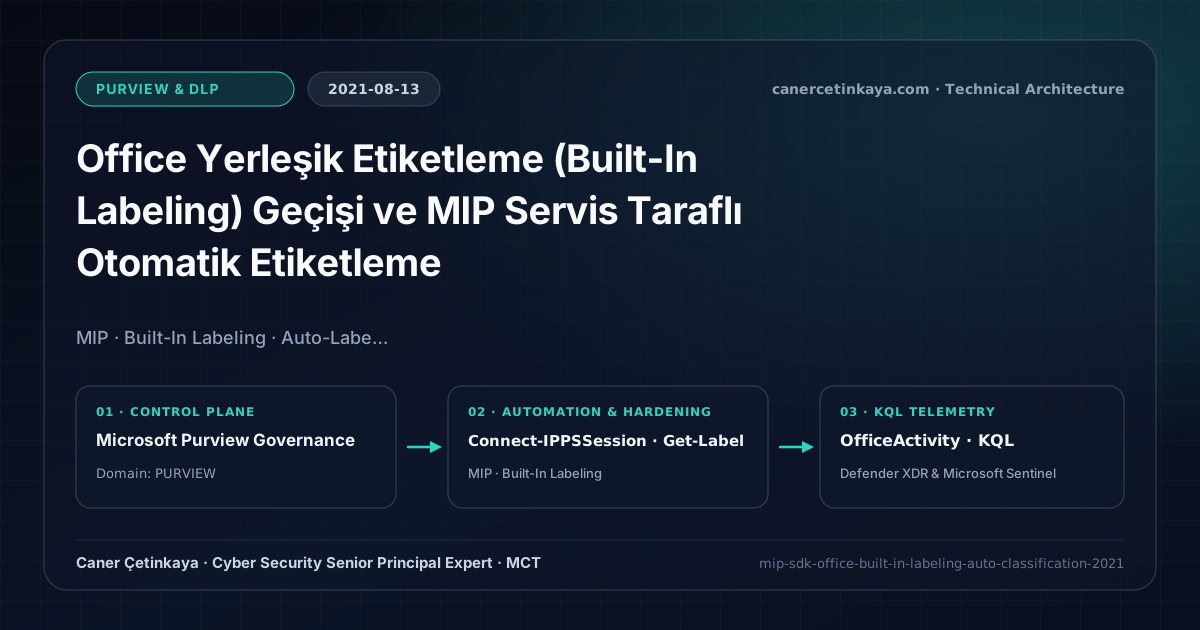
Executive Summary and Information Protection Context
Even after completing Unified Labeling and AIP Scanner migrations, maintaining the legacy COM-based AIP desktop add-in across hundreds of endpoints slowed down Outlook startup and left macOS and browser Office Web users unprotected. Built-In Labeling embeds sensitivity controls directly inside Microsoft 365 Apps, Teams, and mobile clients—while service-side Auto-Labeling classifies dormant files across SharePoint, OneDrive, and Exchange automatically without user intervention.
From an architectural evolution standpoint, this foundational design connects directly to modern platform controls. Standardizing native Office Built-In Labeling and server-side MIP Auto-Labeling in 2021 eliminated add-in fragility and created the exact classification metadata now governing Microsoft Purview DSPM for AI & Copilot boundaries.
Cryptographic Boundaries, Label Taxonomy, and Design Principles
- Office Built-In Labeling delivers consistent UI and RMS protection across Windows, macOS, iOS, Android, and Web clients without external COM add-ins.
- MIP SDK allows third-party engineering ecosystems (Adobe Acrobat, internal line-of-business exports) to preserve labels and encryption natively.
- Service-side Auto-Labeling inspects data in transit (Exchange) and data at rest (SharePoint/OneDrive) independently of client device state.
- Sensitivity label taxonomy, built-in
MIPclient upgrades, andDKEhigh-availability endpoints must verify co-authoring compatibility and Super User recovery before rolling out mandatory encryption.
Prerequisites, Client/Key Dependencies, and RBAC
- Licensing: Built-In manual/recommended labeling runs on M365 E3 / EMS E3; client-side and service-side Auto-Labeling require Microsoft 365 E5 / E5 Compliance.
- Client & RBAC: Deploy Microsoft 365 Apps v2006+, uninstall legacy AzInfoProtection add-in packages, and assign Compliance Administrator via least privilege.
- Co-Authoring Baseline: Enable Co-authoring for encrypted files in Purview so Teams/SharePoint collaboration stays uninterrupted.
Technical Verification, Labeling, and Encryption Controls
PowerShell Label Policy and File Status Validation
PowerShell commands auditing sensitivity labels, Auto-Labeling policy modes, and Office Built-In registry keys:
- Execution Environment and Prerequisites: Requires ExchangeOnlineManagement (
Connect-IPPSSession). - Least Privilege and Operation Separation: Run with scoped Exchange / Compliance / SharePoint Administrator (or View-Only / Security Reader for audit commands) privileges. All statements above are **read-only (
Get-*/Test-*/Search-*)** verification checks making no direct configuration edits; still validate module/network prerequisites in a test cohort first. - Security Control Mapped and Boundary Note: Verifies active policy state and guards against silent drift or mis-scoped rollouts without blind production changes.
# 1. Inspect Sensitivity Labels and service-side Auto-Labeling policy states
Connect-IPPSSession -UserPrincipalName "[email protected]"
Get-Label | Select-Object DisplayName, Name, Priority, Disabled, ContentType
Get-AutoSensitivityLabelPolicy | Select-Object Name, Mode, ExchangeLocation, SharePointLocation

# 2. Verify Office Built-In Labeling GPO/MDM registry enablement locally
Get-ItemProperty -Path "HKCU:\Software\Microsoft\Office\16.0\Common\Security\Labels" -ErrorAction SilentlyContinue |
  Select-Object UseOfficeForLabelling
Labeling Telemetry and KQL Verification Query
KQL compliance check auditing sensitivity label application trends across Exchange and SharePoint:
// Execution Scope: Read-only hunting/audit query (Log Analytics Reader / Security Reader)
// Data Source: Microsoft Purview Unified Audit Log -> Microsoft Sentinel Office 365 connector (OfficeActivity)
OfficeActivity
| where TimeGenerated > ago(14d)
| where Operation in ("SensitivityLabelApplied", "SensitivityLabelUpdated", "FileSensitivityLabelApplied")
| project TimeGenerated, UserId, Operation, Workload, SourceFileName, SensitivityLabelEventData
| summarize LabelEvents = count() by Operation, Workload
| order by LabelEvents desc
Critical Architectural Assessment, Lockout Risks, and Rollback Strategy
- Leaving Legacy AIP Add-in Alongside Built-In Labeling: Dual activation creates confusing duplicate Sensitivity buttons in Office ribbons until
UseOfficeForLabellingregistry alignment completes. - Ignoring Daily Service-Side File Quotas: Large multi-million-file SharePoint archives should be targeted in scoped library waves rather than one massive tenant-wide rule.
- Risks Mitigated vs. Residual Limitations: Sensitivity labels, built-in
MIPprotection,Dynamic Watermarking, andDKEenforce persistent file-level encryption and customer key sovereignty; however, they cannot stop screen photography by authorized viewers (watermarking provides forensic attribution only), unsupported third-party formats lackingRMScontainers, or previously exported unencrypted copies. - New Dependencies and Production Failure Modes: Reliability hinges on current
Microsoft 365 Appschannels, redundant customer-hostedDKEHTTPS availability (an unreachableDKEendpoint blocks opening encrypted files globally!), and SharePoint co-authoring limits underDKE. Mandatory encryption applied too broadly stalls B2B portals and automated indexing. - Rollback and Pilot Validation Procedure: Validate every auto-labeling rule in
TestWithoutNotificationssimulation first; preserveSuper User(Get-AipServiceSuperUserFeature) emergency recovery and offlineDKEkey backups, narrowing mandatory encryption policies back to a pilot group upon disruption.
Verified Primary Sources & Open-Source Repositories
This architectural guide was cross-corroborated against the official advisories, Microsoft Learn docs, and open-source PowerShell / KQL repositories below.
Multi-Channel Distribution Summary (X & LinkedIn Draft)
Toggle X (Twitter) & LinkedIn sharing drafts
Multi-Channel Distribution Summary (X & LinkedIn Draft)
Toggle X (Twitter) & LinkedIn sharing draftsRetire legacy AIP desktop COM add-ins cleanly with native Office Built-In Labeling and Simulation-first Auto-Labeling. #MicrosoftPurview #MIP
2021 Information Protection upgrade: seamless transition to Office Built-In Labeling, co-authoring encrypted documents, and Simulation-Mode Auto-Labeling.