AIP On-Premises Scanner Deployment and Unified Labeling Migration Architecture
A 2019 information protection blueprint detailing migration from classic Azure Portal labels to Microsoft 365 Unified Labeling alongside headless AIP On-Premises Scanner discovery across SMB file shares and SharePoint Server.
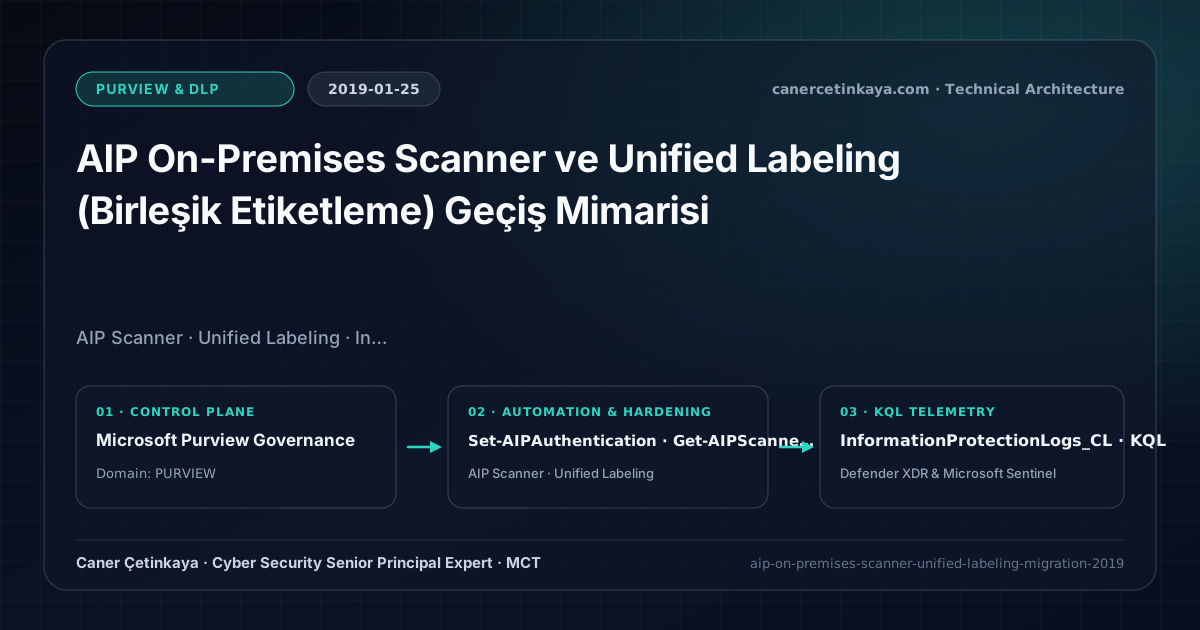
Executive Summary and Information Protection Context
Even after securing cloud collaboration workloads with Office 365 DLP policies, enterprises continue storing high-sensitivity contracts, HR dossiers, and payroll exports across on-premises SMB file shares. In 2019, maintaining split label taxonomies between classic Azure AIP blades and the Security & Compliance Center compounded operational friction. Migrating to Unified Labeling and deploying the AIP On-Premises Scanner unites cloud and on-premises encryption under a single classification policy.
From an architectural evolution standpoint, this foundational design connects directly to modern platform controls. The unified taxonomy forged in 2019 between AIP Scanner and Microsoft 365 Unified Labeling now anchors the Microsoft Purview Information Protection Scanner and Purview DSPM for Copilot AI boundary governance.
Cryptographic Boundaries, Label Taxonomy, and Design Principles
- Unified Labeling centralizes sensitivity label definitions inside the Security & Compliance Center, reaching Windows, macOS, iOS, Android, and built-in Office clients consistently.
- The AIP On-Premises Scanner runs headless on Windows Server backed by SQL Server, scanning SMB UNC paths (\\fileserver\share) and SharePoint Server 2013–2019 sites.
- Upgrading cleanly from classic Azure Information Protection labeling preserves RMS encryption template GUIDs so existing protected files decrypt seamlessly.
- Sensitivity label taxonomy, built-in
MIPclient upgrades, andDKEhigh-availability endpoints must verify co-authoring compatibility and Super User recovery before rolling out mandatory encryption.
Prerequisites, Client/Key Dependencies, and RBAC
- Licensing: Azure Information Protection P1 (EMS E3 / M365 E3) covers manual Unified Labeling and discovery scanning; automated classification and encryption via AIP Scanner requires AIP P2 (EMS E5 / M365 E5).
- Infrastructure & RBAC: Dedicated Windows Server 2016/2019 host with SQL Server Express/Standard, least-privilege SMB permissions, and Compliance Administrator oversight.
- Headless Authentication: Provision Azure AD Web/Native application credentials using Set-AIPAuthentication without interactive browser dependency.
Technical Verification, Labeling, and Encryption Controls
PowerShell Label Policy and File Status Validation
Installing the AIP Unified Labeling Scanner, acquiring headless Azure AD tokens, and initiating discovery via PowerShell:
- Execution Environment and Prerequisites: Requires Local administrator / Windows endpoint host.
- Least Privilege and Operation Separation: Run with least-privilege inspection or scoped administrative permissions. This block pairs **read-only (
Get-*/Search-*) posture queries with state-changing (New-*/Set-*/Enable-*)** examples; execute mutating steps strictly under change control in a pilot ring (using-WhatIfwhere supported) before broad rollout. - Security Control Mapped and Boundary Note: Verifies active policy state and guards against silent drift or mis-scoped rollouts without blind production changes.
# 1. Install SQL-backed AIP Scanner Windows service from Unified Labeling module
Install-AIPScanner -SqlServerInstance "FS-SCAN01\SQLEXPRESS" -Profile "DefaultCluster"

# 2. Acquire non-interactive Azure AD app token for scanner service account
$AuthParams = @{
  AppId         = "<AAD_WEB_APP_ID>"
  AppSecret     = "<SECRET_FROM_KEYVAULT>"
  TenantId      = "<TENANT_ID>"
  DelegatedUser = "[email protected]"
}
Set-AIPAuthentication @AuthParams

# 3. Verify node registration and trigger initial Content Scan Job
Get-AIPScannerStatus
Start-AIPScan
Labeling Telemetry and KQL Verification Query
KQL inventory report querying AIP Scanner findings and sensitive data matches across on-premises shares:
// Execution Scope: Read-only hunting/audit query (Log Analytics Reader / Security Reader)
// Data Source: InformationProtectionLogs_CL table -> Defender XDR Advanced Hunting or Log Analytics / Sentinel workspace
InformationProtectionLogs_CL
| where TimeGenerated > ago(14d)
| where ApplicationName_s == "AIPScanner"
| where Activity_s in ("Discover", "Protect", "ApplyLabel")
| project TimeGenerated, ObjectId_s, LabelName_s, InformationTypes_s, ProtectionChanged_b, Activity_s
| summarize FileCount = count() by Activity_s, LabelName_s, InformationTypes_s
| order by FileCount desc
Critical Architectural Assessment, Lockout Risks, and Rollback Strategy
- Mixing Classic and Unified Clients: Leaving the legacy AzInfoProtection client installed alongside Unified Labeling generates duplicated Office sensitivity bars.
- Over-Privileged Scanner Service Accounts: Never grant Domain Admin to the scanner identity; assign Read-Only NTFS rights during discovery and scoped Modify rights strictly for enforced repositories.
- Risks Mitigated vs. Residual Limitations: Sensitivity labels, built-in
MIPprotection,Dynamic Watermarking, andDKEenforce persistent file-level encryption and customer key sovereignty; however, they cannot stop screen photography by authorized viewers (watermarking provides forensic attribution only), unsupported third-party formats lackingRMScontainers, or previously exported unencrypted copies. - New Dependencies and Production Failure Modes: Reliability hinges on current
Microsoft 365 Appschannels, redundant customer-hostedDKEHTTPS availability (an unreachableDKEendpoint blocks opening encrypted files globally!), and SharePoint co-authoring limits underDKE. Mandatory encryption applied too broadly stalls B2B portals and automated indexing. - Rollback and Pilot Validation Procedure: Validate every auto-labeling rule in
TestWithoutNotificationssimulation first; preserveSuper User(Get-AipServiceSuperUserFeature) emergency recovery and offlineDKEkey backups, narrowing mandatory encryption policies back to a pilot group upon disruption.
Verified Primary Sources & Open-Source Repositories
This architectural guide was cross-corroborated against the official advisories, Microsoft Learn docs, and open-source PowerShell / KQL repositories below.
Multi-Channel Distribution Summary (X & LinkedIn Draft)
Toggle X (Twitter) & LinkedIn sharing drafts
Multi-Channel Distribution Summary (X & LinkedIn Draft)
Toggle X (Twitter) & LinkedIn sharing draftsUncovering dark data on legacy SMB file shares with AIP On-Premises Scanner and Unified Labeling migration—our 2019 Purview blueprint. #MicrosoftPurview #DataSecurity
2019 Information Protection engineering: migrating from classic AIP labels to Microsoft 365 Unified Labeling and running safe Discovery-first scans across on-premises file servers.