Microsoft Baseline Security Mode 2026 and On-Premises Security Initiative (Ignite 2026): Hybrid Hardening Architecture
Architectural review of Microsoft Baseline Security Mode 2026 (+24 settings across Intune, Purview, Dynamics 365 with simulation mode), On-Prem BSM for Exchange and SharePoint Server, On-Premises Security Initiative, and Secure Now.
Most enterprise breaches do not begin with exotic zero-day exploits; they exploit accumulated insecure defaults and neglected on-premises hybrid servers. When attackers are blocked by hardened cloud identity controls, they frequently pivot through legacy protocols left enabled on on-premises Exchange or SharePoint deployments.
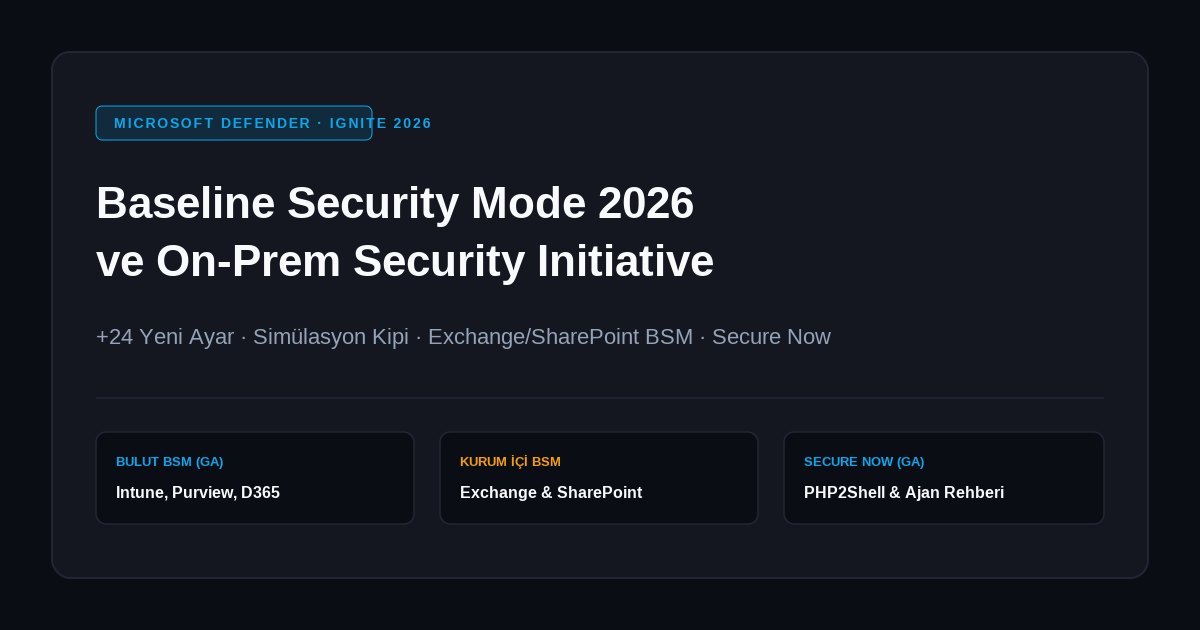
At Microsoft Ignite 2026, Microsoft introduced Baseline Security Mode 2026, On-Prem Baseline Security Mode, the On-Premises Security Initiative, and expanded Secure Now guidance to establish consistent secure-by-default baselines across both cloud and hybrid footprints.
Microsoft Baseline Security Mode 2026 (GA)
- +24 new secure-by-default controls (`GA`): Expands Baseline Security Mode beyond core Microsoft 365 workloads into Microsoft Intune, Microsoft Purview, and Dynamics 365.
- Simulation-first deployment: Administrators can evaluate policy impact in simulation mode before enforcement, surfacing legacy clients or third-party integrations that would break under hardened defaults.
Hybrid Coverage: On-Prem Baseline Security Mode and On-Premises Security Initiative
- On-Prem Baseline Security Mode (`Announced`): Brings the Baseline Security Mode model to Exchange Server, SharePoint Server, and Skype for Business Server, systematically retiring insecure defaults and legacy protocol exposures.
- On-Premises Security Initiative (`Announced`): Focuses on reducing legacy server footprints altogether, prioritizing remediation by hybrid attack paths and creating lateral-movement barriers ahead of cloud migration.
Secure Now (GA): Rapid Guidance for Emerging Threats
- Expanded threat coverage (`GA`): Secure Now adds prioritized, actionable hardening steps addressing PHP2Shell-class web threats as well as emerging agentic tools.
- Continuous exposure alignment: Secure Now actions connect directly with Microsoft Perception Ecosystem and AI Readiness Initiatives, turning static checklists into measurable Continuous Threat Exposure Management (CTEM) programs.
Limitations, Prerequisites, and Rollback Plan
- What it prevents and what it does not: Baseline Security Mode and On-Prem BSM materially reduce misconfiguration and legacy protocol attack surfaces, but they are not a substitute for timely security patching, EDR/XDR threat detection, network segmentation, or Privileged Identity Management (PIM).
- Prerequisites and operational risk: On-premises Exchange and SharePoint environments often host legacy SMTP relays, custom connectors, or NTLM/TLS-dependent business apps that can break when hardened defaults are enforced abruptly. Confirm release schedules and supported server versions for On-Prem BSM in official Microsoft Defender release notes before scheduling production windows.
- Phased rollout and rollback plan: Capture a full configuration backup of Intune, Purview, Dynamics 365, and on-premises server settings before making changes. Run Baseline Security Mode 2026 in simulation mode for at least two business weeks to resolve exceptions first, and stage on-premises baseline changes in non-production farms prior to production rollout. If a business workflow is disrupted, revert only the specific baseline setting to its documented prior value and validate mail flow, SharePoint access, and dependent line-of-business apps.
Architectural Takeaway
Consistent secure-by-default baselines deliver the highest risk reduction per engineering hour. Launching Baseline Security Mode 2026 (GA) in simulation mode and executing Secure Now (GA) controls immediately—while inventorying on-premises Exchange and SharePoint dependencies for On-Prem BSM—provides the fastest measurable drop in hybrid attack surface.
Verified Primary Sources & Open-Source Repositories
This architectural guide was cross-corroborated against the official advisories, Microsoft Learn docs, and open-source PowerShell / KQL repositories below.
Multi-Channel Distribution Summary (X & LinkedIn Draft)
Toggle X (Twitter) & LinkedIn sharing drafts
Multi-Channel Distribution Summary (X & LinkedIn Draft)
Toggle X (Twitter) & LinkedIn sharing draftsLegacy defaults and neglected on-premises servers remain the shortest path for attackers in hybrid tenants. Ignite 2026 brings Baseline Security Mode 2026 (+24 settings, GA), On-Prem BSM, and expanded Secure Now guidance. #MicrosoftDefender #Ignite2026
Hardening cloud identities means little if on-premises Exchange and SharePoint servers retain legacy defaults. Here is an architectural breakdown of Microsoft Ignite 2026 Baseline Security Mode 2026, On-Prem BSM, On-Premises Security Initiative, and Secure Now.
Related Architecture Articles
All Microsoft Defender →Microsoft Perception (GA) Architecture: Closed-Loop Agentic SOC with Red, Blue, and Green Team Agents
Architectural deep dive into Microsoft Perception (GA at Ignite 2026): how Red, Blue, and Green Team AI agents collaborate inside Microsoft Defender, plus human approval gates, limitations, and safe SOC rollout.
Microsoft Perception Ecosystem: API/MCP Integration, Third-Party Signals, CTEM, and Security FinOps
Architectural review of Microsoft Perception's open ecosystem (APIs, MCP Server, AWS/Okta/Salesforce signals), native Defender workflow triggers, AI Readiness Initiatives CTEM, and Cost Management.
Microsoft Defender ISOC and Sentinel Unified SOC (Ignite 2026): 90-Day Retention, Ingest-Time Normalization, and Multi-Cloud UEBA
Architectural breakdown of Microsoft Defender ISOC (Ignite 2026): Sentinel opt-in, 90-day Defender retention, built-in data lake, ingest-time normalization, Detections as Code, and multi-cloud UEBA.
Frontline Defenses Against 2027 Attack Vectors: ClickFix Clipboard Monitor, Vulnerability Shielding, and Teams Deepfake Detection
Architectural review of four Microsoft Ignite 2026 Defender frontline defenses: DefenderSessionHelper.exe ClickFix clipboard protection, pre-patch Vulnerability Shielding, Teams malicious QR blurring, and certified meeting deepfake detection.