Windows Platform Resilience (Ignite 2026): User-Mode Endpoint Security Platform, Administrator Protection, and Baseline Protection
Structural evolution in Windows 11 security: moving security solutions out of kernel space with Endpoint Security Platform (GA), eliminating standing admin tokens via Administrator Protection (GA), Baseline Protection, and Passwordless sign-in refinements.
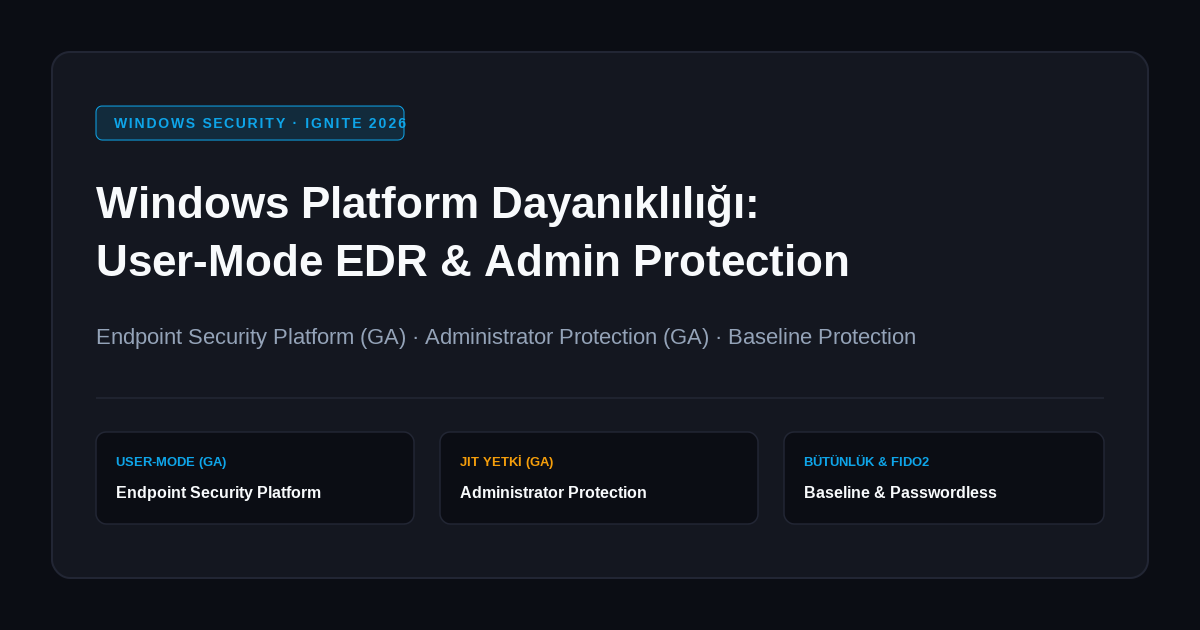
Recent global IT outages and advanced endpoint intrusions exposed two longstanding architectural weaknesses in Windows fleets: security products running inside kernel mode where a single faulty driver can take down millions of machines, and standing local administrator privileges that malware can silently hijack.
At Microsoft Ignite 2026, Windows Endpoint Security Platform and Windows Administrator Protection reached General Availability (GA), alongside Windows Baseline Protection and passwordless sign-in improvements.
Moving Out of the Kernel: Windows Endpoint Security Platform (GA)
- User-mode security integration (`GA`): Now Generally Available on Windows 11, the Windows Endpoint Security Platform reduces security vendor reliance on kernel-mode drivers by enabling core security subsystems to run safely in user mode.
- Resilience impact: Faults in security agent updates are far less likely to trigger OS-level crashes, improving fleet stability and recovery posture across enterprise workstations.
Eliminating Standing Local Admin: Windows Administrator Protection (GA)
- Least privilege with Windows Hello JIT elevation (`GA`): Users run with standard non-privileged permissions by default. When an administrative task is required, Windows verifies intent with Windows Hello and spins up an isolated, single-task elevated profile that is destroyed automatically once the task finishes.
- Attack surface reduction: Removing persistent admin tokens sharply limits silent UAC bypasses and unauthorized system tampering by background malware or compromised scripts.
Hardware Integrity and Passwordless Sign-In
- Windows Baseline Protection (`Insider Preview`): Consolidates Secure Boot, Virtualization-Based Security (VBS), and Memory Integrity into a single verifiable security state for cleaner compliance reporting.
- Windows Passwordless Improvements (`Announced`): Refines Windows Hello biometric and PIN visibility alongside Web Sign-in and FIDO2 workflows to reduce help desk friction during passwordless deployments.
Limitations, Prerequisites, and Rollback Plan
- What it prevents and what it does not: User-mode architecture mitigates kernel crash risk and Administrator Protection curbs standing admin abuse, but neither replaces EDR threat detection, App Control for Business, timely OS patching, or Microsoft Entra Conditional Access.
- Prerequisites and compatibility: Realizing the full resilience benefits of Endpoint Security Platform depends on third-party security vendors shipping updated user-mode agents. Administrator Protection may trigger additional elevation prompts for legacy installers or custom line-of-business utilities.
- Phased rollout and rollback plan: Capture current Intune UAC/EPM policies and local administrator group baselines before enabling Administrator Protection on a pilot IT device ring. If a legacy business utility fails under profile-isolated elevation, exclude the impacted device group to restore the prior policy baseline and verify application behavior before wider rollout.
Architectural Takeaway
With both Endpoint Security Platform and Administrator Protection now Generally Available (GA), enterprise Windows teams can act immediately—piloting Administrator Protection via Intune while making user-mode platform adoption a formal evaluation criterion for endpoint security vendors.
Verified Primary Sources & Open-Source Repositories
This architectural guide was cross-corroborated against the official advisories, Microsoft Learn docs, and open-source PowerShell / KQL repositories below.
Multi-Channel Distribution Summary (X & LinkedIn Draft)
Toggle X (Twitter) & LinkedIn sharing drafts
Multi-Channel Distribution Summary (X & LinkedIn Draft)
Toggle X (Twitter) & LinkedIn sharing draftsTwo foundational Windows 11 security milestones hit GA at Ignite 2026: Windows Endpoint Security Platform (moving security agents from kernel to user mode) and Windows Administrator Protection (Windows Hello JIT elevation). #WindowsSecurity #Ignite2026
Kernel-mode driver fragility and standing local administrator rights have long been two of the largest structural risks in Windows fleets. Here is an architectural breakdown of Windows Endpoint Security Platform (GA) and Administrator Protection (GA) from Ignite 2026.
Related Architecture Articles
All Microsoft Defender →Microsoft Perception (GA) Architecture: Closed-Loop Agentic SOC with Red, Blue, and Green Team Agents
Architectural deep dive into Microsoft Perception (GA at Ignite 2026): how Red, Blue, and Green Team AI agents collaborate inside Microsoft Defender, plus human approval gates, limitations, and safe SOC rollout.
Microsoft Perception Ecosystem: API/MCP Integration, Third-Party Signals, CTEM, and Security FinOps
Architectural review of Microsoft Perception's open ecosystem (APIs, MCP Server, AWS/Okta/Salesforce signals), native Defender workflow triggers, AI Readiness Initiatives CTEM, and Cost Management.
Microsoft Defender ISOC and Sentinel Unified SOC (Ignite 2026): 90-Day Retention, Ingest-Time Normalization, and Multi-Cloud UEBA
Architectural breakdown of Microsoft Defender ISOC (Ignite 2026): Sentinel opt-in, 90-day Defender retention, built-in data lake, ingest-time normalization, Detections as Code, and multi-cloud UEBA.
Microsoft Defender Operational Maturity Suite (Ignite 2026): Endpoint Health, Safe Deployment, Time-Bound Offboarding, and Custom Telemetry
Architectural review of five Ignite 2026 Microsoft Defender for Endpoint operational maturity updates: Endpoint Health Dashboard, Safe Deployment Settings, time-bound offboarding keys, Frontline shared mobile devices, and Linux/Registry custom data collection.