Windows Virtual Desktop (WVD / AVD) Security: Hybrid Join, FSLogix SMB ACLs, and Conditional Access
A 2020 VDI security blueprint hardening Azure ARM-based Windows Virtual Desktop (AVD) host pools with zero public RDP exposure via Reverse Connect, least-privilege FSLogix Azure Files ACLs, and RDP exfiltration controls.
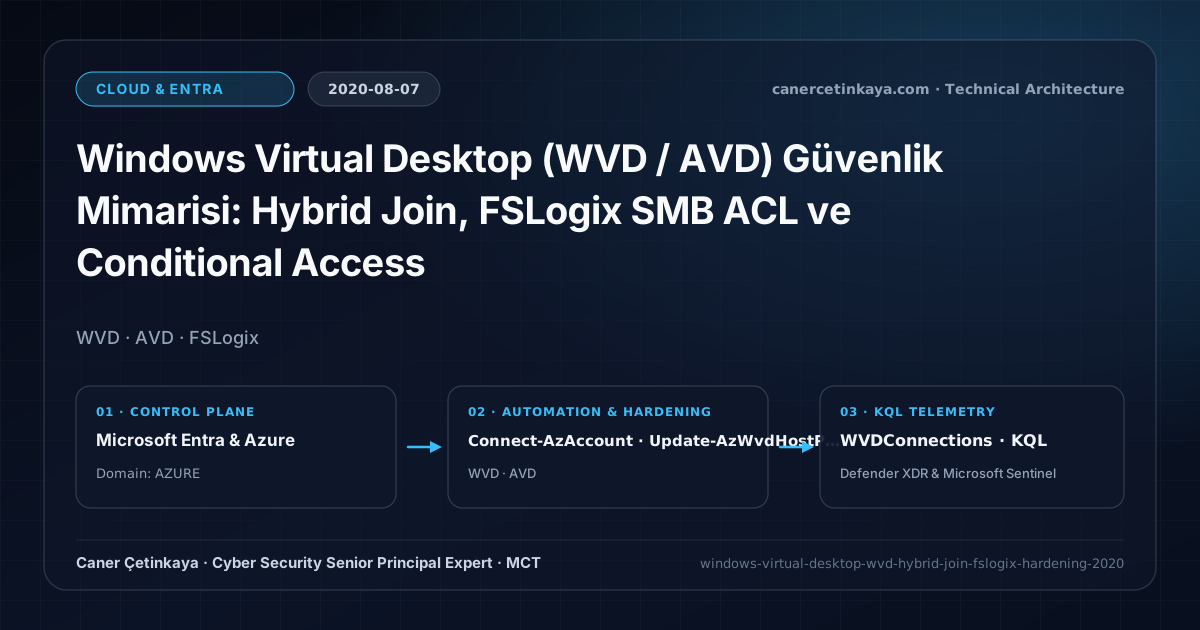
Executive Summary and Network Access Context
Replacing uncontrolled personal laptop VPN tunnels with isolated cloud sessions on Windows Virtual Desktop (WVD / AVD) protected corporate ERP apps during 2020 remote surges. Yet leaving public RDP ports attached to session hosts or misconfiguring FSLogix profile shares allows lateral VHDX profile snooping and trivial clipboard exfiltration straight onto home PCs.
From an architectural evolution standpoint, this foundational design connects directly to modern platform controls. Formalized during the 2020 Spring ARM release, Windows Virtual Desktop (now Azure Virtual Desktop) runs today with cloud-native Entra Joined hosts, Screen Capture Protection, Watermarking, and Entra Conditional Access PIM governance.
Trust Boundaries, Traffic Flows, and Design Principles
- Reverse Connect tunnels user RDP sessions strictly over outbound HTTPS (443) connections, limiting VM administration to VNet-internal Bastion or JIT access.
- FSLogix Profile Containers on AD-joined Azure Files combine RBAC share permissions with strict NTFS Creator Owner (Subfolders & Files Only) ACLs so users cannot browse peer VHDX disks.
- Binding Azure AD Conditional Access MFA to the Windows Virtual Desktop enterprise app alongside CustomRdpProperty restrictions blocks drive and clipboard copying onto unmanaged devices.
- Management and application ingress must avoid raw public ports (
RDP 3389,SSH 22) by routing throughPrivate Endpoints,Azure Bastion, orSSEtunnels backed by symmetricUDRegress inspection.
Prerequisites, Network Dependencies, and RBAC Requirements
- Licensing: Windows 10 Enterprise Multi-Session eligibility ships within Microsoft 365 E3/E5, Business Premium, or Windows VDA E3/E5 alongside Azure VM/Files usage.
- Infrastructure & RBAC: Join the Azure Files storage account to AD DS via Join-AzStorageAccountForAuth and scope Desktop Virtualization Contributor roles via least privilege.
- Identity Baseline: Onboard session hosts as Hybrid Azure AD Joined endpoints for Seamless SSO and device evaluation.
Technical Verification, Access Controls, and Telemetry
PowerShell Network Posture and Configuration Check
Hardening WVD Host Pool RDP redirection flags via Az.DesktopVirtualization PowerShell and auditing FSLogix ACLs:
- Execution Environment and Prerequisites: Requires Az.*.
- Least Privilege and Operation Separation: Run with scoped Azure Reader (audit) / Contributor (state changes) privileges. This block pairs **read-only (
Get-*/Search-*) posture queries with state-changing (New-*/Set-*/Enable-*)** examples; execute mutating steps strictly under change control in a pilot ring (using-WhatIfwhere supported) before broad rollout. - Security Control Mapped and Boundary Note: Verifies active policy state and guards against silent drift or mis-scoped rollouts without blind production changes.
# 1. Disable clipboard, drive, and printer exfiltration vectors on WVD Host Pool
Connect-AzAccount
$RdpProps = "drivestoredirect:s:;redirectclipboard:i:0;redirectprinters:i:0;enablecredsspsupport:i:1;"
Update-AzWvdHostPool -ResourceGroupName "RG-AVD-PROD" -Name "HP-PROD-FINANCE" -CustomRdpProperty $RdpProps

# 2. Audit NTFS permissions on FSLogix Azure Files share
icacls "\\stfslogixprod.file.core.windows.net\profiles" | Select-String -Pattern "CREATOR OWNER|Users|Everyone"
Network Traffic Telemetry and KQL Verification Query
KQL session visibility query monitoring WVDConnections across OS platforms and client IPs:
// Execution Scope: Read-only hunting/audit query (Log Analytics Reader / Security Reader)
// Data Source: WVDConnections table -> Defender XDR Advanced Hunting or Log Analytics / Sentinel workspace
WVDConnections
| where TimeGenerated > ago(7d)
| where State == "Connected"
| project TimeGenerated, UserName, SessionHostName, ClientType, ClientOS, ClientSideIPAddress
| summarize ConnectionCount = count(), DistinctHosts = dcount(SessionHostName) by UserName, ClientOS
| order by ConnectionCount desc
Critical Architectural Assessment, Outage Risks, and Rollback Strategy
- Granting Broad NTFS Full Control on Profile Root Folders: Without Creator Owner inheritance scoping, authenticated domain users can mount coworkers’ VHDX profile containers.
- Leaving Drive & Clipboard Redirection Enabled on BYOD Pools: Users can trivially copy sensitive records out of isolated VDI desktops via Ctrl+C/V unless disabled in CustomRdpProperty.
- Risks Mitigated vs. Residual Limitations:
Private Endpoints,Azure Bastion,Azure Firewall, andEntra Global Secure Accesseliminate direct publicRDP/SSHexposure, lateral L3 VPN traversal, and unrestricted internet egress; they do not mitigate application-layer exploits (SQLi,SSRF) traversing authorized tunnels, compromised local endpoint binaries, or overly permissive spoke-to-spokeNSGrules. - New Dependencies and Production Failure Modes: Connectivity relies on consistent
Private DNS Zonelinking, symmetricUDRpaths, and healthy endpoint SSE clients/connectors. Misconfigured0.0.0.0/0routing loops or missing private DNS zones instantly sever VM and hybrid application traffic in production. - Rollback and Pilot Validation Procedure: Validate firewall rules,
NSGpriorities, andSSEforwarding profiles against a canary VNet or pilot cohort first; maintain scriptedAz.NetworkUDR/NSGsnapshots and SSE bypass toggles to restore routing swiftly.
Verified Primary Sources & Open-Source Repositories
This architectural guide was cross-corroborated against the official advisories, Microsoft Learn docs, and open-source PowerShell / KQL repositories below.
Multi-Channel Distribution Summary (X & LinkedIn Draft)
Toggle X (Twitter) & LinkedIn sharing drafts
Multi-Channel Distribution Summary (X & LinkedIn Draft)
Toggle X (Twitter) & LinkedIn sharing draftsSecuring WVD / Azure Virtual Desktop with zero public RDP exposure, Creator-Owner FSLogix ACLs, and RDP clipboard blocking. #AzureVirtualDesktop #FSLogix #ZeroTrust
2020 VDI security engineering: eliminating VHDX profile snooping and BYOD clipboard exfiltration across Windows Virtual Desktop Host Pools.