Microsoft Intune Ignite 2026: Microsoft Perception Plain-Language Investigations, Real-Time Inventory, and Remote Help Diagnostics
Operational and architectural guide to Microsoft Perception plain-language investigations in Intune (Limited Public Preview), Custom Reports, Properties Catalog registry/file inventory, and consent-based Remote Help Diagnostic Data Reports.
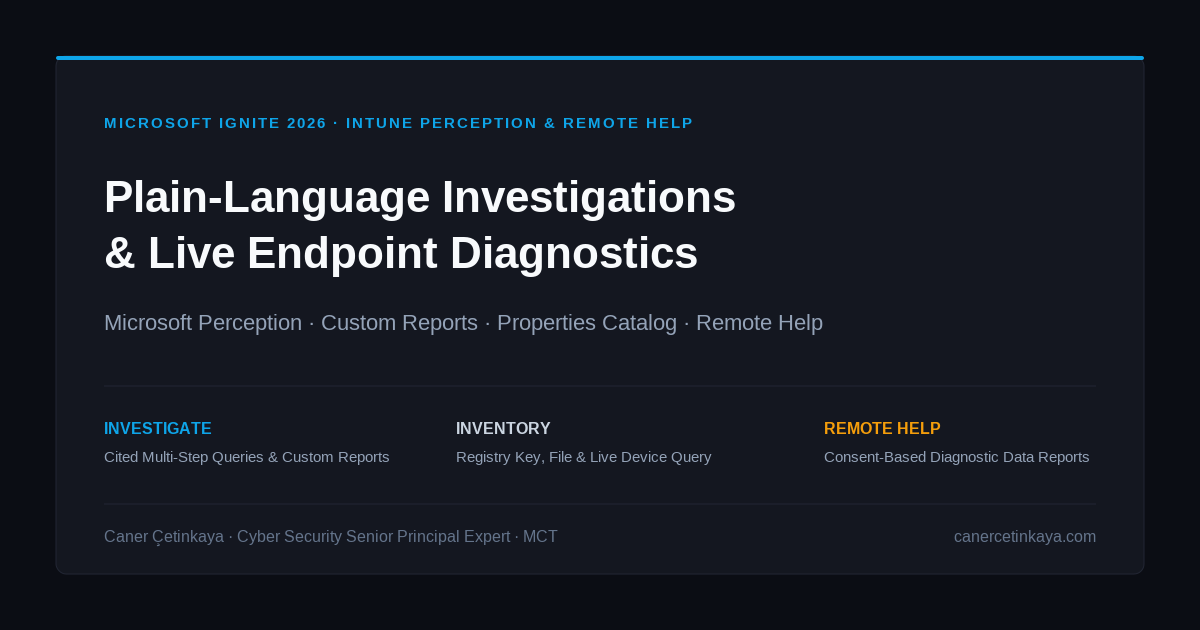
One of the highest-friction bottlenecks in endpoint operations is answering cross-domain questions that span device state, registry configuration, and user risk. Finding every Windows 11 endpoint missing a specific registry key while hosting a risky sign-in has historically required juggling Microsoft Graph calls, Intune exports, and KQL queries.
At Microsoft Ignite 2026, Microsoft brought Microsoft Perception plain-language investigations (`limited public preview`), near-real-time registry and file inventory, and Remote Help Diagnostic Data Reports into Intune to compress troubleshooting time without sacrificing auditability.
How Plain-Language Investigations Work in Microsoft Perception
According to Microsoft's Ignite 2026 announcements, the AI-powered Microsoft Perception experience in Intune executes structured investigations rather than opaque chat summaries:
- Multi-step query planning: Administrators ask questions in plain English; Perception plans the investigation steps, generates and executes the necessary queries and API calls, and returns consolidated answers.
- Citation transparency: Each step is explained with citations showing the underlying data sources and filters, lowering the barrier for support engineers who do not write KQL or Graph queries daily.
- Custom Reports and group actions: Operators can filter, refine, and save outputs as reusable Custom Reports, and add affected users or devices directly to groups for follow-up with standard Intune policies.
Near-Real-Time Inventory and Remote Help Diagnostic Reports
AI-driven investigations are only as reliable as the telemetry underneath them. Ignite 2026 strengthens that foundation across three components:
- Properties Catalog (Registry & File Inventory): Under
Devices → Windows → Configuration, Properties Catalog collectsHKEY_LOCAL_MACHINEregistry keys and file inventory natively into Intune Device Inventory without custom PowerShell scripts. - Device Query (KQL): Enables live, on-demand KQL queries across corporate Windows endpoints using Intune Data Platform entities such as
WindowsRegistry,WindowsService, andFileInfo. - Remote Help Diagnostic Data Reports: During attended Windows Remote Help sessions, technicians can request structured live snapshots covering performance, network, security, and Windows updates. Built-in privacy controls require explicit end-user consent (
AlloworDecline), and users can stop sharing at any time.
Architectural Boundaries and Operational Risks
From a security architecture standpoint, plain-language troubleshooting improves speed but introduces two operational guardrails that teams must enforce:
- Never act on unverified group scopes: A subtle filter mistake in an AI-generated query can pull executives or sensitive endpoints into a restrictive remediation group. Always inspect citations and device counts before committing group changes.
- Not a replacement for preventive controls: Perception investigations, Device Query, and Remote Help diagnostics improve visibility and triage speed, but they do not replace EDR, Conditional Access, or endpoint hardening. Enforce least-privilege Intune RBAC over diagnostic access to prevent over-collection.
Technical Verification: Device Query KQL and Local Diagnostics
The following KQL snippet is classified as Telemetry collection (Telemetri toplama) for Microsoft Intune Device Query (Intune Data Platform schema). It checks real-time service state (WinDefend, Sense, mpssvc, wuauserv) on a live managed Windows endpoint via WindowsService with isnotnull(State) and no join duplication. It proves point-in-time service availability rather than absence of compromise; offline endpoints do not respond.
// Code Class: Telemetry collection (Microsoft Intune Device Query - Intune Data Platform)// Data Source: WindowsService | Scope: Point-in-time device stateWindowsService| where Name in~ ("WinDefend", "Sense", "mpssvc", "wuauserv")| where isnotnull(State)| project Name, DisplayName, State, StartMode| order by Name ascBefore initiating a Remote Help session, technicians can verify baseline OS and service health on a local Windows endpoint with this Read-only audit (Salt okunur denetim) PowerShell script. Compatible with Windows PowerShell 5.1 and PowerShell 7 under standard user permissions; it makes no system modifications and has not been executed inside your production tenant.
# Code Class: Read-only audit (no system modifications)# Environment: Windows 10/11, Windows PowerShell 5.1 or PowerShell 7$os = Get-CimInstance -ClassName Win32_OperatingSystem -ErrorAction SilentlyContinue$services = Get-Service -Name "WinDefend", "wuauserv", "IntuneManagementExtension" -ErrorAction SilentlyContinue | Select-Object Name, Status, StartType [PSCustomObject]@{ ComputerName = $env:COMPUTERNAME OSBuild = if ($os) { $os.BuildNumber } else { "Unknown" } LastBootTime = if ($os) { $os.LastBootUpTime } else { $null } FreeMemoryGB = if ($os) { [math]::Round($os.FreePhysicalMemory / 1MB, 2) } else { 0 }} | Format-List $services | Format-Table -AutoSizeControlled Rollout and Rollback Plan
- Scoped pilot RBAC: Grant Perception investigation and Remote Help diagnostic permissions to a senior support pilot group first under least privilege.
- Safe remediation grouping: Save recurring checks as Custom Reports and route newly flagged devices into staging review groups before assigning production remediation policies.
- Rollback plan: If an investigation-driven group assignment causes unintended policy impact, pull the membership change timestamps from Entra/Intune
Audit logs, remove affected devices from the group, trigger an Intune sync, and verify service recovery on impacted endpoints.
Paired with CIS Benchmark and EAM visibility, Microsoft Perception, Properties Catalog, and Remote Help diagnostics turn Intune into a responsive, citation-backed troubleshooting platform for modern IT support teams.
Primary Sources
- Intune Customer Success — Microsoft Perception helps IT drive outcomes and scale (November 2026)
- Microsoft Intune Blog — What's new in Microsoft Intune at Microsoft Ignite (November 2026)
- Microsoft Learn — Device Query in Microsoft Intune
- Microsoft Learn — Use Remote Help on Windows
- Microsoft Learn — Collect Device Properties With Intune Properties Catalog
Verified Primary Sources & Open-Source Repositories
This architectural guide was cross-corroborated against the official advisories, Microsoft Learn docs, and open-source PowerShell / KQL repositories below.
- SOURCEtechcommunity.microsoft.com/blog/intunecustomersuccess/microsoft-perc
- SOURCEtechcommunity.microsoft.com/blog/microsoftintuneblog/what%E2%80%99s-n
- SOURCElearn.microsoft.com/en-us/intune/advanced-analytics/device-qu
- SOURCElearn.microsoft.com/en-us/intune/remote-help/start-session
- SOURCElearn.microsoft.com/en-us/intune/device-configuration/collect
Multi-Channel Distribution Summary (X & LinkedIn Draft)
Toggle X (Twitter) & LinkedIn sharing drafts
Multi-Channel Distribution Summary (X & LinkedIn Draft)
Toggle X (Twitter) & LinkedIn sharing draftsInvestigating Intune fleets without writing KQL or Graph by hand: Microsoft Perception (Limited Public Preview), Custom Reports, native registry/file inventory, and consent-based Remote Help diagnostics. #MicrosoftIntune #MicrosoftPerception #Ignite2026
Troubleshooting complex endpoint questions across Graph, KQL, and Intune reports has traditionally slowed Tier 1 and Tier 2 support teams. Here is an architectural breakdown of Microsoft Perception plain-language investigations, Properties Catalog registry inventory, and Remote Help Diagnostic Data Reports from Ignite 2026.
Related Architecture Articles
All Microsoft 365 →Microsoft Intune Ignite 2026: Windows Server Management (Insider Preview), Windows Autopatch, and Azure Arc Boundaries
Architectural breakdown of Windows Server management in Microsoft Intune (Insider Preview): supported edge/VDI scenarios, Windows Autopatch integration, Tier-0 isolation, and how it complements Azure Arc.
Microsoft Intune Ignite 2026: Windows Autopilot Device Preparation and Post-OOBE Company Portal Experience
Configuration guide and architectural review of Windows Autopilot Device Preparation and the Ignite 2026 automatic post-OOBE Company Portal experience (Limited Public Preview), including Zero Trust boundaries and rollback.
Microsoft Intune Ignite 2026: App Inventory, EAM Auto-Updates, App In-Use Detection, and CIS Windows 11 Benchmark Auditing
Configuration and architectural review of Microsoft Ignite 2026 Intune updates: device-level app inventory, Enterprise Application Management auto-updates, App In-Use Detection, and CIS Windows 11 v5.0.0 (Audit Only) in Intune Advanced Analytics.
Microsoft Intune Ignite 2026: Governing Local AI Agents on Enterprise Endpoints (Agent 365, Software Compliance & MXC)
Architectural and operational guide to Microsoft Ignite 2026 local AI agent governance in Intune: Agent 365 discovery, Software Compliance Policy, Intune SDK MAM for AI apps, and Microsoft Execution Containers (MXC).