Microsoft Intune Ignite 2026: Windows Server Management (Insider Preview), Windows Autopatch, and Azure Arc Boundaries
Architectural breakdown of Windows Server management in Microsoft Intune (Insider Preview): supported edge/VDI scenarios, Windows Autopatch integration, Tier-0 isolation, and how it complements Azure Arc.
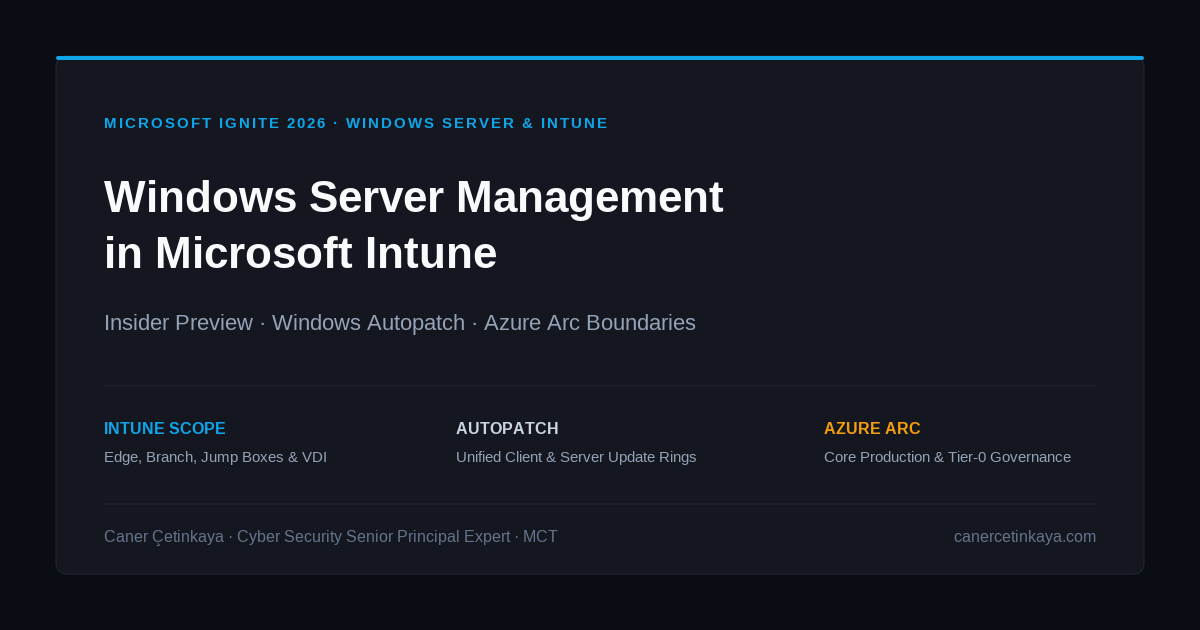
For administrators who grew up managing fleets with Active Directory and Group Policy, Microsoft Intune has long been a client-only control plane. Branch servers, administrative jump boxes, and persistent VDI hosts remained tethered to legacy GPO trees and WSUS infrastructure even after workstations went cloud-native.
At Microsoft Ignite 2026, Microsoft introduced Windows Server management in Microsoft Intune through the Windows Server Insider Preview, bringing eligible servers into the same cloud workflows used for Windows 11 endpoints. Used within the right boundaries, it eliminates operational fragmentation—but enrolling the wrong server tier without strict isolation introduces serious security and availability risk.
Which Server Scenarios Belong in Intune?
According to Microsoft Learn documentation (Windows Server endpoints in Intune), this capability is designed for endpoint-like servers typically operated by client-management teams, not for replacing datacenter orchestration:
- Edge and branch-office servers: Distributed retail or branch systems with limited line-of-sight to core Active Directory infrastructure.
- Persistent single-session VDI hosts and jump boxes: Server instances managed similarly to workstations that need app delivery and compliance gating.
- Non-production evaluation and lab servers: Windows Server Insider builds used to test cloud configuration and patching workflows.
Enrolled servers appear alongside Windows clients in the Intune admin center, unlocking Settings Catalog configuration profiles, Win32 app deployment, device compliance signals for Entra Conditional Access, and unified update rings through Windows Autopatch.
Complementary, Not Competitive: Where Azure Arc Remains Primary
Microsoft explicitly clarified at Ignite 2026 that Intune does not replace Azure Arc:
- Azure Arc remains the recommended primary control plane for production, mission-critical, multi-cloud, and core datacenter servers—providing Azure Policy, Machine Configuration, cluster-aware Azure Update Manager, and Microsoft Defender for Servers.
- Active Directory Domain Controllers (Tier-0), PKI hosts, SQL clusters, and core ERP workloads must never be enrolled into an Insider Preview endpoint workflow. Allowing a client-tier Intune administrator to push scripts or policies to a Tier-0 host breaks administrative tiering and undermines Entra access governance.
Lab Readiness and Fleet Classification Audits
Microsoft strictly designates the current Insider Preview for non-production testing and evaluation. Before enrolling any test server, verify that Tier-0 Domain Controller roles are excluded.
The following PowerShell snippet is a Read-only audit (Salt okunur denetim) compatible with both Windows PowerShell 5.1 and PowerShell 7. It inspects local OS build details, DomainRole (4 or 5 indicates a Domain Controller), and Entra join status via dsregcmd /status without modifying system state. It has not been executed inside your environment and should be verified locally first.
# Code Class: Read-only audit (no system modifications)# Environment: Windows Server, Windows PowerShell 5.1 or PowerShell 7$os = Get-CimInstance -ClassName Win32_OperatingSystem -ErrorAction Stop$cs = Get-CimInstance -ClassName Win32_ComputerSystem -ErrorAction Stop $isDomainController = $cs.DomainRole -in @(4, 5)$dsregRaw = & dsregcmd /status 2>$null$azureAdJoined = ($dsregRaw | Select-String -Pattern "AzureAdJoined\s*:\s*YES" -Quiet) [PSCustomObject]@{ ComputerName = $cs.Name OSCaption = $os.Caption OSBuild = $os.BuildNumber DomainRole = $cs.DomainRole IsDomainController = $isDomainController EntraJoined = [bool]$azureAdJoined LabCandidate = (-not $isDomainController)} | Format-ListTo inventory Windows Server builds across the fleet before selecting non-production candidates, the following Telemetry collection (Telemetri toplama) KQL query reads Microsoft Defender XDR DeviceInfo over a 7-day Timestamp window. Using arg_max(Timestamp, *) deduplicates each server to its latest heartbeat so counts are accurate; it surfaces OS distribution and machine groups rather than proving Intune eligibility on its own.
// Code Class: Telemetry collection (Microsoft Defender XDR Advanced Hunting)// Data Source: DeviceInfo | Time Window: Last 7 daysDeviceInfo| where Timestamp >= ago(7d)| where OSPlatform has "WindowsServer"| where isnotnull(DeviceName)| summarize arg_max(Timestamp, OSPlatform, OSVersionInfo, OnboardingStatus, MachineGroup) by DeviceId, DeviceName| summarize ServerCount = count(), SampleServers = make_set(DeviceName, 5) by OSPlatform, OSVersionInfo, OnboardingStatus, MachineGroup| order by ServerCount descPortal Guardrails, RBAC Isolation, and Rollback
When evaluating Windows Server management in a lab tenant, enforce four operational guardrails:
- Dedicated Scope Tags and Entra groups: Isolate enrolled test servers in dedicated Entra device groups with separate Intune RBAC Scope Tags so workstation administrators cannot target server objects accidentally.
- Explicit exclusions from client policies: Exclude server groups from workstation-oriented power, BitLocker, and end-user app deployment policies to prevent unexpected reboots or service disruption.
- Separate Windows Autopatch rings: Configure server maintenance windows and reboot controls separately from rapid client rings.
- Rollback plan: Back up baseline GPO and local configuration state prior to enrollment. To exit evaluation, unassign Intune server profiles, remove the device record cleanly, and verify local service health and Azure Arc agent continuity (where applicable).
Windows Server management in Intune marks a meaningful convergence for branch, edge, and persistent VDI servers. Today, organizations should test it strictly in Insider labs while keeping core production and Tier-0 infrastructure firmly under Azure Arc.
Primary Sources
- Microsoft Learn — Manage Windows Server endpoints with Microsoft Intune
- Intune Customer Success — Manage Windows Servers alongside PCs with Microsoft Intune (November 2026)
- Microsoft Intune Blog — What's new in Microsoft Intune at Microsoft Ignite (November 2026)
- Microsoft Learn — Azure Arc-enabled servers overview
- Microsoft Learn — Windows Autopatch overview
Verified Primary Sources & Open-Source Repositories
This architectural guide was cross-corroborated against the official advisories, Microsoft Learn docs, and open-source PowerShell / KQL repositories below.
- SOURCElearn.microsoft.com/en-us/intune/solutions/end-to-end-guides/
- SOURCEtechcommunity.microsoft.com/blog/intunecustomersuccess/manage-windows
- SOURCEtechcommunity.microsoft.com/blog/microsoftintuneblog/what%E2%80%99s-n
- SOURCElearn.microsoft.com/en-us/azure/azure-arc/servers/overview
- SOURCElearn.microsoft.com/en-us/windows/deployment/windows-autopatc
Multi-Channel Distribution Summary (X & LinkedIn Draft)
Toggle X (Twitter) & LinkedIn sharing drafts
Multi-Channel Distribution Summary (X & LinkedIn Draft)
Toggle X (Twitter) & LinkedIn sharing draftsWindows Server management is coming to Microsoft Intune (Insider Preview) — but which servers belong in Intune + Autopatch and which must stay on Azure Arc? Full boundary & Tier-0 guide live. #MicrosoftIntune #WindowsServer #AzureArc #Ignite2026
Bringing Windows Server management into Microsoft Intune (Insider Preview) is one of the standout Ignite 2026 announcements for endpoint and hybrid admins. Here is a clear architectural split between Intune + Windows Autopatch and Azure Arc, plus lab readiness checks and RBAC guardrails.
Related Architecture Articles
All Microsoft 365 →Microsoft Intune Ignite 2026: Windows Autopilot Device Preparation and Post-OOBE Company Portal Experience
Configuration guide and architectural review of Windows Autopilot Device Preparation and the Ignite 2026 automatic post-OOBE Company Portal experience (Limited Public Preview), including Zero Trust boundaries and rollback.
Microsoft Intune Ignite 2026: Governing Local AI Agents on Enterprise Endpoints (Agent 365, Software Compliance & MXC)
Architectural and operational guide to Microsoft Ignite 2026 local AI agent governance in Intune: Agent 365 discovery, Software Compliance Policy, Intune SDK MAM for AI apps, and Microsoft Execution Containers (MXC).
Microsoft Intune Ignite 2026: Microsoft Perception Plain-Language Investigations, Real-Time Inventory, and Remote Help Diagnostics
Operational and architectural guide to Microsoft Perception plain-language investigations in Intune (Limited Public Preview), Custom Reports, Properties Catalog registry/file inventory, and consent-based Remote Help Diagnostic Data Reports.
Microsoft Intune Ignite 2026: App Inventory, EAM Auto-Updates, App In-Use Detection, and CIS Windows 11 Benchmark Auditing
Configuration and architectural review of Microsoft Ignite 2026 Intune updates: device-level app inventory, Enterprise Application Management auto-updates, App In-Use Detection, and CIS Windows 11 v5.0.0 (Audit Only) in Intune Advanced Analytics.