Microsoft Intune Ignite 2026: App Inventory, EAM Auto-Updates, App In-Use Detection, and CIS Windows 11 Benchmark Auditing
Configuration and architectural review of Microsoft Ignite 2026 Intune updates: device-level app inventory, Enterprise Application Management auto-updates, App In-Use Detection, and CIS Windows 11 v5.0.0 (Audit Only) in Intune Advanced Analytics.
Two recurring operational issues consume disproportionate time for endpoint security teams: third-party Windows applications that stay outdated because IT never packaged them or users leave them open, and measuring configuration drift against CIS Benchmarks without risking production outages through blind enforcement.
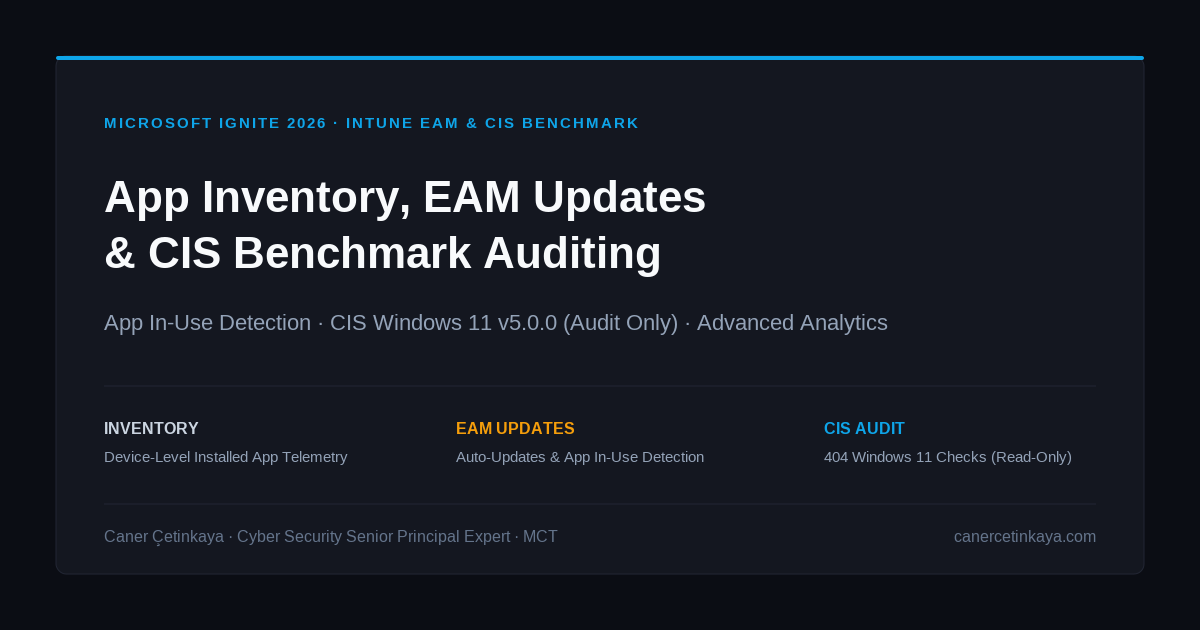
At Microsoft Ignite 2026, Microsoft addressed both gaps across Intune with device-level app inventory, Enterprise Application Management (EAM) auto-updates, App In-Use Detection, and native CIS Windows 11 Benchmark (Audit Only) auditing.
App Visibility, EAM Auto-Updates, and App In-Use Detection
Third-party patching pipelines frequently stall due to manual repackaging overhead or locked executables. The Ignite 2026 updates target each link in that chain:
- Device-level app inventory (`public preview`): Surfaces richer installed application details directly on managed device records.
- EAM auto-updates (`private preview`): Extends Intune Enterprise Application Management to keep eligible catalog Windows applications up to date automatically—even when IT did not originally deploy them.
- App In-Use Detection (`private preview`): Identifies running processes that block an installation or update and lets administrators configure policies to report the block or close the conflicting process (with or without end-user notification).
From an operational risk perspective, silent force-close policies should be used sparingly. Terminating an active browser, PDF editor, or developer IDE without warning risks unsaved work; start with reporting or user-notified deferral before considering forced closure.
Configuring CIS Windows 11 Benchmark Auditing (Public Preview)
Per Microsoft Learn documentation, CIS Microsoft Intune for Windows 11 Benchmark (Audit Only) joins the existing DISA STIG baseline inside Intune Advanced Analytics. Based on CIS Benchmark v5.0.0, it evaluates roughly 404 combined checks spanning Level 1, Level 2, and BitLocker controls.
Portal Setup Flow
- Prerequisites: Requires Microsoft Intune Advanced Analytics (via Intune Suite or add-on) and enrolled Windows 11 endpoints. For co-managed devices, the
Device configurationworkload must be set toIntuneorPilot Intune. - RBAC permissions: Requires the built-in Endpoint Security Manager role (or equivalent read/assign permissions for Security baselines and Device configuration reports).
- Profile creation: In the Intune admin center, open
Endpoint security → Security baselines, select CIS Microsoft Intune for Windows 11 Benchmark (Audit Only), clickCreate profile, review the pre-defined audit scope (individual values cannot be edited), and assign it to target Windows 11 device groups. - Reading results: Inspect pass/fail counts and CIS reference IDs in the profile's dedicated Audit report tab rather than standard configuration check-in views.
Architectural Boundary: Assessment Is Not Hardening
This baseline operates strictly in Audit Only mode—assigning it never modifies registry keys or enforces settings on endpoints. Likewise, neither CIS auditing nor EAM auto-updates replace EDR, Attack Surface Reduction (ASR), or identity-layer protections: a CIS-compliant configuration does not stop active credential theft or zero-day exploitation on its own. Treat the CIS profile as a measurement lens first, then remediate prioritized gaps selectively through Settings Catalog policies in staged pilot rings while tracking any misconfiguration impact on legacy applications.
Pre-Rollout Verification: KQL and PowerShell
To identify third-party applications with heavy version sprawl before onboarding them to EAM auto-updates, the following Telemetry collection (Telemetri toplama) KQL query summarizes DeviceTvmSoftwareInventory in Microsoft Defender XDR. Operating on a single table with dcount() avoids join duplication; offline endpoints may introduce minor inventory lag.
// Code Class: Telemetry collection (Microsoft Defender XDR Advanced Hunting)// Data Source: DeviceTvmSoftwareInventoryDeviceTvmSoftwareInventory| where isnotnull(SoftwareName) and isnotnull(SoftwareVersion)| where SoftwareVendor !in~ ("microsoft")| summarize DeviceCount = dcount(DeviceId), DistinctVersions = dcount(SoftwareVersion), SampleVersions = make_set(SoftwareVersion, 5) by SoftwareVendor, SoftwareName| where DeviceCount >= 10 and DistinctVersions >= 3| order by DeviceCount desc, DistinctVersions descBefore assigning the CIS audit baseline broadly, operators can verify core BitLocker and UAC states on a pilot Windows 11 machine using this Read-only audit (Salt okunur denetim) PowerShell snippet. Get-BitLockerVolume requires local administrator elevation; compatible with Windows PowerShell 5.1 and PowerShell 7 and not yet executed in your production environment.
# Code Class: Read-only audit (no system modifications)# Environment: Windows 11, local administrator elevation required for Get-BitLockerVolume$uac = Get-ItemProperty -Path "HKLM:\SOFTWARE\Microsoft\Windows\CurrentVersion\Policies\System" -ErrorAction SilentlyContinue$osVol = Get-BitLockerVolume -MountPoint "C:" -ErrorAction SilentlyContinue [PSCustomObject]@{ ComputerName = $env:COMPUTERNAME BitLockerProtection = if ($osVol) { $osVol.ProtectionStatus } else { "Unavailable" } BitLockerEncryption = if ($osVol) { $osVol.EncryptionPercentage } else { 0 } EnableLUA = $uac.EnableLUA ConsentPromptAdmin = $uac.ConsentPromptBehaviorAdmin} | Format-ListSafe Rollout and Rollback Strategy
- Start with CIS Level 1: Because the CIS profile is read-only, pilot deployment carries minimal risk—but when moving to enforcement via Settings Catalog, prioritize Level 1 and BitLocker gaps first, as Level 2 controls can break legacy enterprise apps.
- Staged EAM rollout: When private preview EAM auto-updates and App In-Use Detection reach broader availability, pilot with user notifications enabled; for rollback, unassign the EAM update policy and verify prior stable package versions on affected endpoints.
- Connected workflow: Pairing CIS drift visibility with the Intune Vulnerability Remediation Agent aligns configuration hardening and CVE patching under one operational model.
Primary Sources
- Microsoft Learn — CIS Audit Baseline for Windows 11 in Microsoft Intune
- Microsoft Learn — Enterprise Application Management in Microsoft Intune
- Microsoft Learn — Use security baselines to configure Windows devices in Intune
- Microsoft Intune Blog — What's new in Microsoft Intune at Microsoft Ignite (November 2026)
Verified Primary Sources & Open-Source Repositories
This architectural guide was cross-corroborated against the official advisories, Microsoft Learn docs, and open-source PowerShell / KQL repositories below.
Multi-Channel Distribution Summary (X & LinkedIn Draft)
Toggle X (Twitter) & LinkedIn sharing drafts
Multi-Channel Distribution Summary (X & LinkedIn Draft)
Toggle X (Twitter) & LinkedIn sharing draftsFour high-impact Intune operational upgrades from Ignite 2026: device-level app inventory, EAM auto-updates, App In-Use Detection, and read-only CIS Windows 11 v5.0.0 auditing. Full setup & risk analysis live. #MicrosoftIntune #CISBenchmark #Ignite2026
Two chronic endpoint operations headaches—third-party apps blocked from updating while open, and measuring CIS hardening drift without breaking production—get direct answers in Microsoft Ignite 2026 Intune updates. Here is the portal setup, KQL inventory check, and rollout guidance.
Related Architecture Articles
All Microsoft 365 →Microsoft Intune Ignite 2026: Windows Autopilot Device Preparation and Post-OOBE Company Portal Experience
Configuration guide and architectural review of Windows Autopilot Device Preparation and the Ignite 2026 automatic post-OOBE Company Portal experience (Limited Public Preview), including Zero Trust boundaries and rollback.
Microsoft Intune Ignite 2026: Windows Server Management (Insider Preview), Windows Autopatch, and Azure Arc Boundaries
Architectural breakdown of Windows Server management in Microsoft Intune (Insider Preview): supported edge/VDI scenarios, Windows Autopatch integration, Tier-0 isolation, and how it complements Azure Arc.
Microsoft Intune Ignite 2026: Microsoft Perception Plain-Language Investigations, Real-Time Inventory, and Remote Help Diagnostics
Operational and architectural guide to Microsoft Perception plain-language investigations in Intune (Limited Public Preview), Custom Reports, Properties Catalog registry/file inventory, and consent-based Remote Help Diagnostic Data Reports.
Microsoft Intune Ignite 2026: Governing Local AI Agents on Enterprise Endpoints (Agent 365, Software Compliance & MXC)
Architectural and operational guide to Microsoft Ignite 2026 local AI agent governance in Intune: Agent 365 discovery, Software Compliance Policy, Intune SDK MAM for AI apps, and Microsoft Execution Containers (MXC).