Microsoft Purview DLP for Microsoft 365 Copilot: Grounding & Prompt Control
Preventing Highly Confidential SharePoint and OneDrive documents from entering Microsoft 365 Copilot RAG grounding and prompt responses using Purview DLP for Copilot.
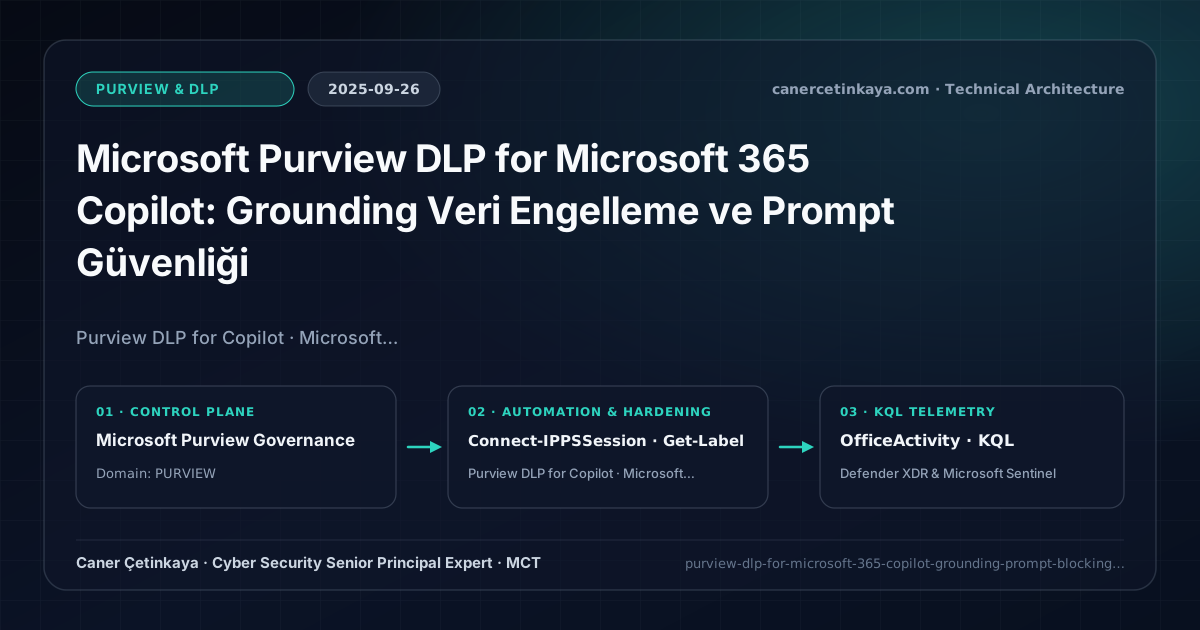
Executive Summary and Data Loss Prevention Context
Even after finishing Copilot SharePoint Oversharing Cleanup, legal and executive leaders raised a sharp question: "What stops an authorized employee from prompting Copilot to summarize a Highly Confidential M&A file and accidentally pasting that output elsewhere?" Microsoft Purview DLP for Microsoft 365 Copilot answered directly—enabling policy controls that strip labeled files from Copilot’s grounding context even when the user holds file read permissions.
From an architectural evolution standpoint, this foundational design connects directly to modern platform controls. Turning Microsoft 365 Copilot itself into a native Purview DLP workload location in late 2025 provides the critical RAG grounding barrier powering Purview, Intune & Copilot AI Security and Browser DLP AI Protection.
Inspection Boundaries, Signal Correlation, and Design Principles
- Targeting the dedicated
Microsoft 365 Copilot and Copilot ChatDLP location excludes files stamped with designated Sensitivity Labels (Highly Confidential) from RAG grounding and response synthesis. - Operates independently of raw NTFS/SharePoint read ACLs, allowing employees to view encrypted records inside Word while blocking AI summarization over them.
- Logs every blocked and matched prompt interaction straight into Purview DSPM for AI Activity Explorer for continuous AI oversight.
DLP,Insider Risk Management, andAdaptive Protectionpolicies should measure false-positive impact inTestWithNotificationssimulation prior to enforcement while segregating privacy investigation RBAC from IT admin roles.
Prerequisites, Licensing Scope, and Privacy-Segregated RBAC
- Licensing: Microsoft 365 E5 (or Purview Information Protection & DLP add-on) paired with Microsoft 365 Copilot.
- Label Maturity & RBAC: Well-defined Sensitivity Label taxonomy alongside
Compliance Administrator/Information Protection Administrator(Connect-IPPSSession) privileges. - Policy Isolation: Author a clean, dedicated
DLP-Copilot-Grounding-Blockpolicy rather than cluttering legacy Exchange/Teams SIT rules so telemetry stays unambiguous.
Technical Verification, DLP Rules, and Policy Controls
PowerShell DLP/IRM Policy Audit and Simulation Check
Auditing Sensitivity Label GUIDs and active DLP policies via Security & Compliance PowerShell:
- Execution Environment and Prerequisites: Requires ExchangeOnlineManagement (
Connect-IPPSSession). - Least Privilege and Operation Separation: Run with scoped Exchange / Compliance / SharePoint Administrator (or View-Only / Security Reader for audit commands) privileges. All statements above are **read-only (
Get-*/Test-*/Search-*)** verification checks making no direct configuration edits; still validate module/network prerequisites in a test cohort first. - Security Control Mapped and Boundary Note: Verifies active policy state and guards against silent drift or mis-scoped rollouts without blind production changes.
# 1. Connect to Microsoft Purview Security & Compliance PowerShell
Connect-IPPSSession -UserPrincipalName "[email protected]"

# 2. List Sensitivity Label names and GUIDs targeted by Copilot DLP grounding rules
Get-Label | Select-Object DisplayName, Name, Guid, Priority

# 3. Inspect active DLP compliance policies and target workloads
Get-DlpCompliancePolicy | Select-Object Name, Workload, Mode, Enabled
Data Security Telemetry and KQL Verification Query
KQL query inspecting CopilotInteraction audit records for sensitive file access and policy signals:
// Execution Scope: Read-only hunting/audit query (Log Analytics Reader / Security Reader)
// Data Source: Microsoft Purview Unified Audit Log -> Microsoft Sentinel Office 365 connector (OfficeActivity)
OfficeActivity
| where TimeGenerated > ago(30d)
| where RecordType == "CopilotInteraction" or Workload == "Copilot"
| extend AccessedResources = tostring(CopilotEventData.AccessedResources)
| project TimeGenerated, UserId, Operation, AccessedResources
| where AccessedResources has_any ("SensitivityLabel", "Confidential", "PolicyMatch")
| summarize Interactions = count() by UserId, Operation
| order by Interactions desc
Critical Architectural Assessment, Workflow Risks, and Rollback Strategy
- Expecting Copilot DLP to Halt Grounding on Unlabeled Raw Files: Deploy library default labels or Purview auto-labeling across sensitive HR/Legal SharePoint containers beforehand.
- Skipping Simulation/Test Mode Before Blocking Executive Teams: Validate business workflows in simulation mode first to prevent breaking legitimate legal/analyst summarization pilots.
- Risks Mitigated vs. Residual Limitations:
Purview DLP,Insider Risk Management, andAdaptive Protectioncurb sensitive egress across SharePoint, Exchange, Teams, Copilot, and endpoints; yet they do not halt out-of-band smartphone captures, encrypted archives escaping inspection without unscannable-file fallback rules, or disabled endpoint sensors and unhardenedIncognitobrowser windows. - New Dependencies and Production Failure Modes: Enforcement accuracy relies on
M365 E5/Purview Suiteentitlements, preciseSIT/label classifiers, cleanHRconnector feeds (forIRM), and activeSenseCE.exeservices. Flipping rules straight intoBlockor attaching poorly tunedHRdeparture triggers locks legitimate teams out of daily work. - Rollback and Pilot Validation Procedure: Keep all new DLP and
Adaptive Protectioncontrols inTestWithNotificationssimulation for at least14days; revert disruptive policies immediately viaSet-DlpCompliancePolicy -Mode TestWithNotificationswhile preserving privacy-segregatedIRMRBAC boundaries.
Verified Primary Sources & Open-Source Repositories
This architectural guide was cross-corroborated against the official advisories, Microsoft Learn docs, and open-source PowerShell / KQL repositories below.
Multi-Channel Distribution Summary (X & LinkedIn Draft)
Toggle X (Twitter) & LinkedIn sharing drafts
Multi-Channel Distribution Summary (X & LinkedIn Draft)
Toggle X (Twitter) & LinkedIn sharing draftsKeeping Highly Confidential files out of AI prompt synthesis with Purview DLP for Microsoft 365 Copilot. #MicrosoftPurview #Copilot #AISecurity
Grounding Guardrails for GenAI: Configuring Purview DLP for Copilot sensitivity label blocks and auditing prompt flows inside DSPM for AI.