Microsoft Intune Ignite 2026: Vulnerability Remediation Agent and Microsoft Perception for Exposure Reduction
Architectural and operational analysis of the Intune Vulnerability Remediation Agent (Limited Public Preview) under Microsoft Perception Green Team: Defender integration, human-in-the-loop playbooks, KQL verification, and rollback.
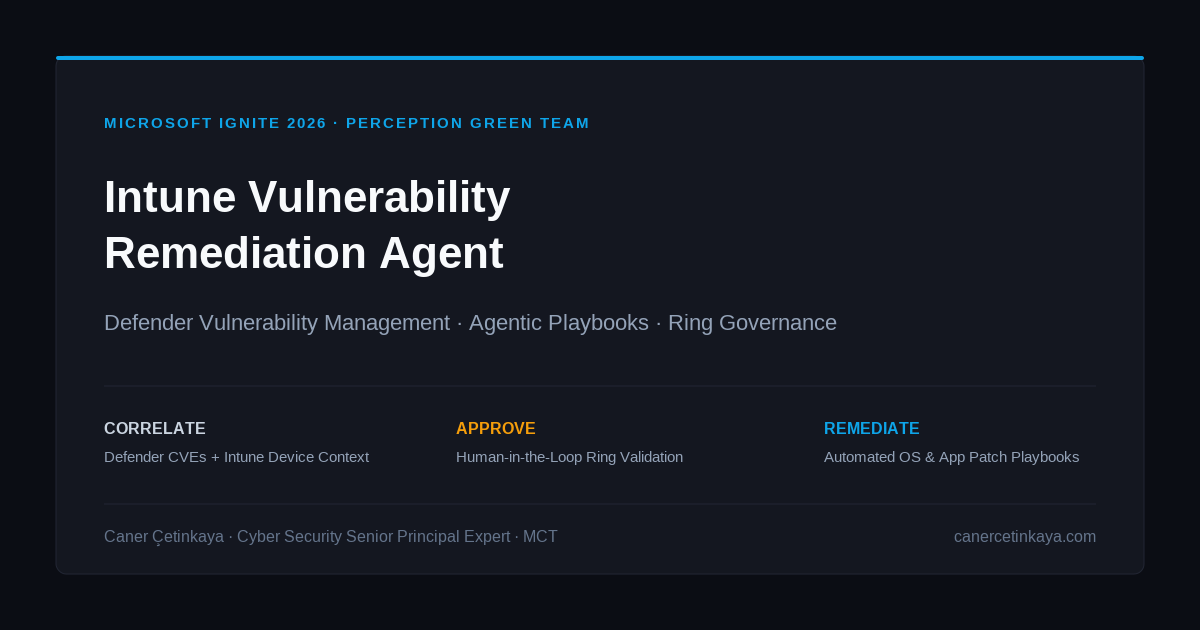
One of the most persistent bottlenecks in enterprise security is the handoff between vulnerability detection and endpoint remediation. Microsoft Defender Vulnerability Management surfaces hundreds of CVEs and misconfigurations in seconds, yet translating those findings into Intune device rings, managed application updates, and maintenance windows still relies on slow ticket queues. As attackers compress discovery-to-exploitation timelines with AI, that operational lag translates directly into exposure.
At Microsoft Ignite 2026, Microsoft introduced Microsoft Perception as its multi-agent defense platform and expanded the Intune Vulnerability Remediation Agent in limited public preview to connect Defender risk intelligence directly to Intune remediation workflows.
How Green Team Agents Fit Inside Microsoft Perception
According to Microsoft's Ignite 2026 announcements, Microsoft Perception coordinates three specialized agent groups in a closed defense loop:
- Red Team agents: Simulate attacker paths to validate real exposures before exploitation.
- Blue Team agents: Triage alerts and accelerate threat investigations.
- Green Team agents: Focus on posture prioritization, risk reduction, shielding, and operational remediation across IT management planes.
The Intune Vulnerability Remediation Agent is the endpoint execution arm of this Green Team model. By merging Defender Vulnerability Management intelligence with Intune device, app, and ring context, it moves administrators beyond static CVE spreadsheets toward structured remediation playbooks.
Portal Configuration and Execution Flow
Before piloting the agent, administrators should verify prerequisite integrations and portal access paths:
- Verify the Defender-to-Intune bridge: In the Microsoft Defender portal under
Settings → Endpoints → Advanced features, confirm that the Microsoft Intune connection is enabled so security recommendations can flow into Intune tasks. - Locate the agent in Intune: Per Microsoft Learn documentation, the Vulnerability Remediation Agent is accessible in the Intune admin center under both the Agents and Endpoint security nodes and can be invoked on demand.
- Prioritization and impact summaries: The agent ranks recommendations using CVSS scores, exposure impact, and affected device counts, generating Copilot-assisted impact summaries, exposed device lists, and step-by-step OS or application patching plans.
- Human-in-the-loop approval: The agent does not silently push unreviewed changes across production. Administrators inspect target groups, exclusions, and patch mappings before approving execution, and can mark completed recommendations as
Appliedto track posture improvement over time.
Architectural Assessment: What It Solves and What It Does Not
From a security architecture perspective, agent-assisted remediation materially improves patch velocity, but two boundaries remain non-negotiable:
- CVSS base score is not enterprise risk: Automated ranking is a starting point, not a final verdict. A high-CVSS flaw on an isolated internal workstation carries different operational risk than an actively exploited vulnerability on internet-facing or privileged endpoints. Teams must cross-check exploitability and asset criticality.
- Not a substitute for layered defense: Automated patching playbooks do not replace EDR, Attack Surface Reduction (ASR) rules, or network segmentation that block exploitation while patches are staged. Nor does an AI-generated plan replace application compatibility testing for mission-critical line-of-business software.
Pre-Approval Technical Verification: KQL and PowerShell
Before approving an agentic remediation plan, operators should independently confirm which CVEs have known exploit availability and whether pilot ring devices are actively syncing with Intune.
The following KQL query is classified as Telemetry collection (Telemetri toplama) for Microsoft Defender XDR Advanced Hunting. It joins DeviceTvmSoftwareVulnerabilities with DeviceTvmSoftwareVulnerabilitiesKB on CveId using kind=leftouter (safe from row multiplication because the KB table has one row per CVE) and filters on IsExploitAvailable == true. It proves actionable, exploit-backed exposure rather than active compromise; offline endpoints with stale inventory can introduce false negatives.
// Code Class: Telemetry collection (Microsoft Defender XDR Advanced Hunting)// Data Source: DeviceTvmSoftwareVulnerabilities + DeviceTvmSoftwareVulnerabilitiesKBDeviceTvmSoftwareVulnerabilities| where VulnerabilitySeverityLevel in ("Critical", "High")| where isnotnull(CveId) and isnotnull(DeviceName)| join kind=leftouter ( DeviceTvmSoftwareVulnerabilitiesKB | project CveId, CvssScore, IsExploitAvailable, PublishedDate) on CveId| where IsExploitAvailable == true| summarize AffectedDevices = dcount(DeviceId), SampleDevices = make_set(DeviceName, 5), MaxCvss = max(CvssScore) by CveId, SoftwareVendor, SoftwareName, VulnerabilitySeverityLevel| order by AffectedDevices desc, MaxCvss descThe following PowerShell script is classified as a Read-only audit (Salt okunur denetim). Using Microsoft.Graph.DeviceManagement with least-privilege DeviceManagementManagedDevices.Read.All, it checks Windows OS build versions and Intune sync health across managed devices in both Windows PowerShell 5.1 and PowerShell 7. This snippet has not been executed inside your tenant and should be validated in a test environment first.
# Code Class: Read-only audit (no system modifications)# Requirement: Microsoft.Graph.DeviceManagement module, DeviceManagementManagedDevices.Read.AllConnect-MgGraph -Scopes "DeviceManagementManagedDevices.Read.All" -NoWelcome $threshold = (Get-Date).AddDays(-7)Get-MgDeviceManagementManagedDevice -Filter "operatingSystem eq 'Windows'" -All -ErrorAction Stop | Select-Object DeviceName, OSVersion, ComplianceState, LastSyncDateTime, @{Name = "SyncHealthy"; Expression = { $_.LastSyncDateTime -ge $threshold } } | Sort-Object LastSyncDateTime | Select-Object -First 25 | Format-Table -AutoSizeProduction Rollout and Rollback Plan
Because the Vulnerability Remediation Agent is in limited public preview, final GA licensing and automation scope may evolve. Production adoption should follow strict change management:
- Mandatory pilot ring: Assign every agent-built OS or app remediation plan to an IT/security pilot group first and monitor crash telemetry and help desk tickets for 48–72 hours.
- Explicit exclusions: Keep legacy line-of-business systems and strict maintenance-window terminals in dedicated exclusion groups.
- Success metrics: Measure both Intune deployment completion and confirmed reductions in Defender Vulnerability Management Exposure Score and active CVE counts.
- Rollback plan: Record existing application versions and update ring configurations before approving any wave. If regressions appear in the pilot ring, immediately
Pausethe Windows update ring in Intune, unassign the updated application package, and verify restoration of the prior stable build on pilot endpoints before halting broad deployment.
Used with disciplined human approval gates and ring rollouts, the Intune Vulnerability Remediation Agent bridges a decade-old gap between security visibility and IT execution—complementing preventive endpoint controls such as local AI agent governance in Intune.
Primary Sources
- Microsoft Learn — Vulnerability Remediation Agent in Microsoft Intune
- Intune Customer Success — Microsoft Perception helps IT drive outcomes and scale (November 2026)
- Microsoft Intune Blog — What's new in Microsoft Intune at Microsoft Ignite (November 2026)
- Microsoft Learn — Microsoft Defender Vulnerability Management Overview
Verified Primary Sources & Open-Source Repositories
This architectural guide was cross-corroborated against the official advisories, Microsoft Learn docs, and open-source PowerShell / KQL repositories below.
Multi-Channel Distribution Summary (X & LinkedIn Draft)
Toggle X (Twitter) & LinkedIn sharing drafts
Multi-Channel Distribution Summary (X & LinkedIn Draft)
Toggle X (Twitter) & LinkedIn sharing draftsClosing the gap between security findings and IT patching: deep dive into Microsoft Perception Green Team and the Intune Vulnerability Remediation Agent (Limited Public Preview), with KQL validation and rollback guardrails. #MicrosoftIntune #DefenderXDR #Ignite2026
Vulnerability scanners surface thousands of CVEs in seconds, yet enterprise remediation remains bottlenecked between security and IT ops. Here is an architectural breakdown of Microsoft Perception Green Team and the Intune Vulnerability Remediation Agent (Limited Public Preview) from Ignite 2026.
Related Architecture Articles
All Microsoft Defender →Microsoft Perception (GA) Architecture: Closed-Loop Agentic SOC with Red, Blue, and Green Team Agents
Architectural deep dive into Microsoft Perception (GA at Ignite 2026): how Red, Blue, and Green Team AI agents collaborate inside Microsoft Defender, plus human approval gates, limitations, and safe SOC rollout.
Microsoft Perception Ecosystem: API/MCP Integration, Third-Party Signals, CTEM, and Security FinOps
Architectural review of Microsoft Perception's open ecosystem (APIs, MCP Server, AWS/Okta/Salesforce signals), native Defender workflow triggers, AI Readiness Initiatives CTEM, and Cost Management.
Windows Platform Resilience (Ignite 2026): User-Mode Endpoint Security Platform, Administrator Protection, and Baseline Protection
Structural evolution in Windows 11 security: moving security solutions out of kernel space with Endpoint Security Platform (GA), eliminating standing admin tokens via Administrator Protection (GA), Baseline Protection, and Passwordless sign-in refinements.
Microsoft Defender ISOC and Sentinel Unified SOC (Ignite 2026): 90-Day Retention, Ingest-Time Normalization, and Multi-Cloud UEBA
Architectural breakdown of Microsoft Defender ISOC (Ignite 2026): Sentinel opt-in, 90-day Defender retention, built-in data lake, ingest-time normalization, Detections as Code, and multi-cloud UEBA.